Configure-Fyers

Configure-Fyers

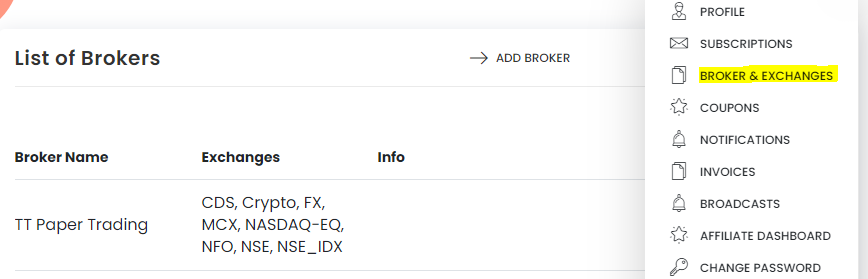
Step 1: Go to Broker and Exchanges in Tradetron from the top right Menu


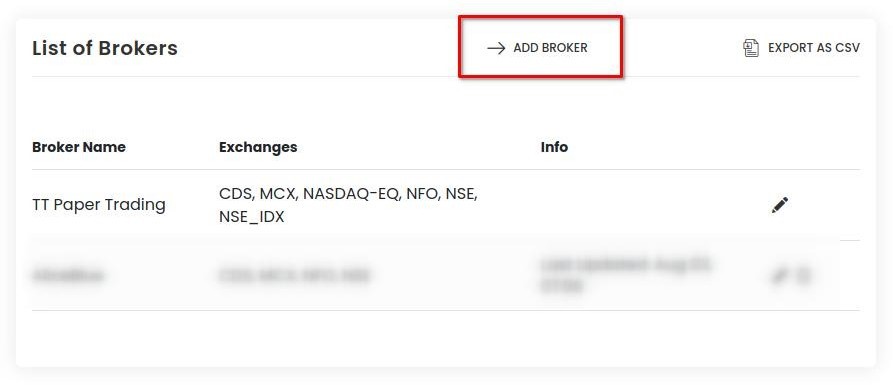
Step 2: Select + Add Broker


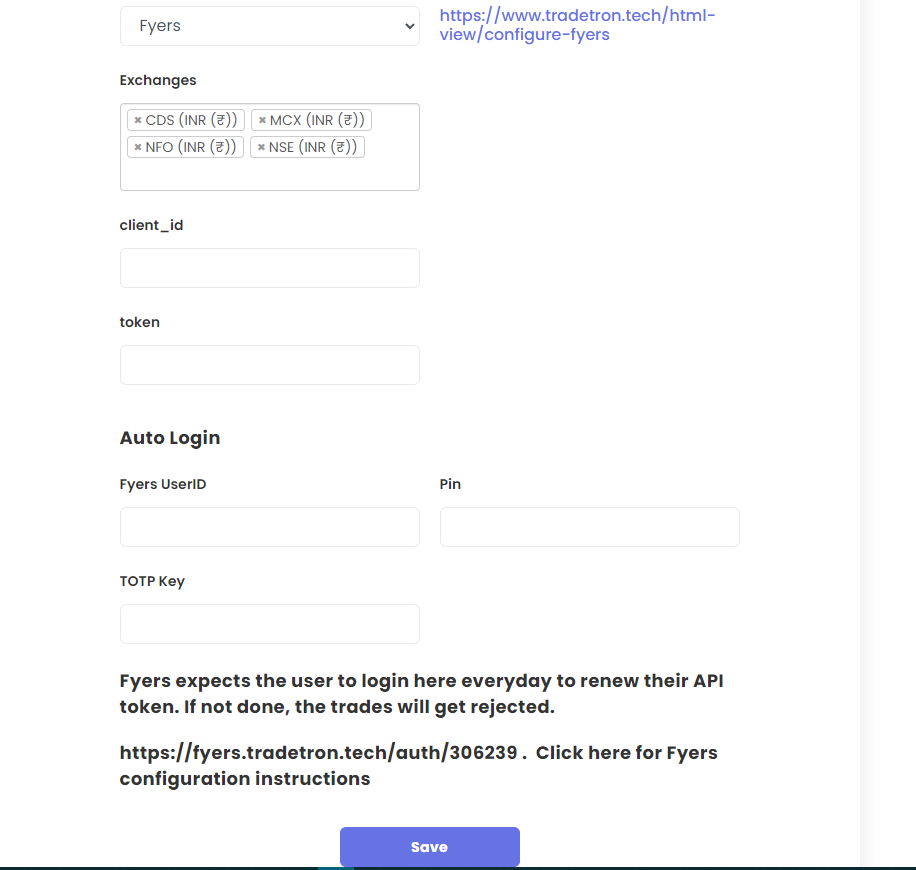
Set 3: Select Fyers from the drop-down. Put your Fyers Client ID and leave token blank. 


TOTP key can be found in your broker terminal.


Step 4:- Click on Save


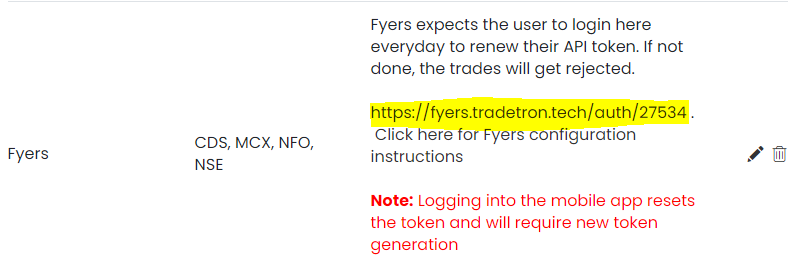
Step 6: If you have not enabled autologin, you need to click on highlighted link in incognito mode for token generation daily. 

Tradetron अब हिन्दी में भी उपलब्ध है हिन्दी में देखें Continue in English
New look

Welcome to the new Tradetron

A cleaner, faster Tradetron, built around how you trade every day.

You can switch back to the classic theme any time from this button, at the bottom-left of every page: