Nelson
Tradetron team
This thread will contain examples of different keywords used to select different expiries

 Nelson
Tradetron team
This thread will contain examples of different keywords used to select different expiries
Nelson
Tradetron team
Note: This formula can be used only in ‘Condition Builder’, not ‘Position Builder’

Nelson
Tradetron team
Note: This formula can be used only in ‘Condition Builder’, not ‘Position Builder’

Nelson
Tradetron team
Nelson
Tradetron team
 Chandrahas
Is Function Days Difference return absolute values? what if D1 and D2 are interchanged…?
 Lion Algos
Chandrahas
The formula is Understood. Question is will it return negative value if I interchange Today(NSE) and Current Month expiry(Nifty 50,-1)
Lion Algos
Not sure on that. Need to test and check
 Tradetron Team
Tradetron team
On the follow-up question: Days Difference (D2-D1) is not an absolute value. It returns Date 2 minus Date 1.
Put today first and the expiry second:
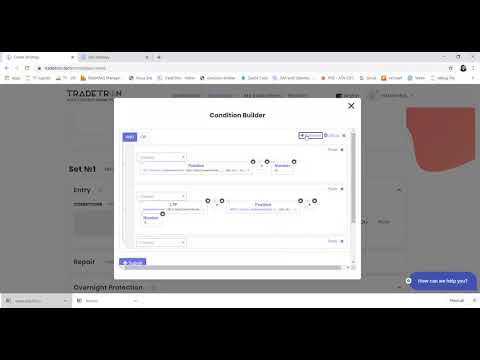
Days Difference(Today('NSE'), Current Month Expiry('NIFTY 50', 0)) >= Number(15)
This is true while 15 or more days remain to the current monthly expiry. On expiry day itself the result is 0, so == Number(0) is a simple “expiry day” check. If you swap the two inputs, the same 15 days comes back as -15 and the condition above would never be true.
Use it in the condition builder, combined with your other conditions using AND. Test it in Live Offline and look at the value in the Notification Log.
Keywords: Keyword Documentation — Tradetron
 Answer written with AI from Tradetron docs (Oct 2026). Original replies are kept above. Spot something wrong? Reply below.
Request received. Pick a time now, or close this and we'll call you to set one up.
The calendar didn't load here. Open the booking page ↗
Booked. The calendar invite is on its way to your email.
Tradetron's AI assistant — pricing, brokers, strategies, anything.
AI can make mistakes. Consider checking important information.
How good was it?
We store the question and the answer with your report so the team can audit it.