

Wisdom Capital (Symphony) needs a static IP bought from Tradetron. You whitelist it in your Wisdom Neo developer app, then generate a token from Tradetron.
A static IP is a paid add-on bought per broker on the Broker & Exchanges page: ₹100 for 1 month, ₹250 for 3 months or ₹1000 for 1 year. It is tied to one broker on one Tradetron account and cannot be moved to another broker or account.
Steps
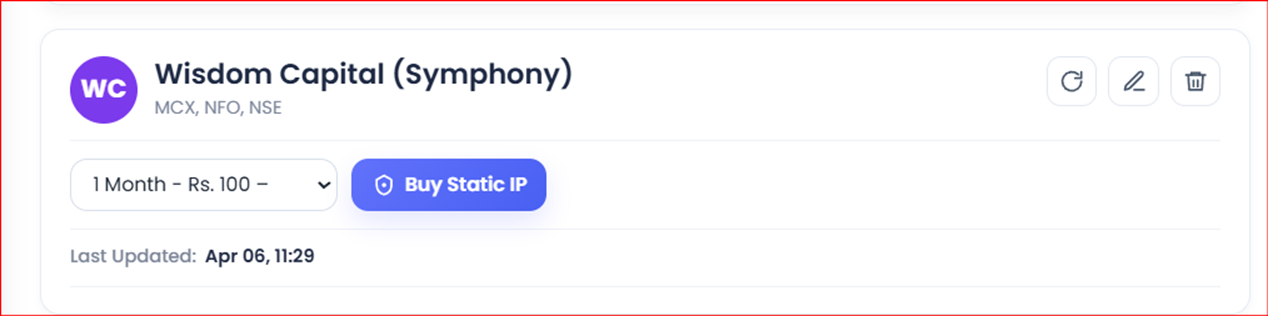
- On Tradetron, open Broker & Exchanges, add Wisdom Capital with dummy credentials for now and save.
- Buy the static IP from the same page.
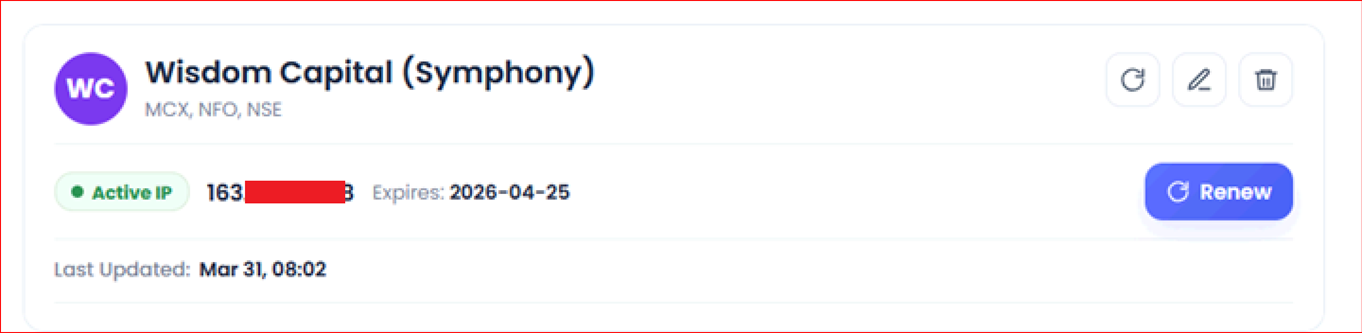
- After purchase, the static IP shows on the page like this:
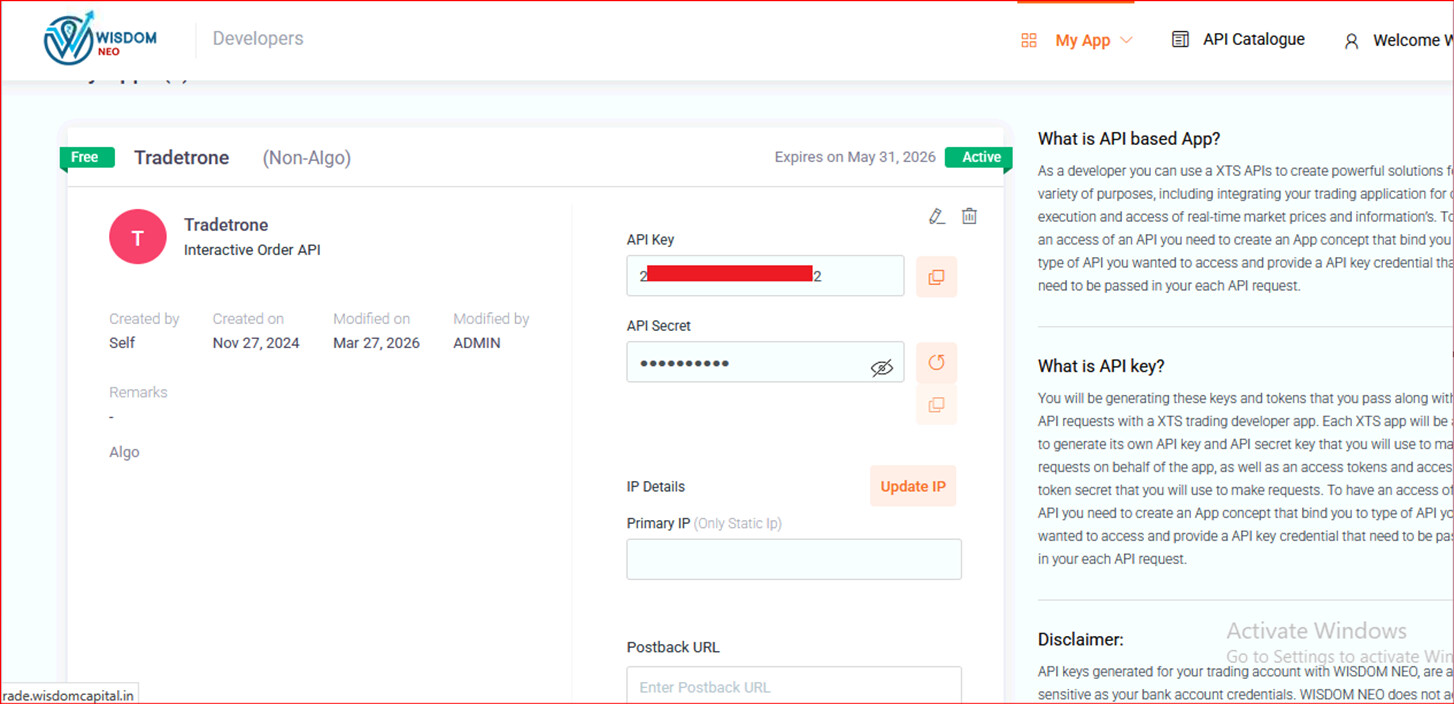
- Log in to the Wisdom Neo Developers page and create an app for Interactive Order API keys.
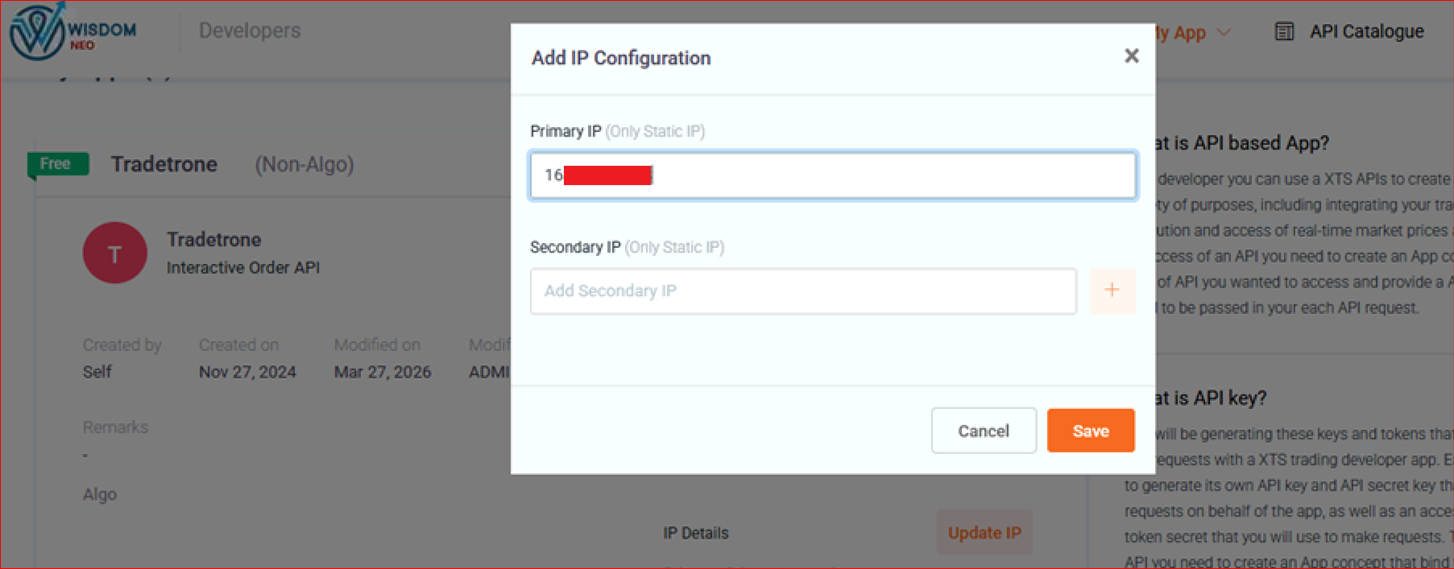
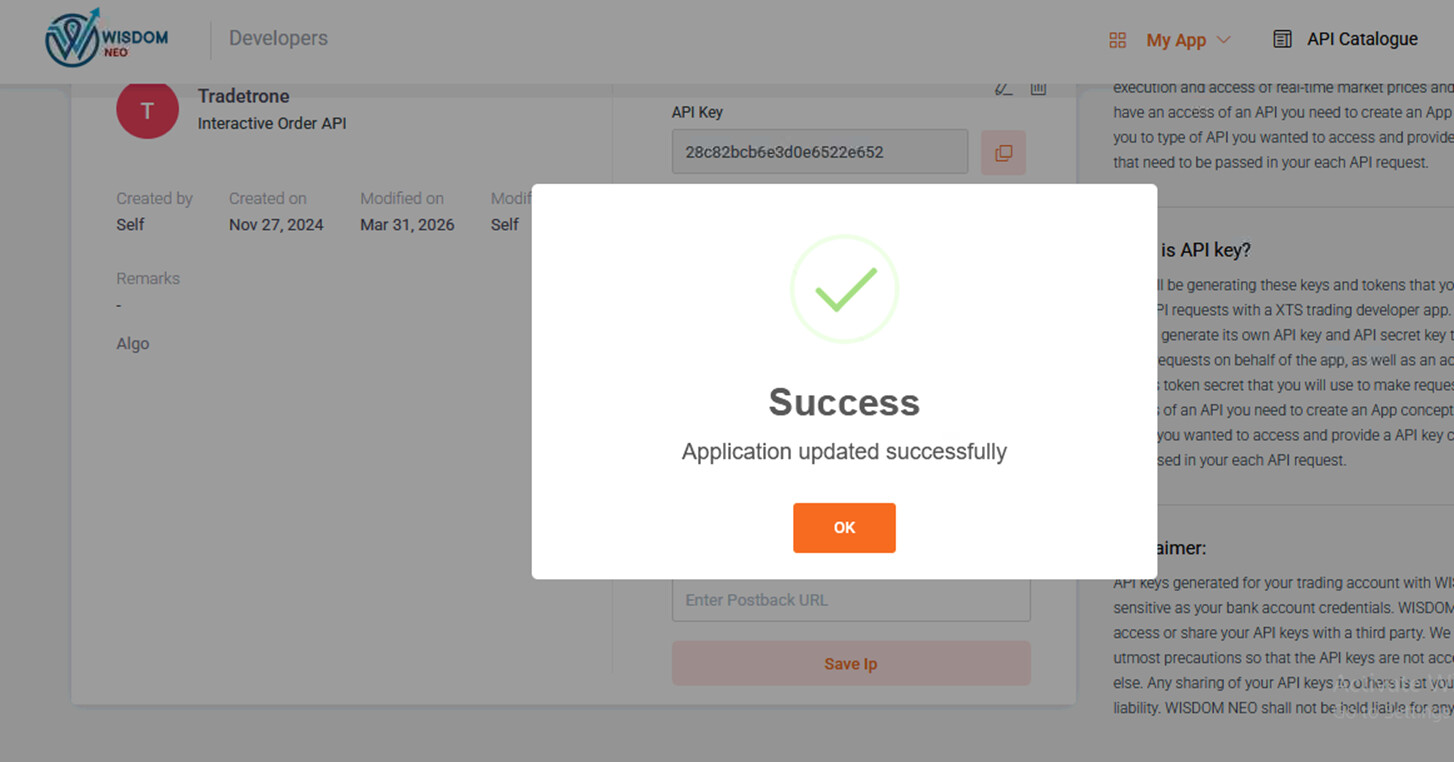
- Enter the static IP in Primary IP. Leave Secondary IP and Postback URL blank.
- Save the IP details.
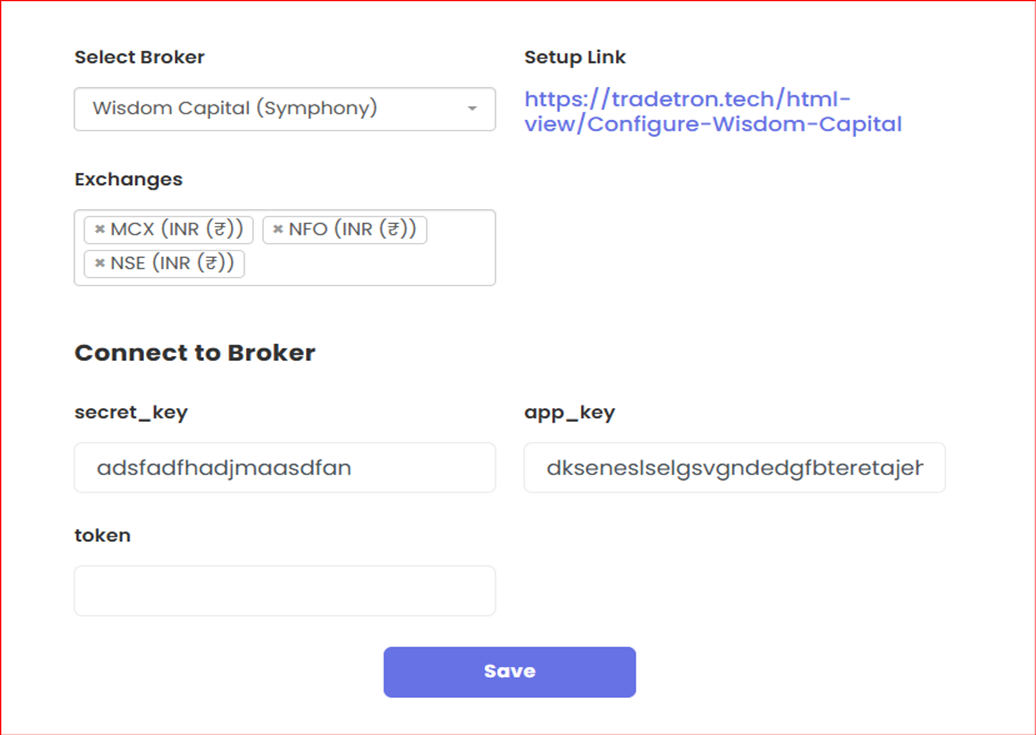
- On Tradetron’s Broker & Exchanges page, enter the API key and Secret key. Leave Token blank. Save.
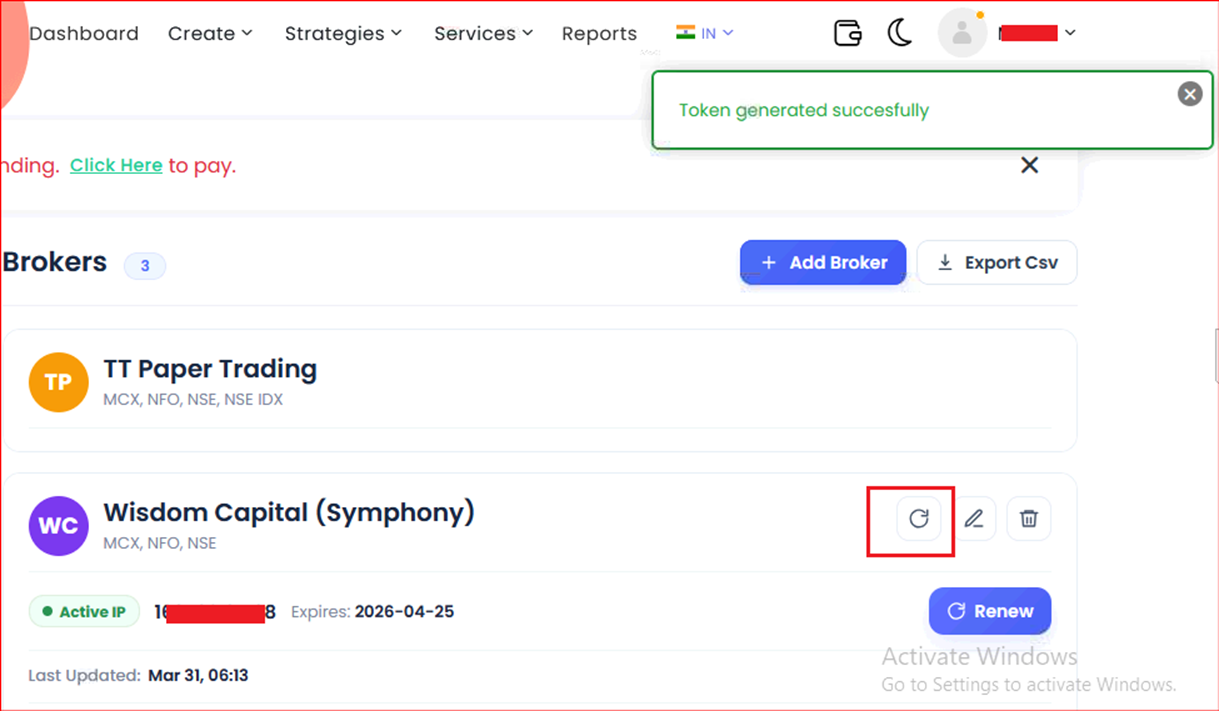
- Click Generate Token to generate your token.
 Edited with AI from the original Tradetron article, checked against current docs (Oct 2026). Spot something wrong? Tell us in the Community.