

Generate your Upstox token using a static IP bought on Tradetron.
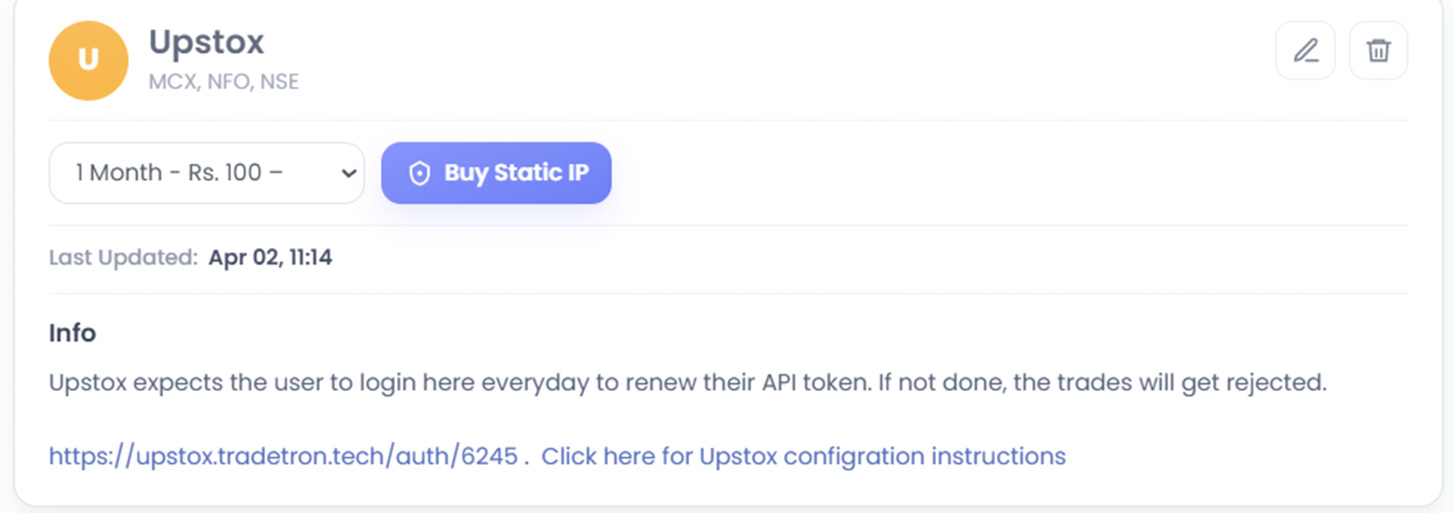
- On Tradetron, open the Broker and Exchanges page, enter dummy credentials for Upstox and save (only for now).
- Buy a Static IP from the same page.
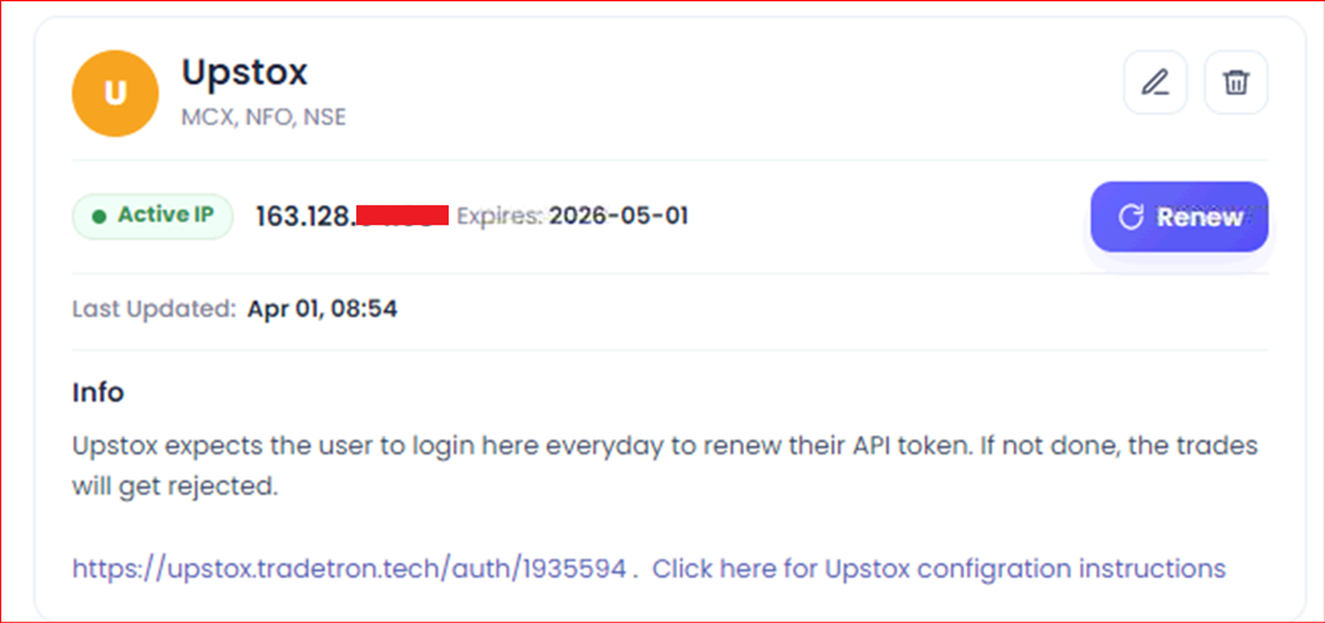
- After buying, the Static IP shows on the Broker and Exchanges page like this:
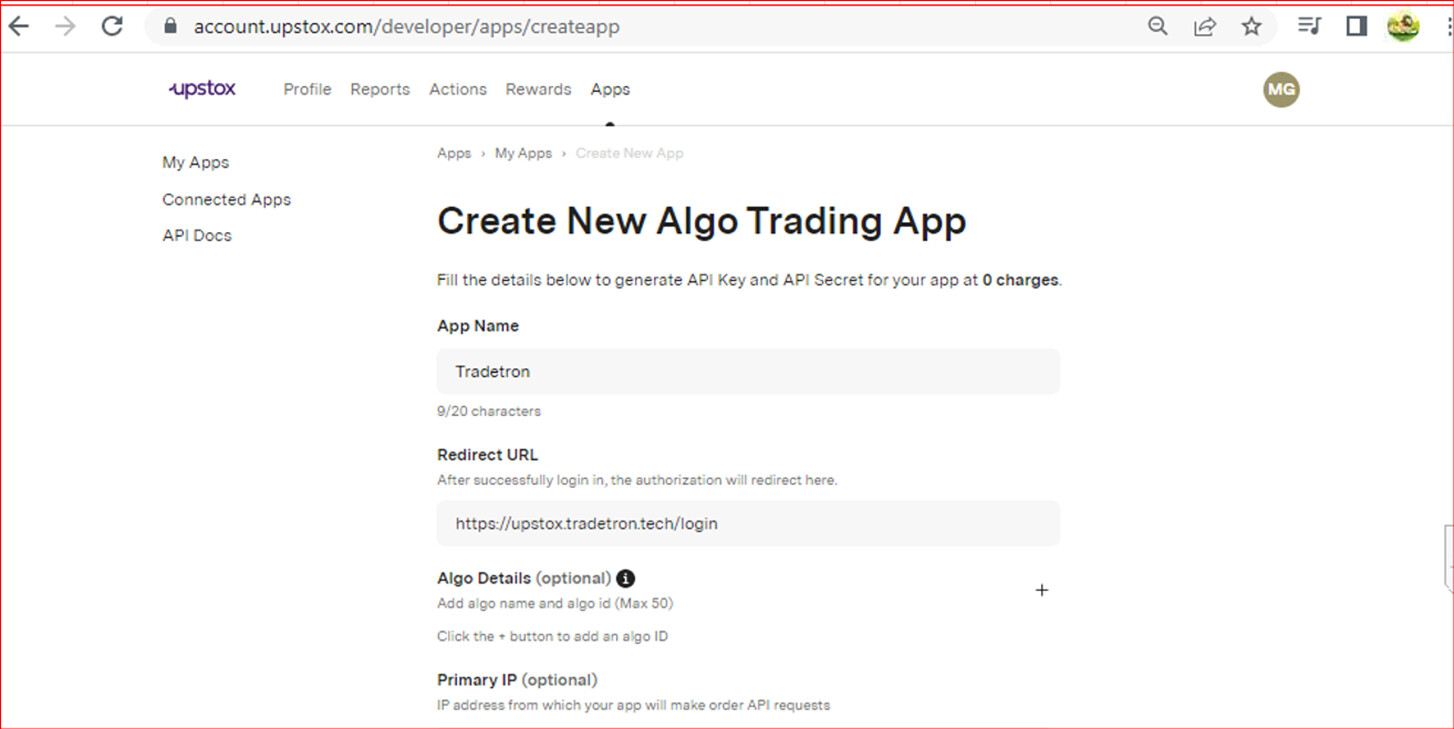
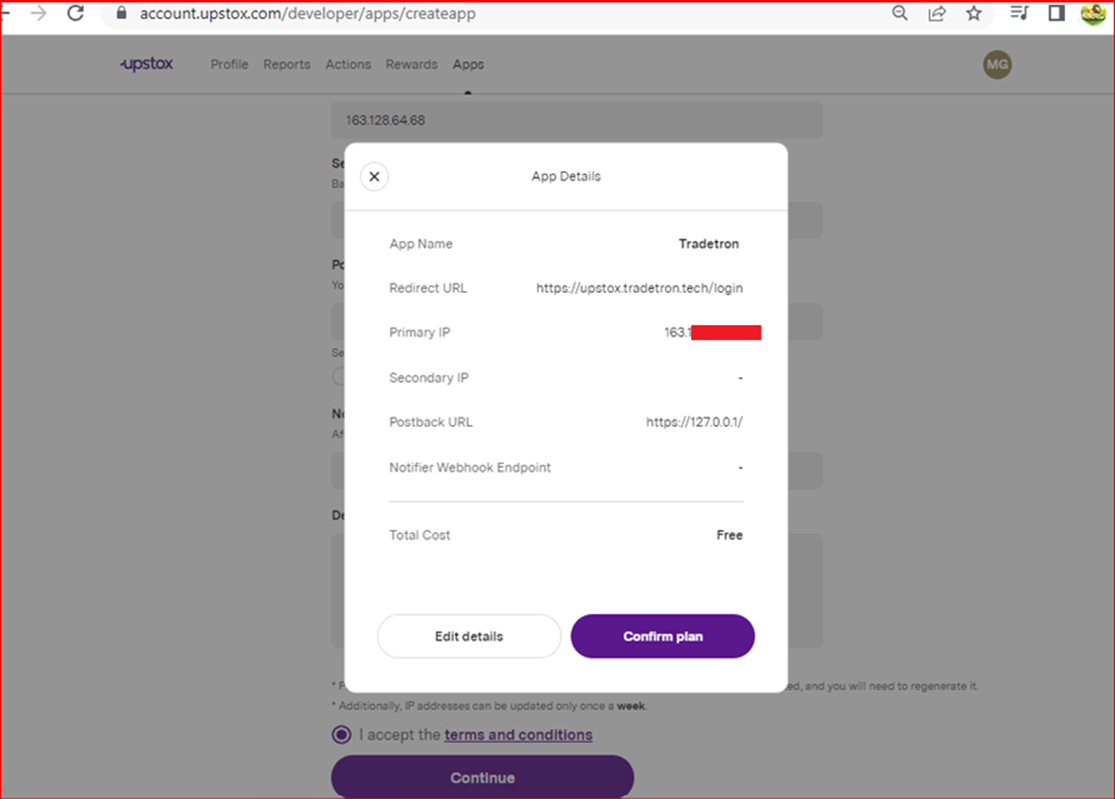
- Go to the Upstox developer portal and fill in the app details:
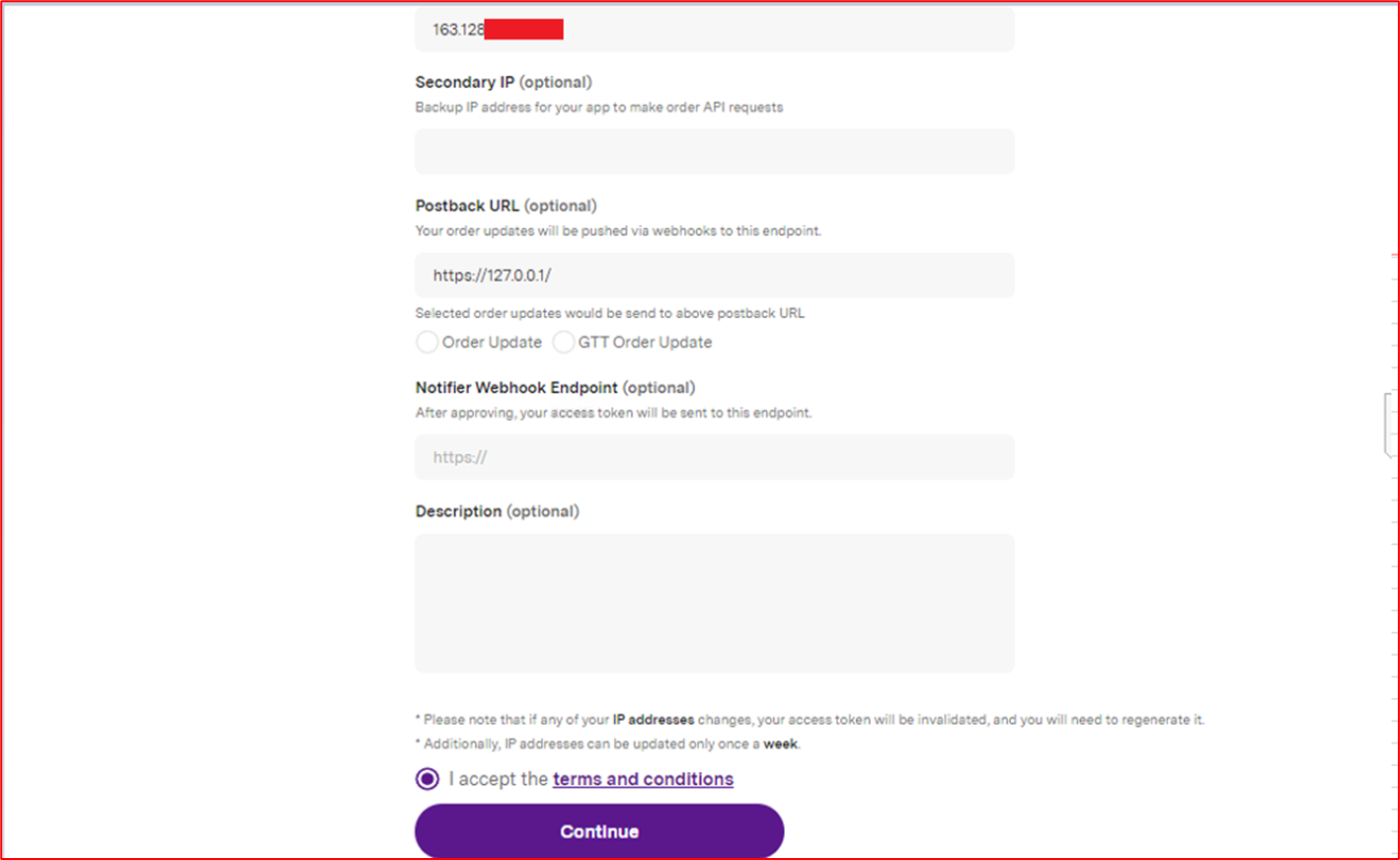
- Confirm the plan.
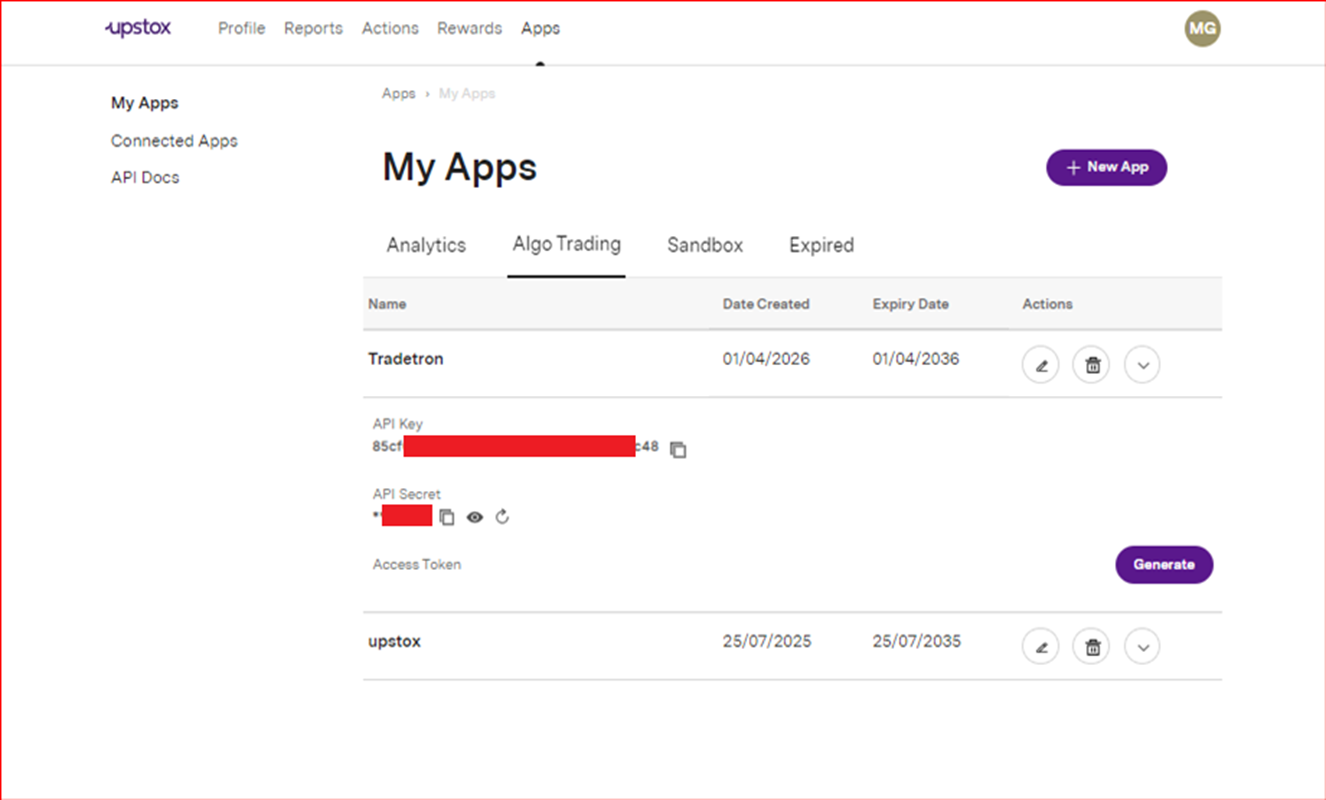
- Your API Key and Secret Key now appear.
- Enter them on the Broker and Exchanges page in Tradetron.
- Leave Token blank.
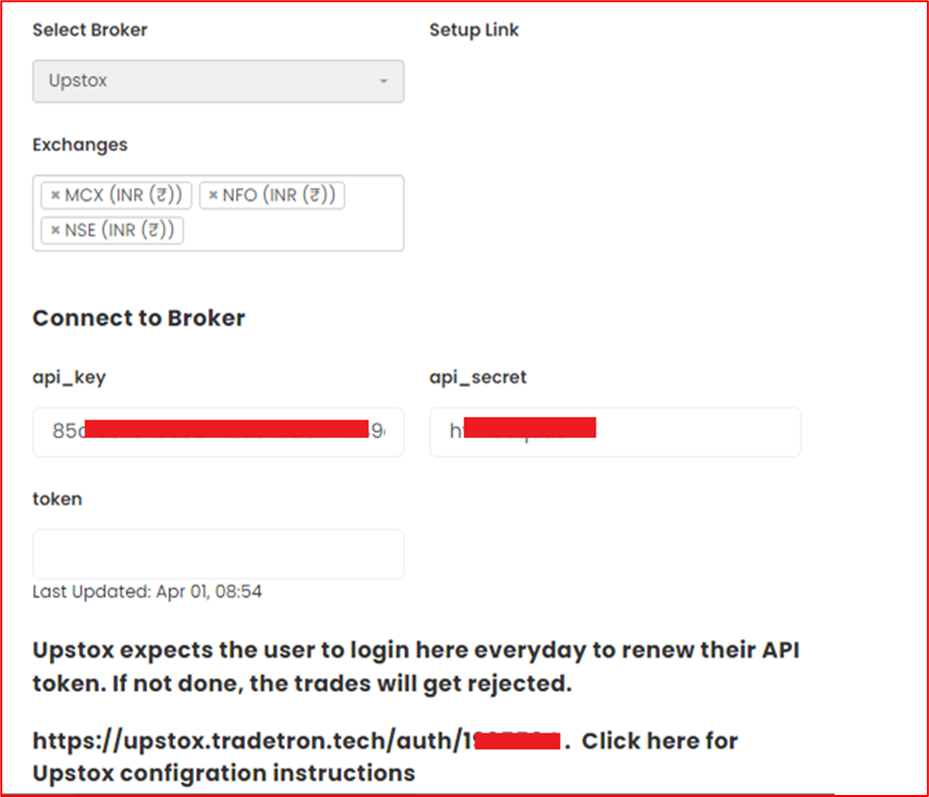
- Click the auth token generation link.

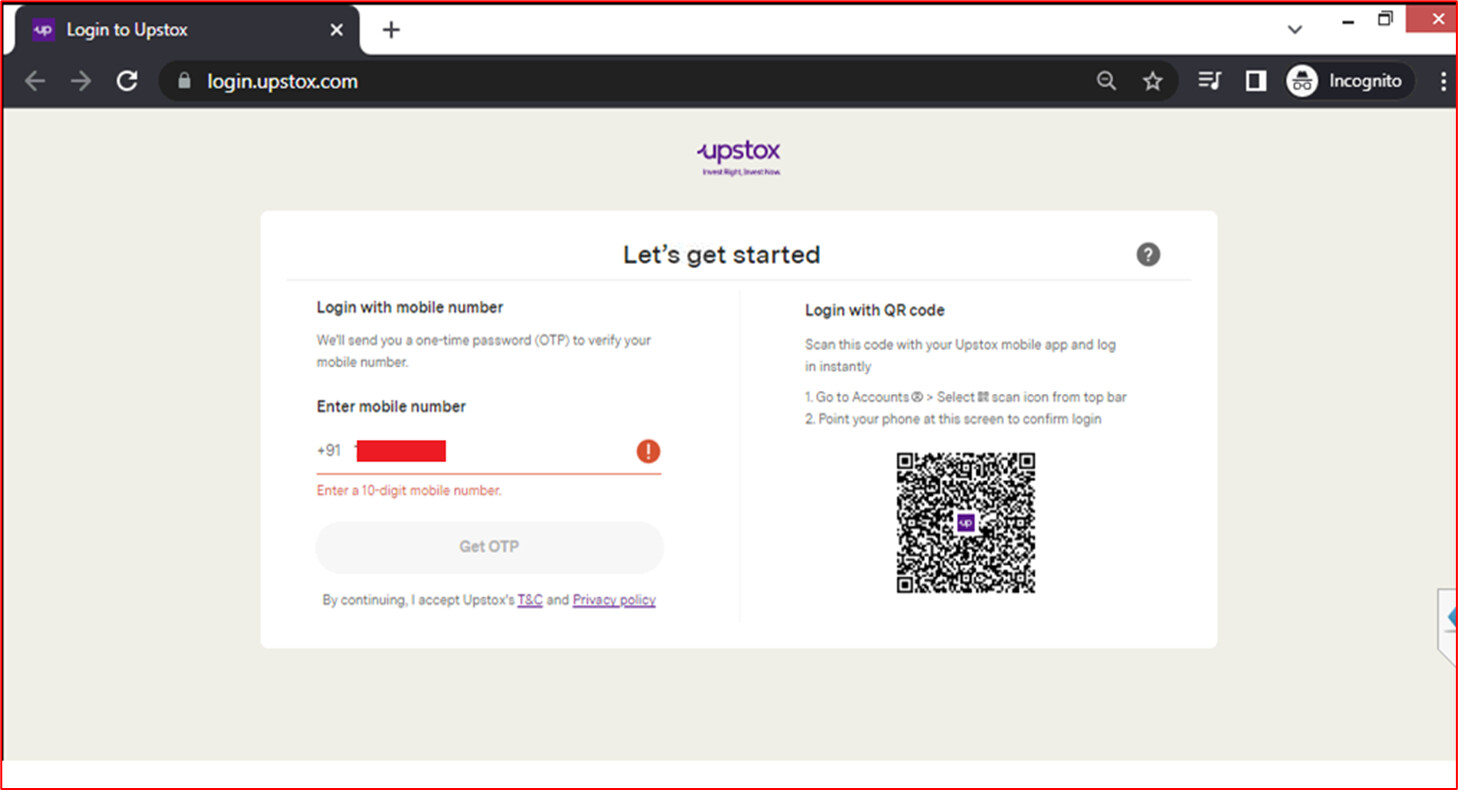
- Log in to Upstox when asked.
- Your token is generated.

 Edited with AI from the original Tradetron article, checked against current docs (Oct 2026). Spot something wrong? Tell us in the Community.