

Leg TSL trails the stop-loss of one leg of your strategy.
Set it up
- Add your entry conditions and positions.
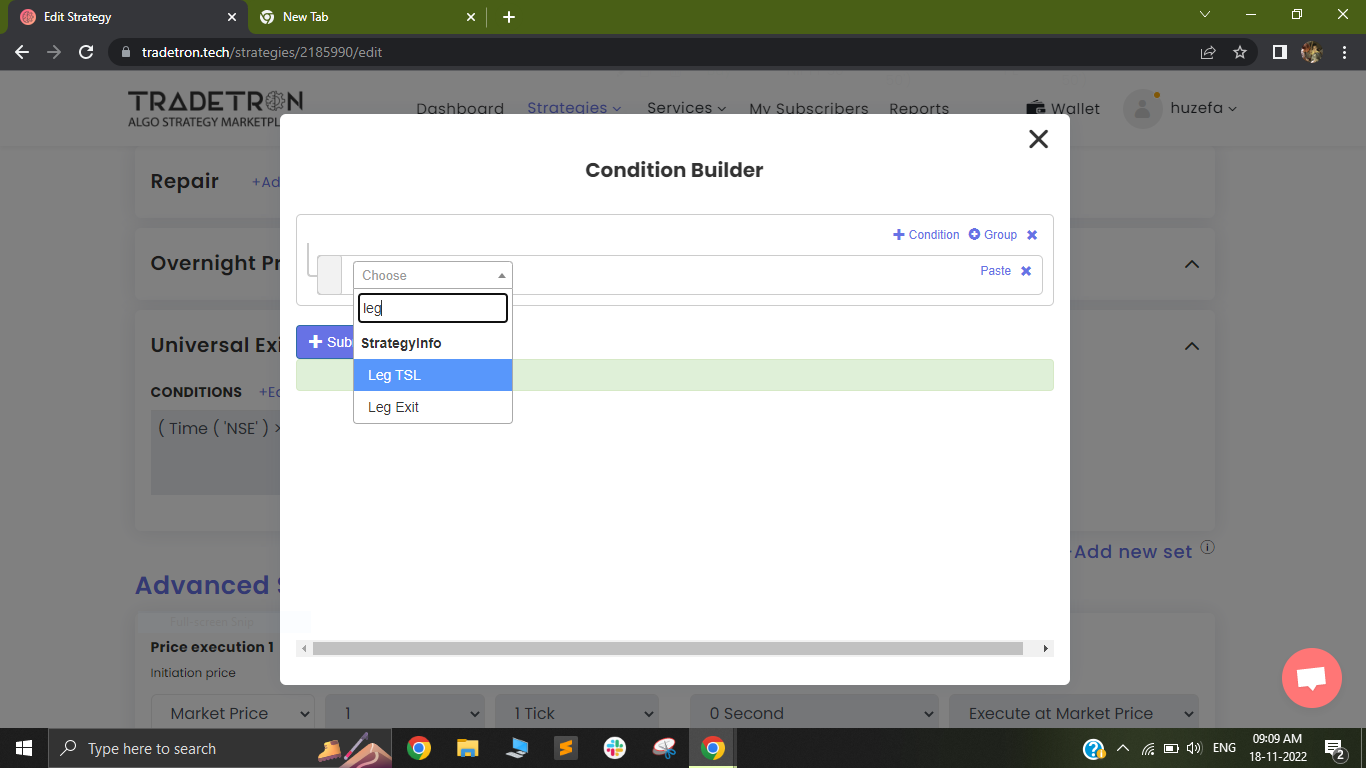
- In Repair Once, search for the keyword Leg TSL.
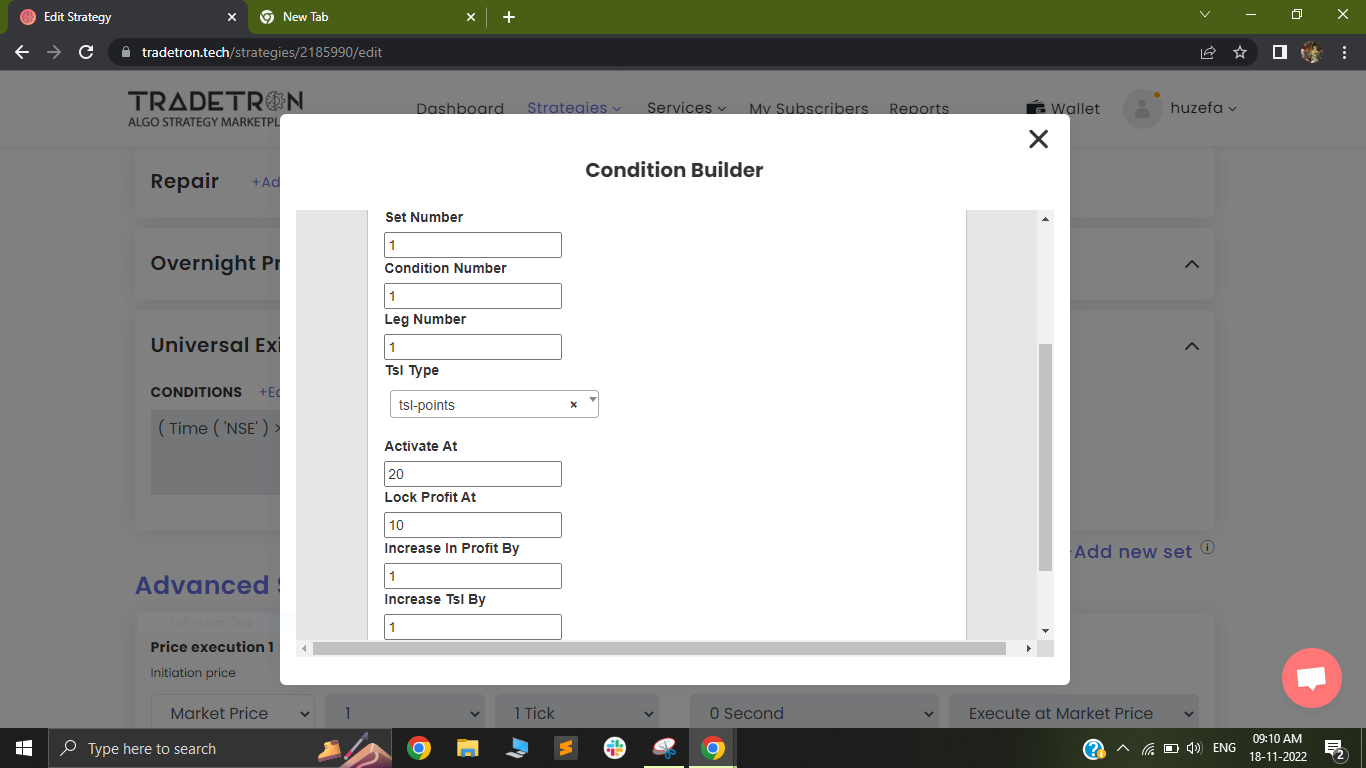
- Click it, select the instrument and enter its location (set, condition, leg).
- Pick the TSL type:
- TSL - Points: all values in points (not rupees)
- TSL - Percentage: all values in %
- Activate at: where the trail starts. Example: you buy a PUT at 100 and set 20 points. The TSL starts only when the PUT trades above 120.
- Lock profit at: the profit locked once the trail is active. Example: activated at 20 points with lock profit at 10, the position exits if the price falls back to 110.
- Increase profit by: the minimum favourable move before the TSL is moved.
- Increase TSL by: how much the TSL moves each time.
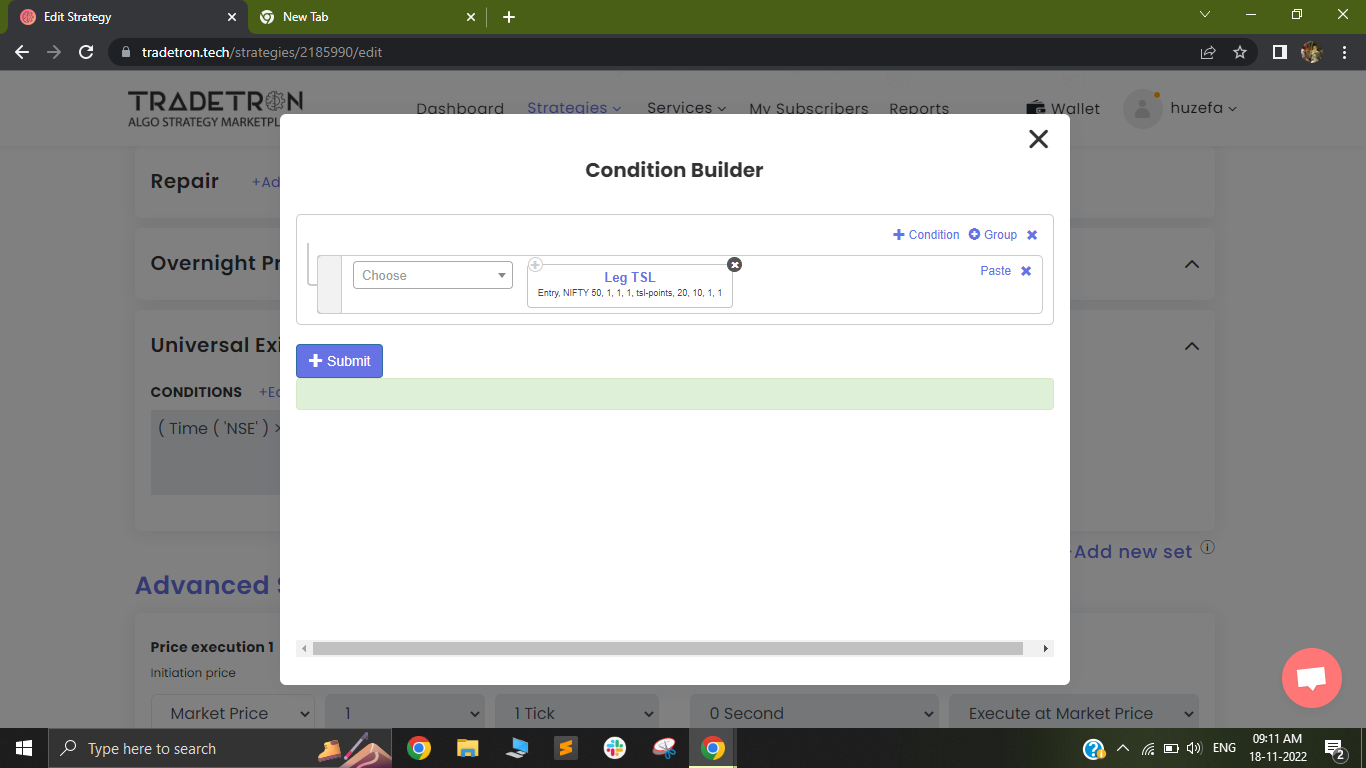
No comparator is needed. The condition is just the Leg TSL keyword:
Important
- Leg TSL does not trail re-entries. Make that leg enter only once per counter.
- The Universal Exit TSL keyword is a different, strategy-level keyword that works only inside Universal Exit.
Video: https://youtu.be/M2PlEGXmSNc
 Edited with AI from the original Tradetron article, checked against current docs (Oct 2026). Spot something wrong? Tell us in the Community.