

Leg Exit adds a target or stop loss to a single leg.
Steps
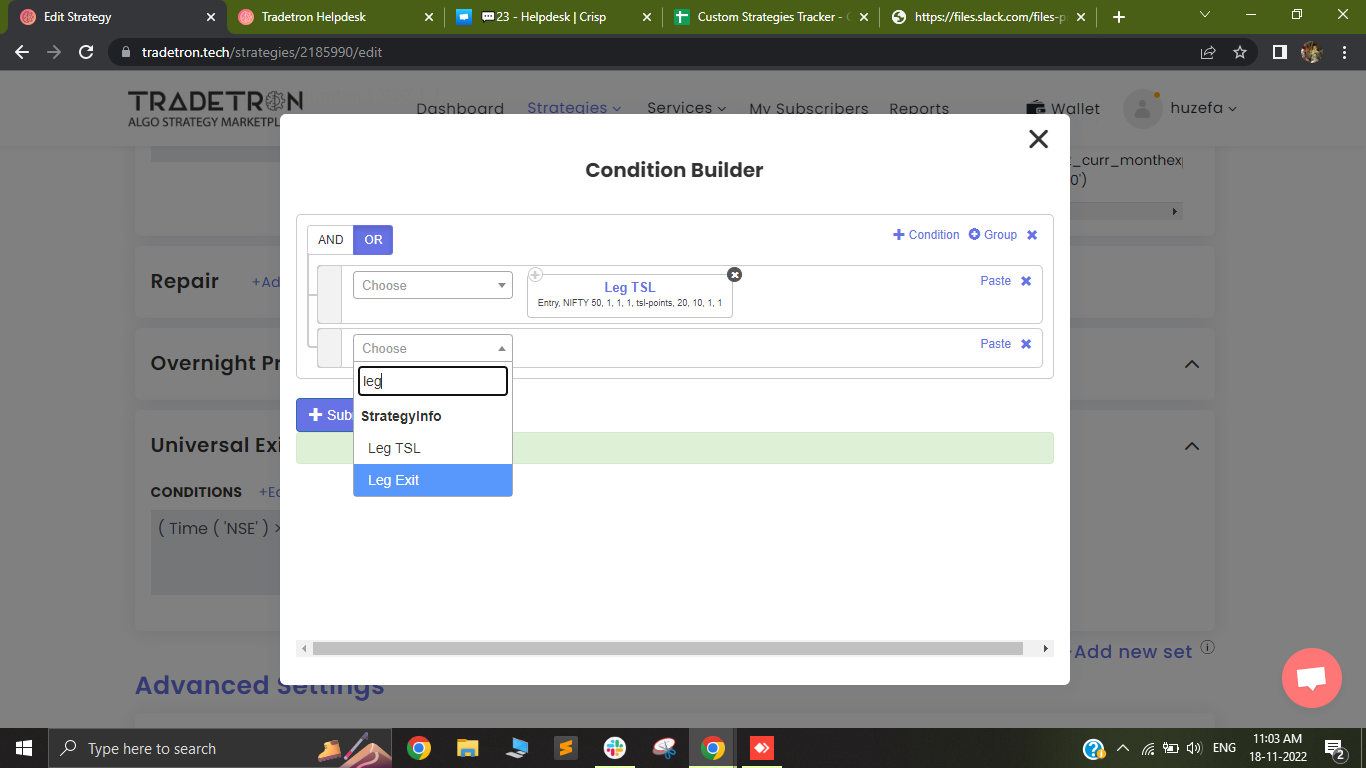
- Select the Leg Exit keyword.
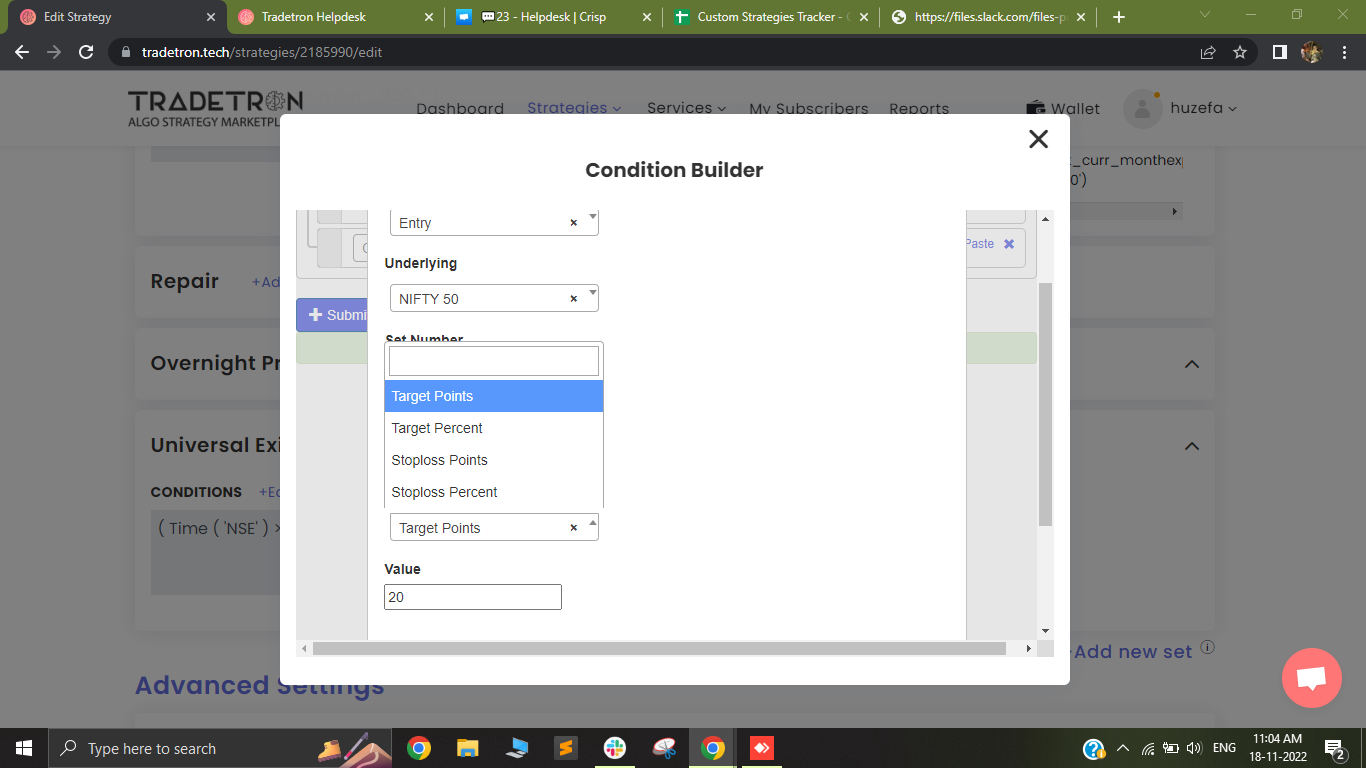
- Choose the instrument and its location (Set, Condition, Leg number). Pick target or stop loss, in percentage or points, and enter the value.
- The condition builder detects whether the leg is long or short and triggers the target or stop loss correctly.
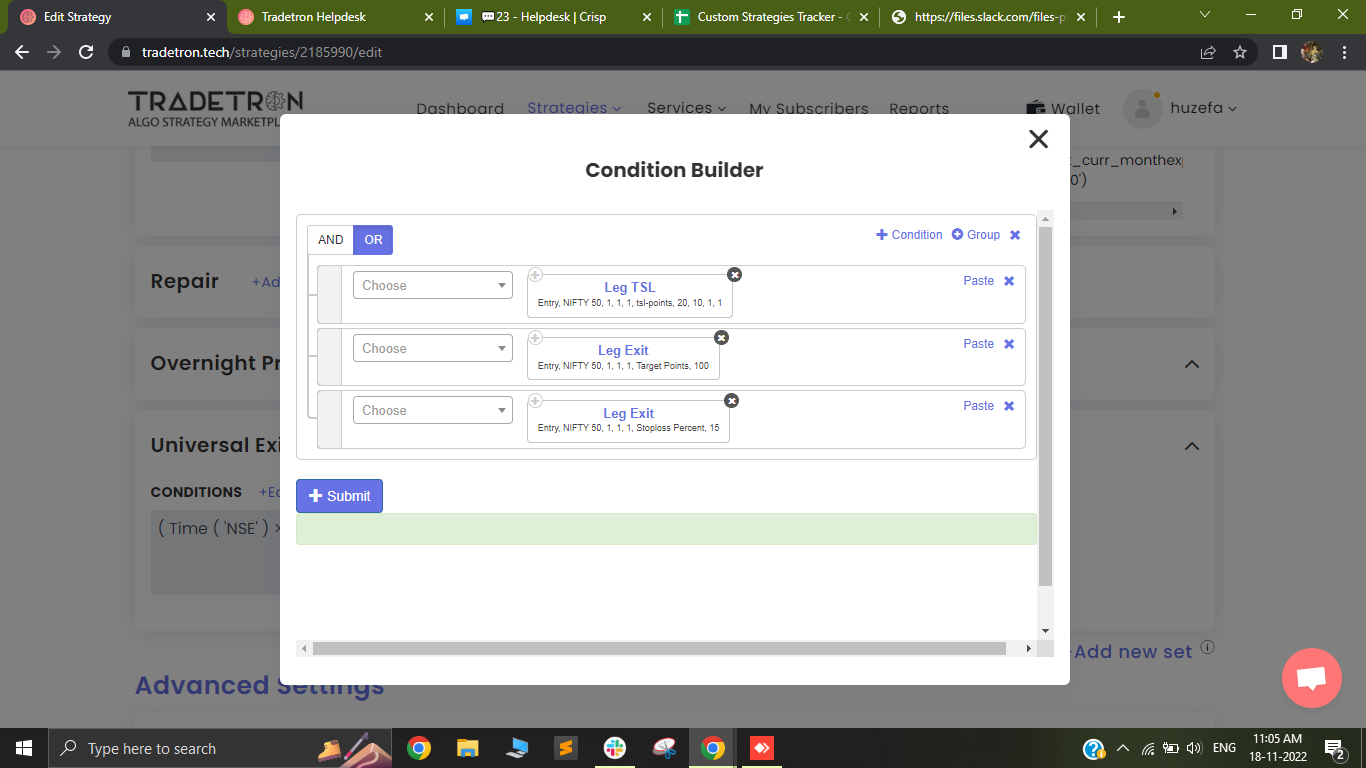
- You can add several Leg Exits. The leg exits on whichever is true first.
Important
Use Leg Exit and Leg TSL only when the entry leg trades once per counter. They do not work for re-entries.
Video: https://youtu.be/M2PlEGXmSNc
Keyword reference: Keyword Documentation — Tradetron
 Edited with AI from the original Tradetron article, checked against current docs (Oct 2026). Spot something wrong? Tell us in the Community.