

- Click Strategies and select Deployed.
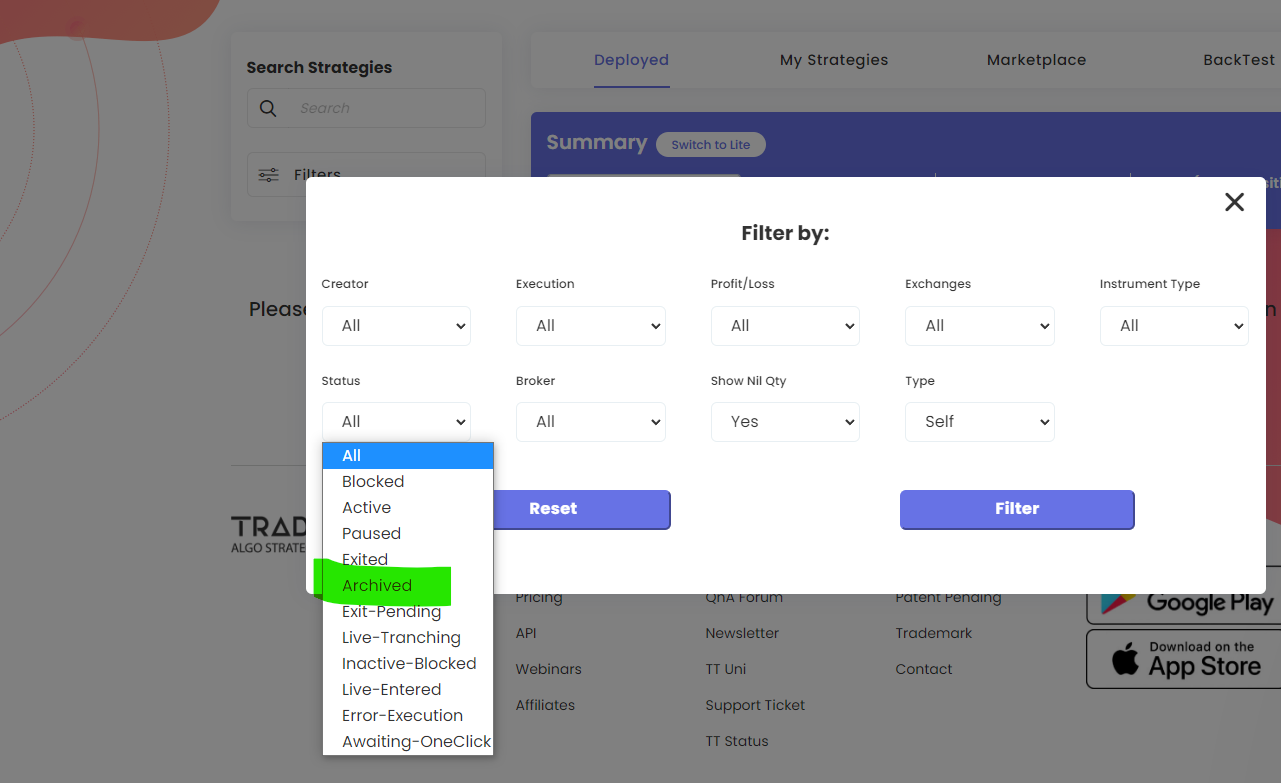
- Open Filters and set Status to Archived.
All your archived deployments appear, with their trade data.
Tip: if deployments seem to be missing on the Deployed page, a filter is usually set. Click Reset Filter.
 Edited with AI from the original Tradetron article, checked against current docs (Oct 2026). Spot something wrong? Tell us in the Community.