

Start with the Notification Logs. On your deployment card, open the three-dot menu (⋮) → Notification Logs.
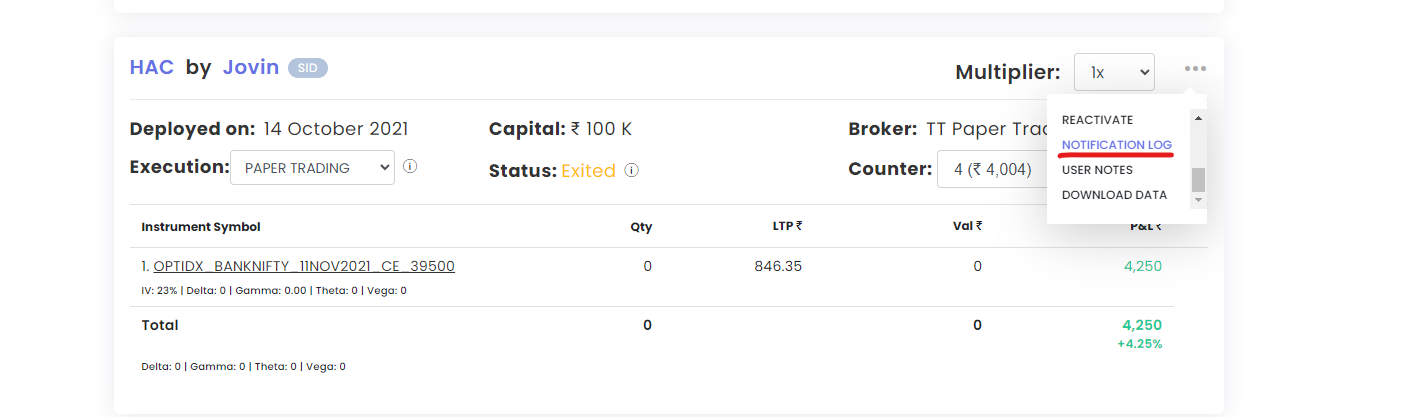
Check logs the same day. They are kept only for a day or two. After market hours, set the date/time filter to when the strategy was running, or the log will look empty.
Case 1: notification logs are blank
Either the conditions were not met or a keyword is not returning data.
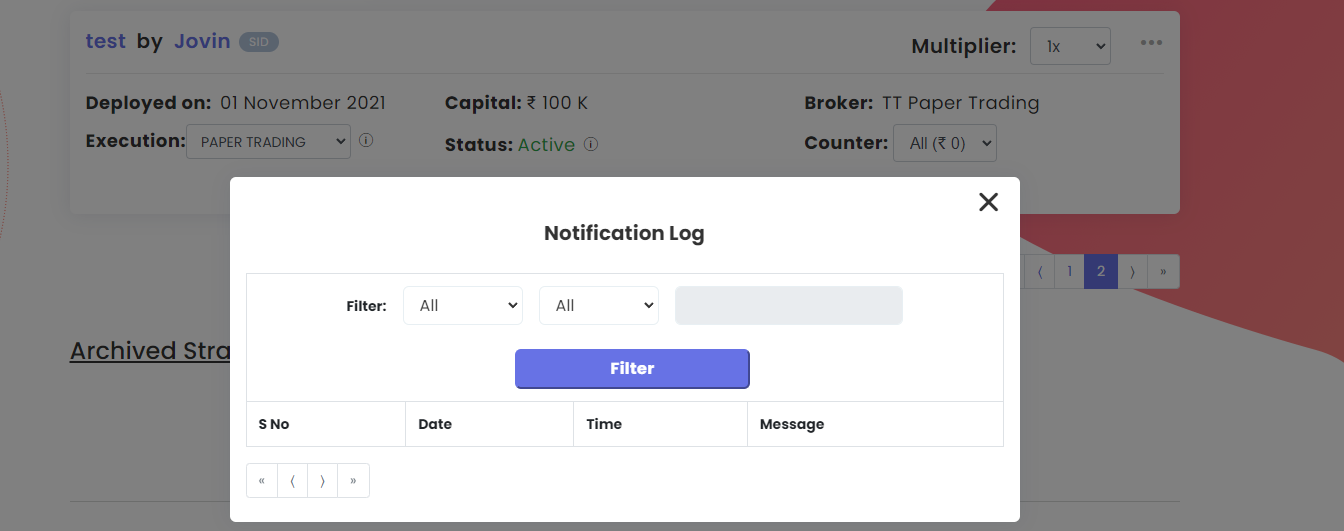
- Check each keyword against the Keyword Documentation.
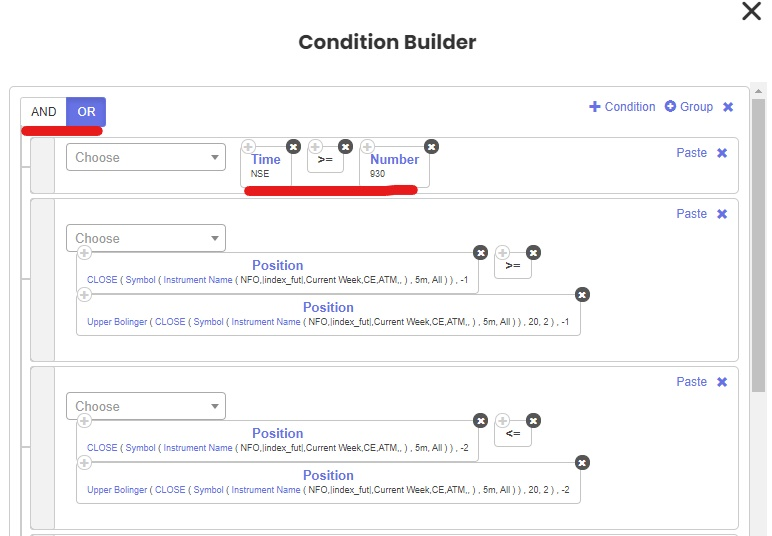
- Force an entry: add an always-true condition such as
Time >= 915at the top of your entry conditions and change that block’s logic to OR. Run it in Live Offline.
- Read each condition’s value in the forced log. A value showing NaN or blank means that keyword returns no data and is why the trade did not fire.
- If every value looks fine, the condition simply was not met on the data Tradetron received.
- Remove the temporary time condition when you are done.
Strategy set to API control by mistake
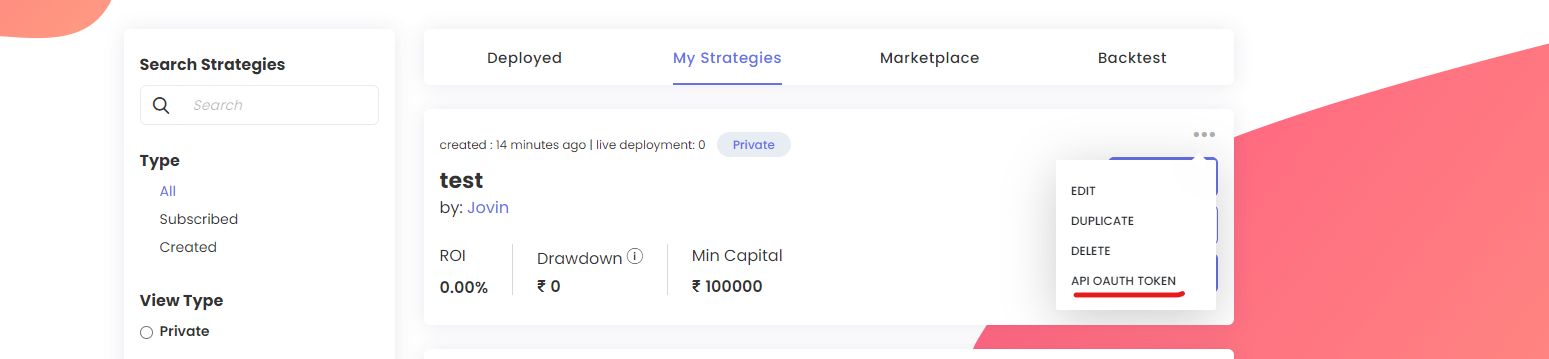
A strategy linked to the API with Hybrid Mode off will not trade without an external signal. Go to My Strategies → three dots → API OAUTH Token, unlink it, then redeploy.
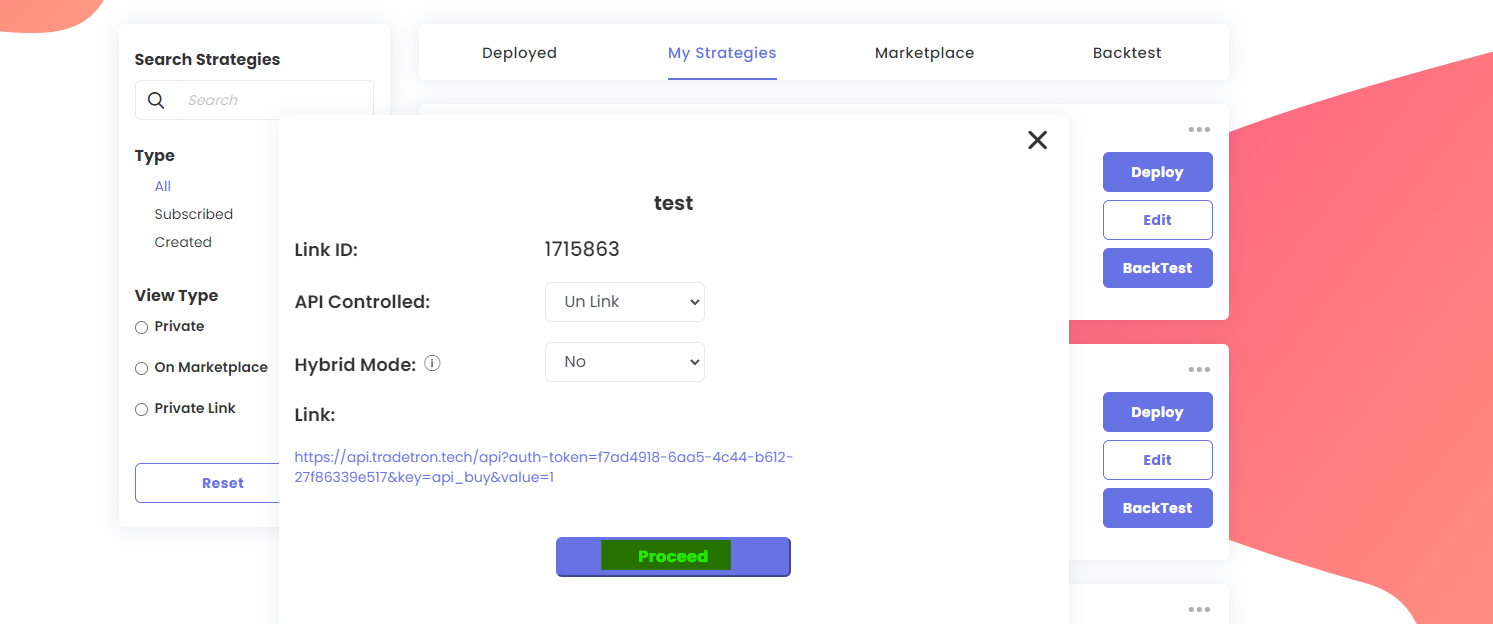
Case 2: logs repeat the entry condition but no trade happens
The condition passed. The problem is in the Position builder.
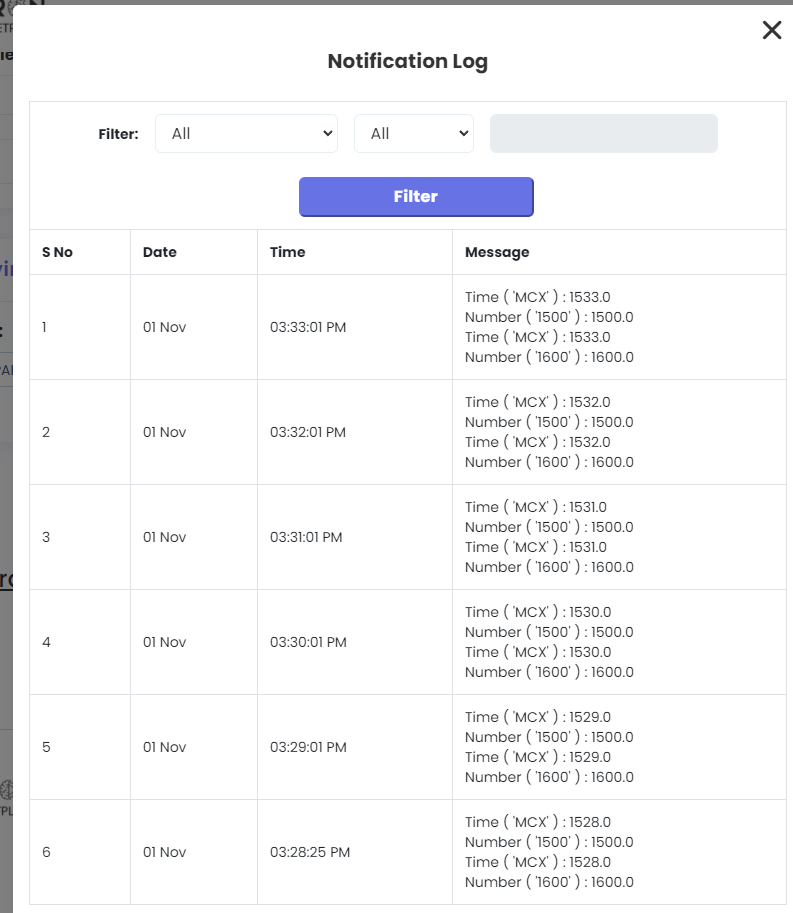
Common mistakes:
- Using Quantity = 1 instead of Lots = 1 for F&O. This is the most common cause.
- Wrong keyword in Strike Fx, or plain ATM where ATM Spot is needed.
- No strike in the option chain matches your Find Strike settings.
- Underlying not selected in Expiry Fx, or the wrong expiry keyword for the instrument (for example MCX options vs futures).
Fix the Position builder and update the strategy.
Check why a trade was taken
If a trade looks wrong compared with your chart, compare your conditions with the values in the notification logs at the time of entry.
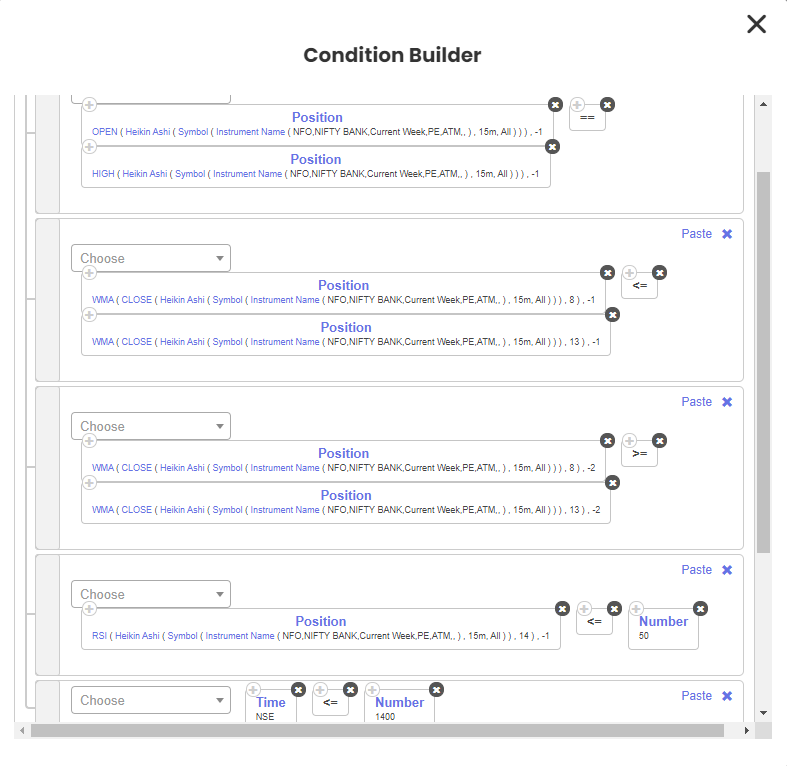
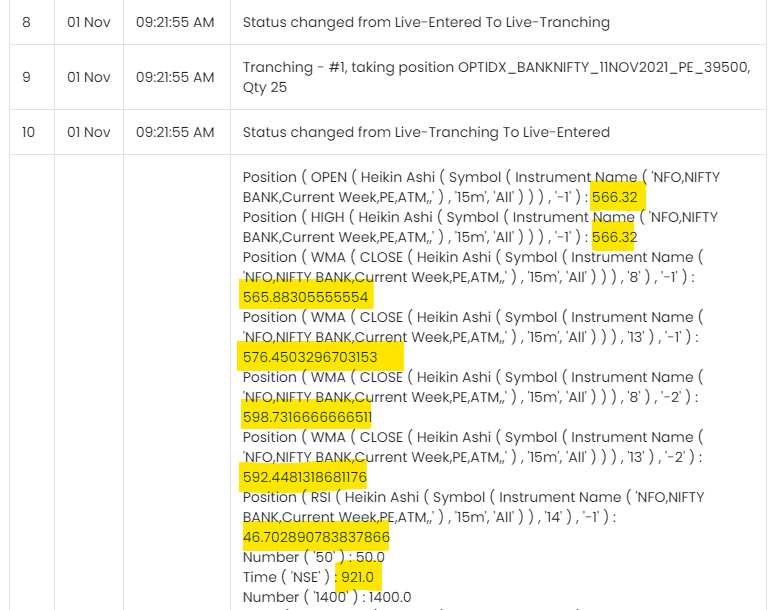
The log shows each keyword’s value. Compare these with your chart to see why the trade fired.
Still stuck?
Connect your AI assistant to Tradetron via MCP to debug the deployment, or chat with support on tradetron.tech.
 Edited with AI from the original Tradetron article, checked against current docs (Oct 2026). Spot something wrong? Tell us in the Community.