

Follow the steps shown below to see the trades taken by a marketplace strategy you have deployed:
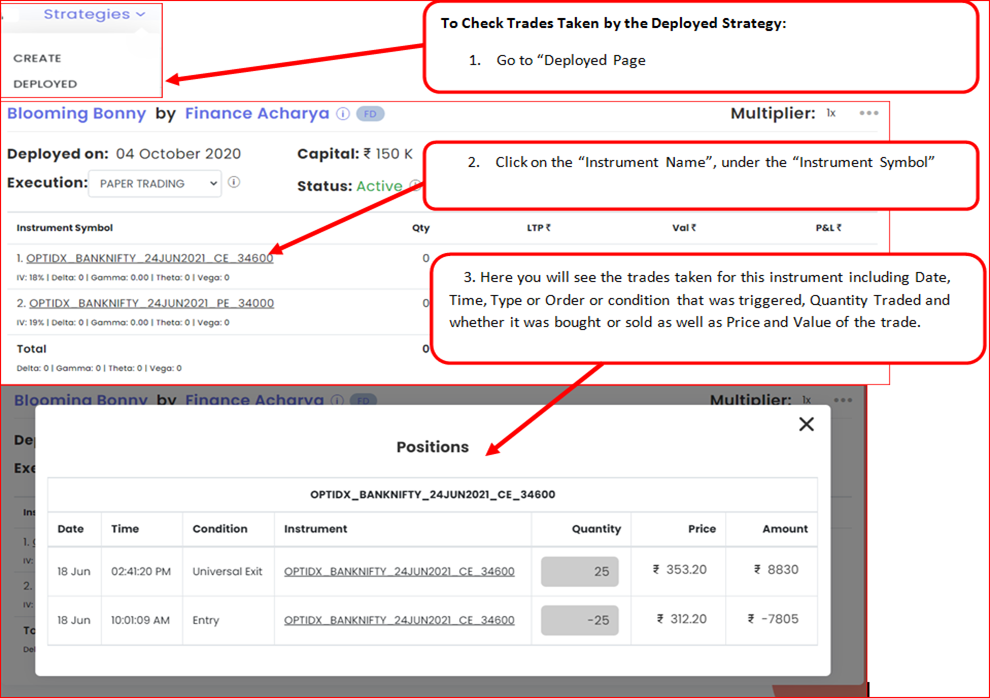
For a full log of what the strategy checked and did, open the deployment’s three dots (⋮) → Notification Logs on the Deployed page.
 Edited with AI from the original Tradetron article, checked against current docs (Oct 2026). Spot something wrong? Tell us in the Community.