

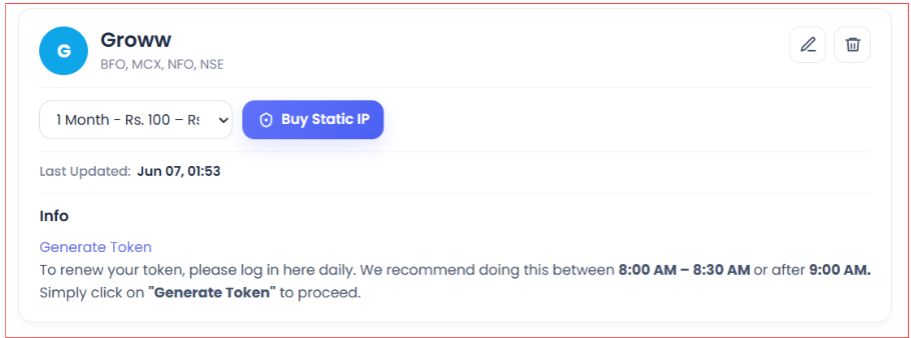
Groww uses a static IP and a manually pasted access token. Do not click Generate Token for Groww.
Steps
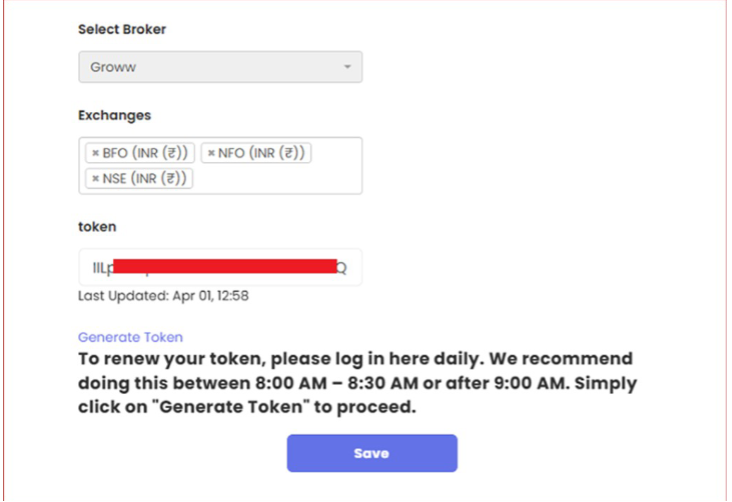
- On Tradetron, go to Broker & Exchanges, select Groww, enter placeholder credentials and save (just for now).
- Buy a Static IP from the Broker & Exchanges page.
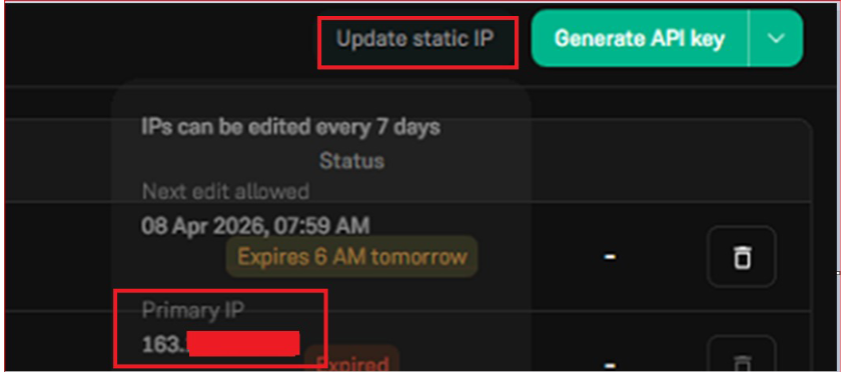
- Go to the Groww API portal, enter the static IP and save.
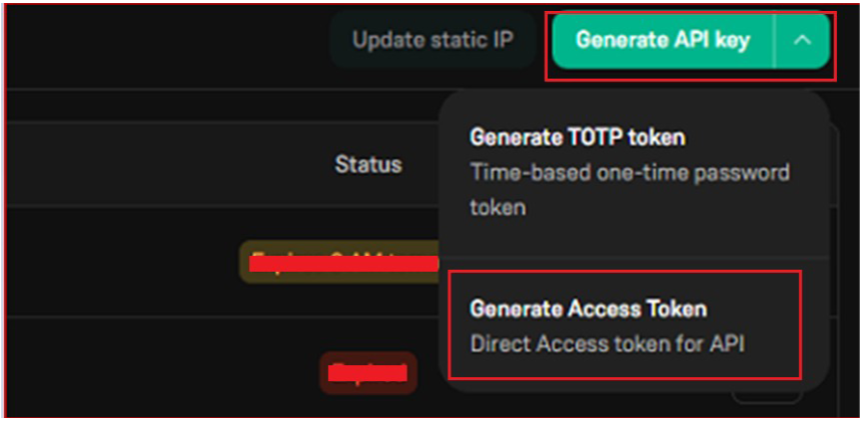
- Click Generate API Key, then choose Generate Access Token from the dropdown.
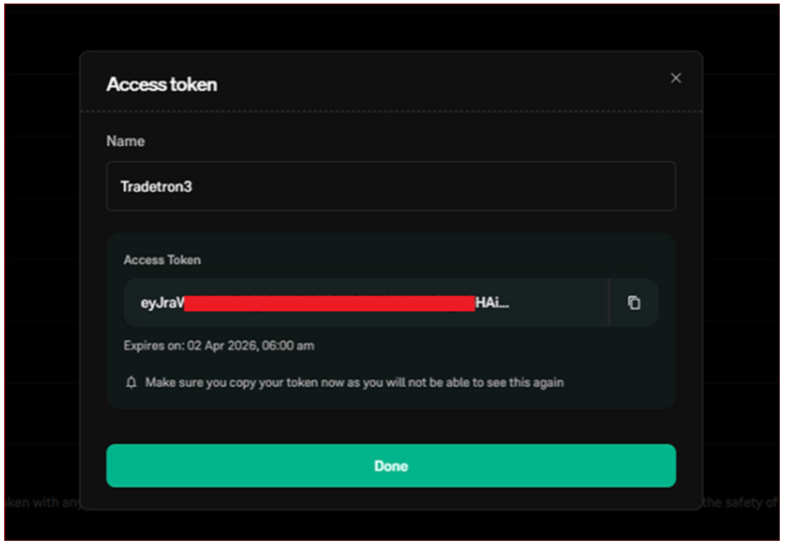
- The access token is generated.
- Copy it and paste it into the Groww card on Tradetron’s Broker & Exchanges page.
Daily renewal
The Groww access token is valid for 1 day. Paste a fresh token every trading day before the market opens.
 Edited with AI from the original Tradetron article, checked against current docs (Oct 2026). Spot something wrong? Tell us in the Community.