

Fyers needs a static IP bought from Tradetron. You add it to your Fyers API app, then generate a token from Tradetron.
A static IP is a paid add-on bought per broker on the Broker & Exchanges page: ₹100 for 1 month, ₹250 for 3 months or ₹1000 for 1 year. It is tied to one broker on one Tradetron account and cannot be moved to another broker or account.
Steps
- On Tradetron, open Broker & Exchanges, add Fyers with dummy credentials for now and save.
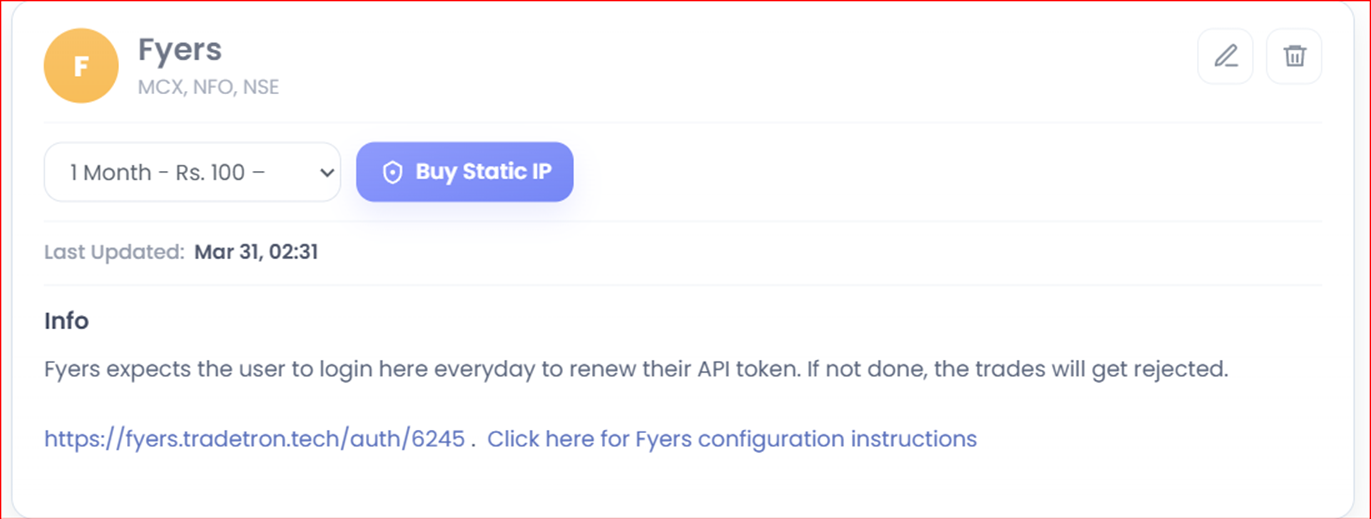
- Buy the static IP from the same page.
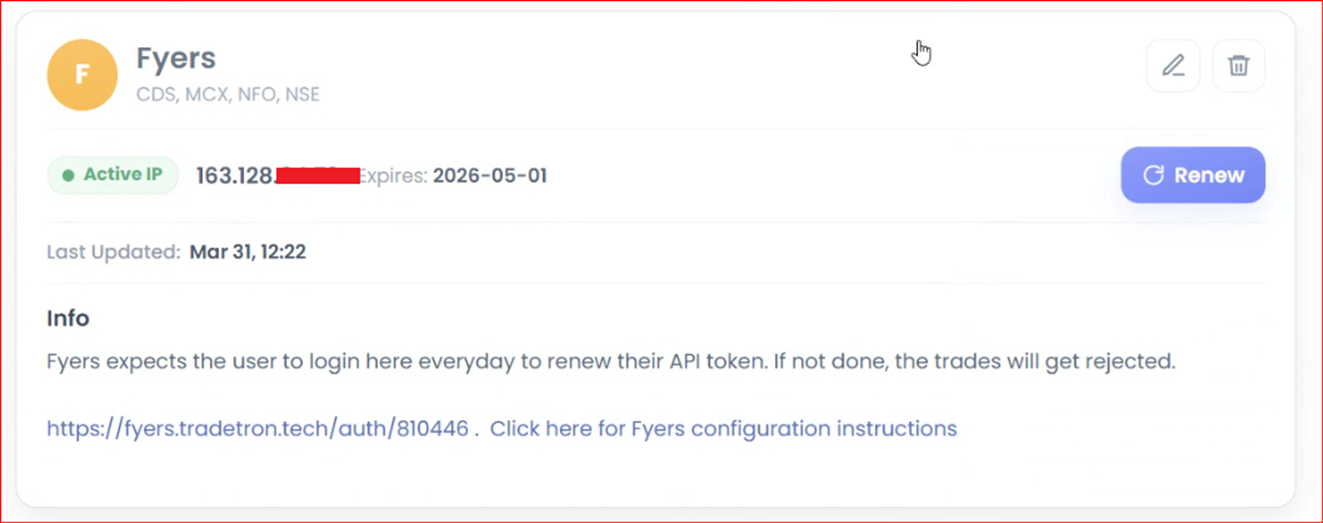
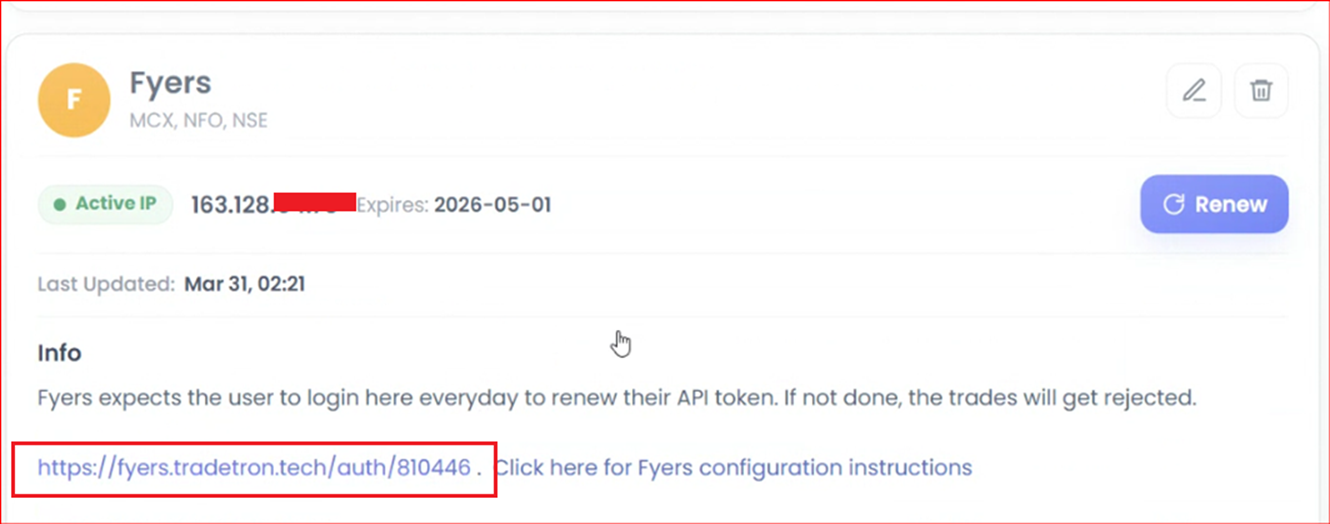
- After purchase, the static IP shows on the page like this:
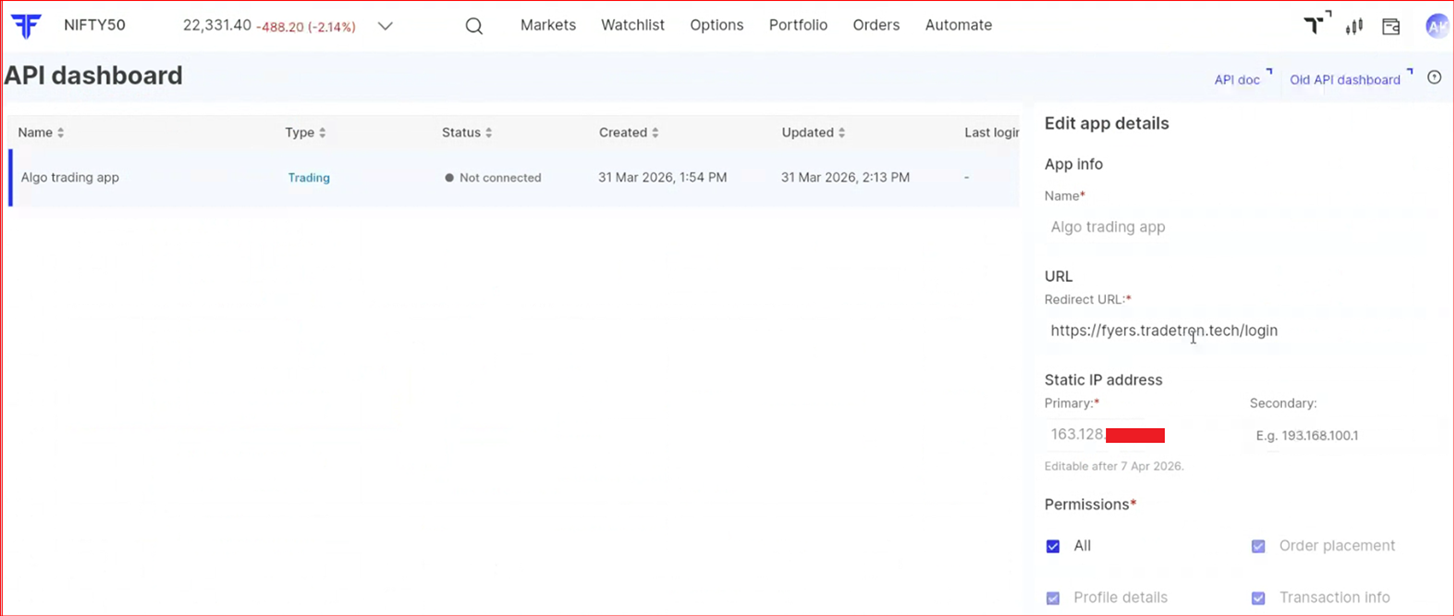
- Log in to your Fyers API Dashboard and enter the static IP. Leave the Secondary IP blank.
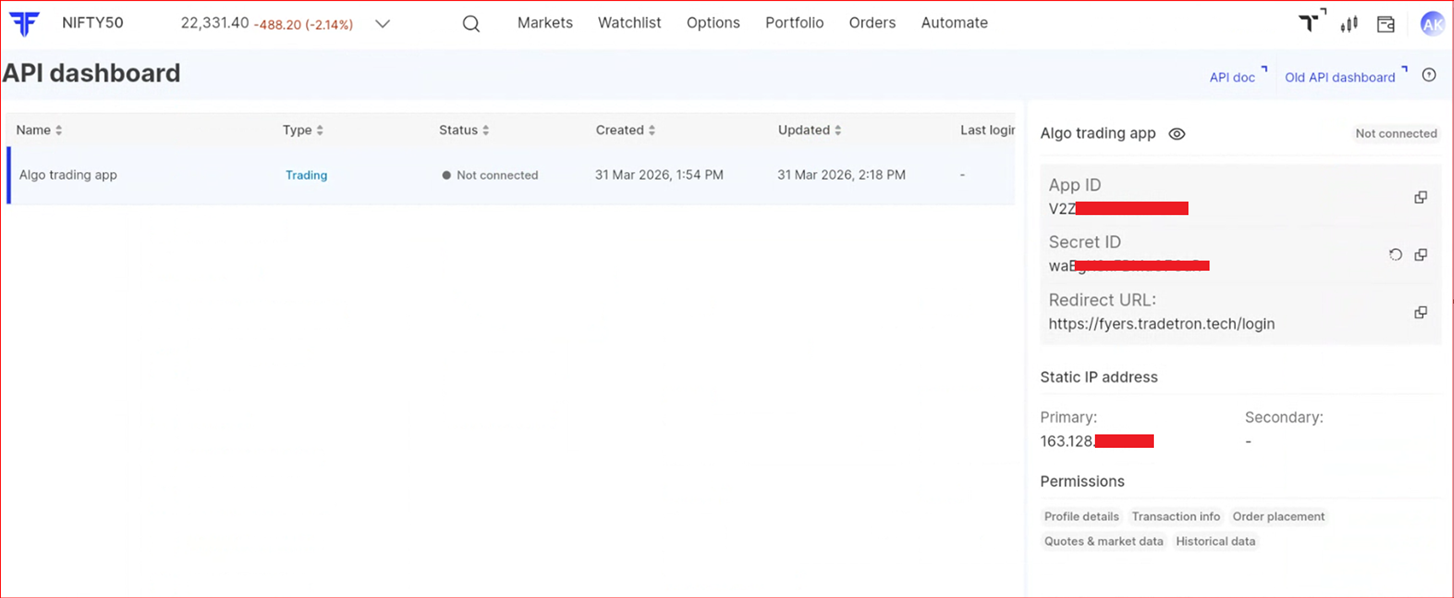
- Save. Your App ID and Secret ID are generated.
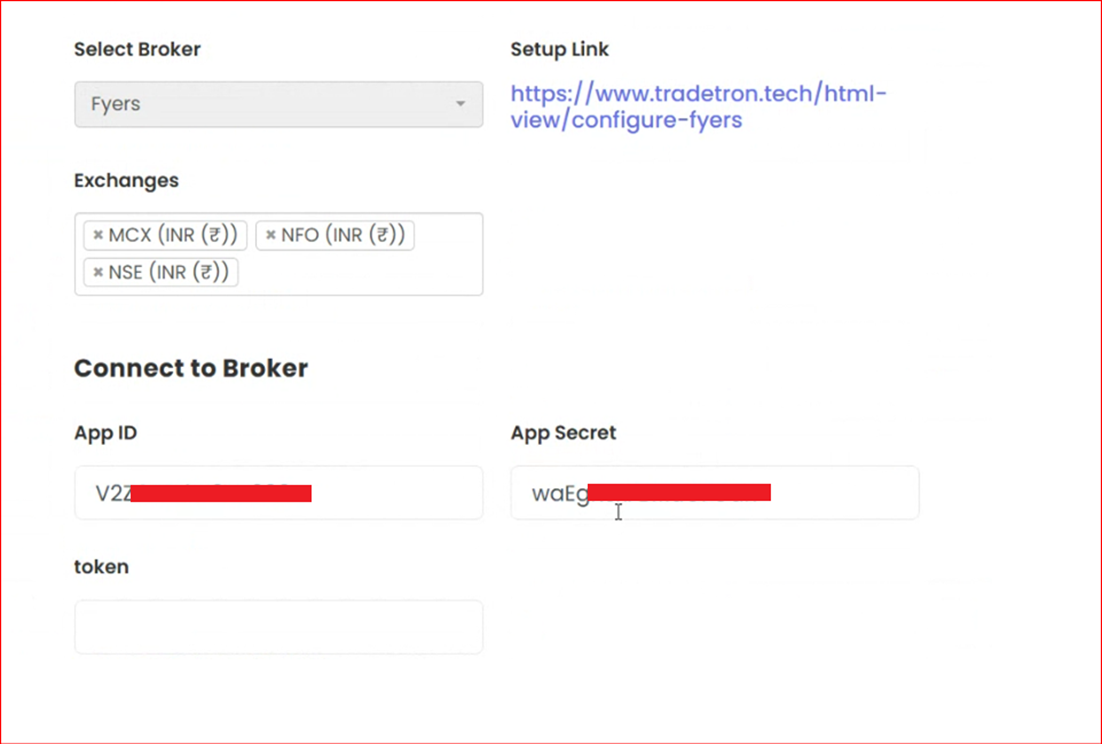
- On Tradetron’s Broker & Exchanges page, enter these details. Leave the Token field blank.
- Save, then click the Auth link to generate the token.
- You should see the token generated message. You can now trade.

 Edited with AI from the original Tradetron article, checked against current docs (Oct 2026). Spot something wrong? Tell us in the Community.