

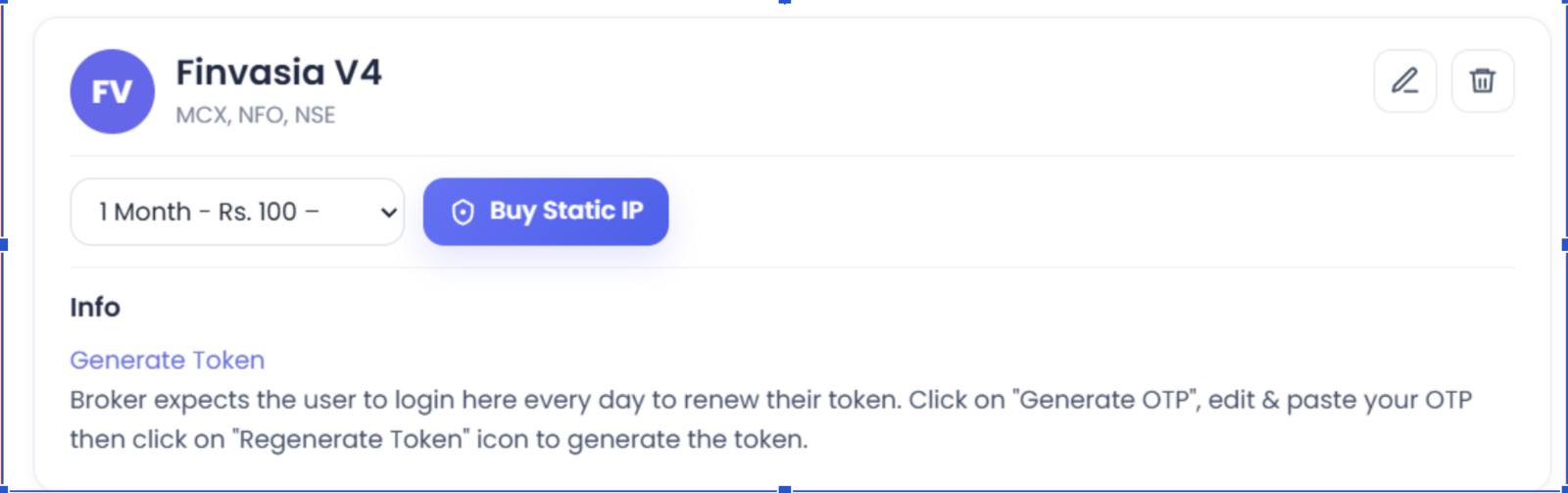
Finvasia V4 needs your Tradetron static IP added on the Shoonya portal. The static IP is a paid add-on bought per broker on the Broker & Exchanges page: ₹100 for 1 month, ₹250 for 3 months or ₹1000 for 1 year. It is tied to one broker on one Tradetron account, so pick the right broker before you buy.
Steps
- On Tradetron, open Broker & Exchanges, select Finvasia V4, enter dummy credentials and save.
- Buy the static IP from the same page.
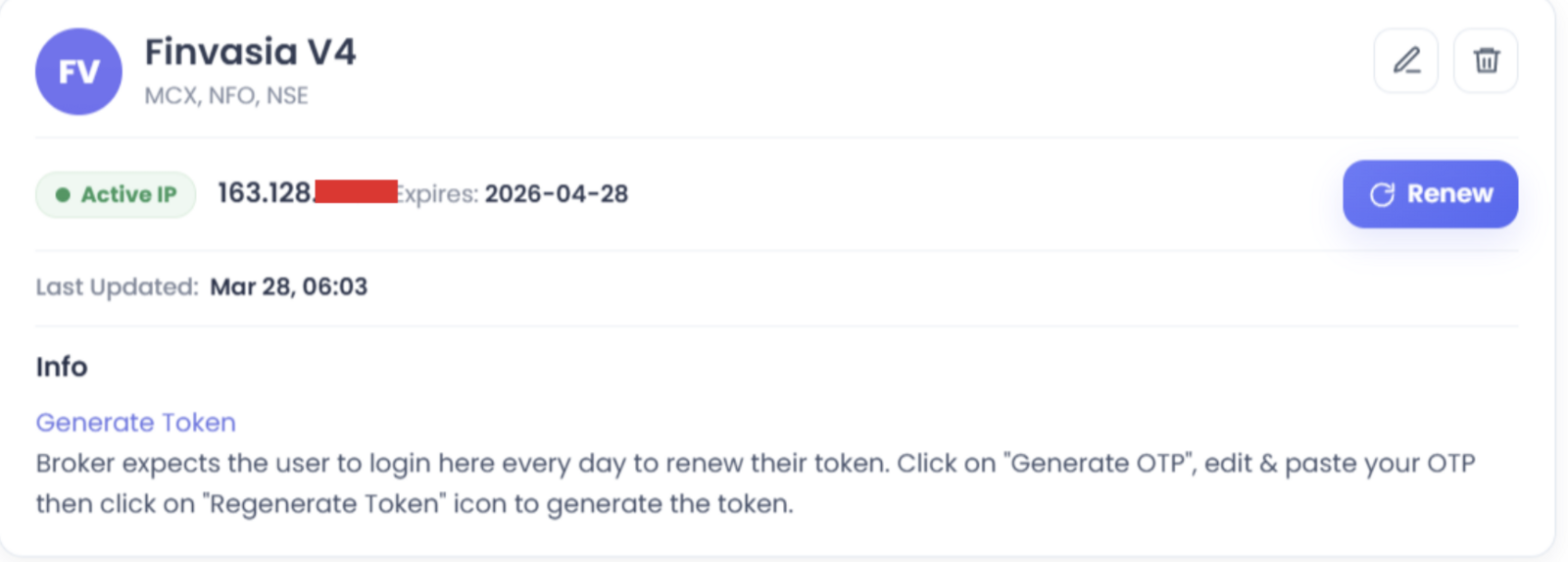
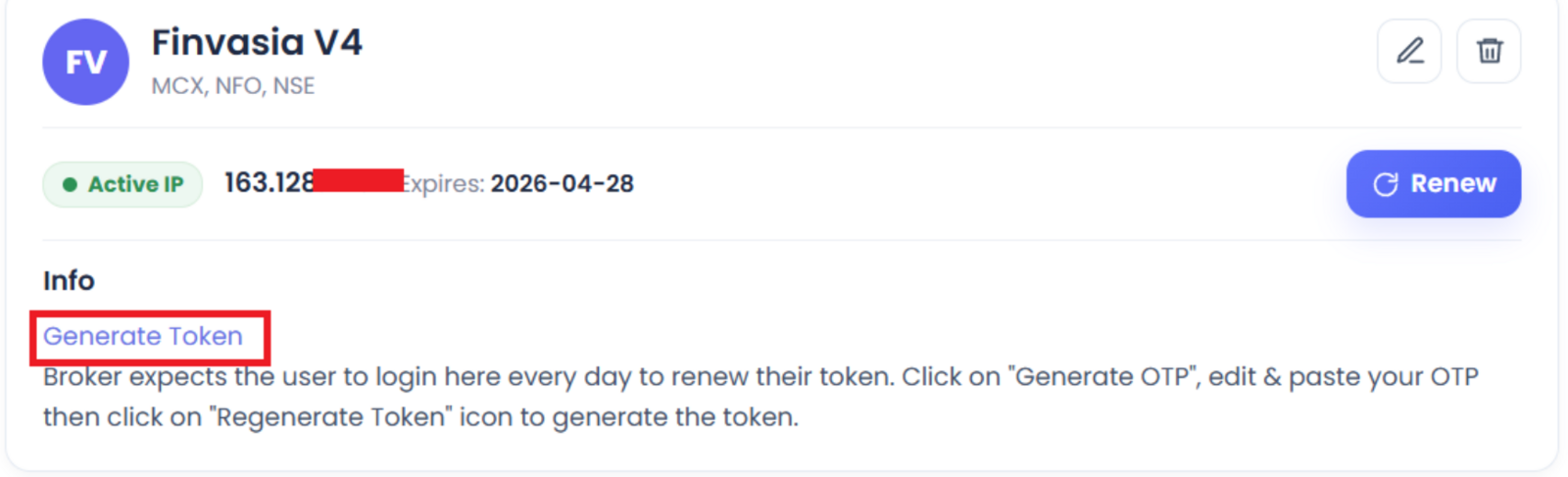
- Once bought, it shows like this:
- Log in to https://trade.shoonya.com/#/.
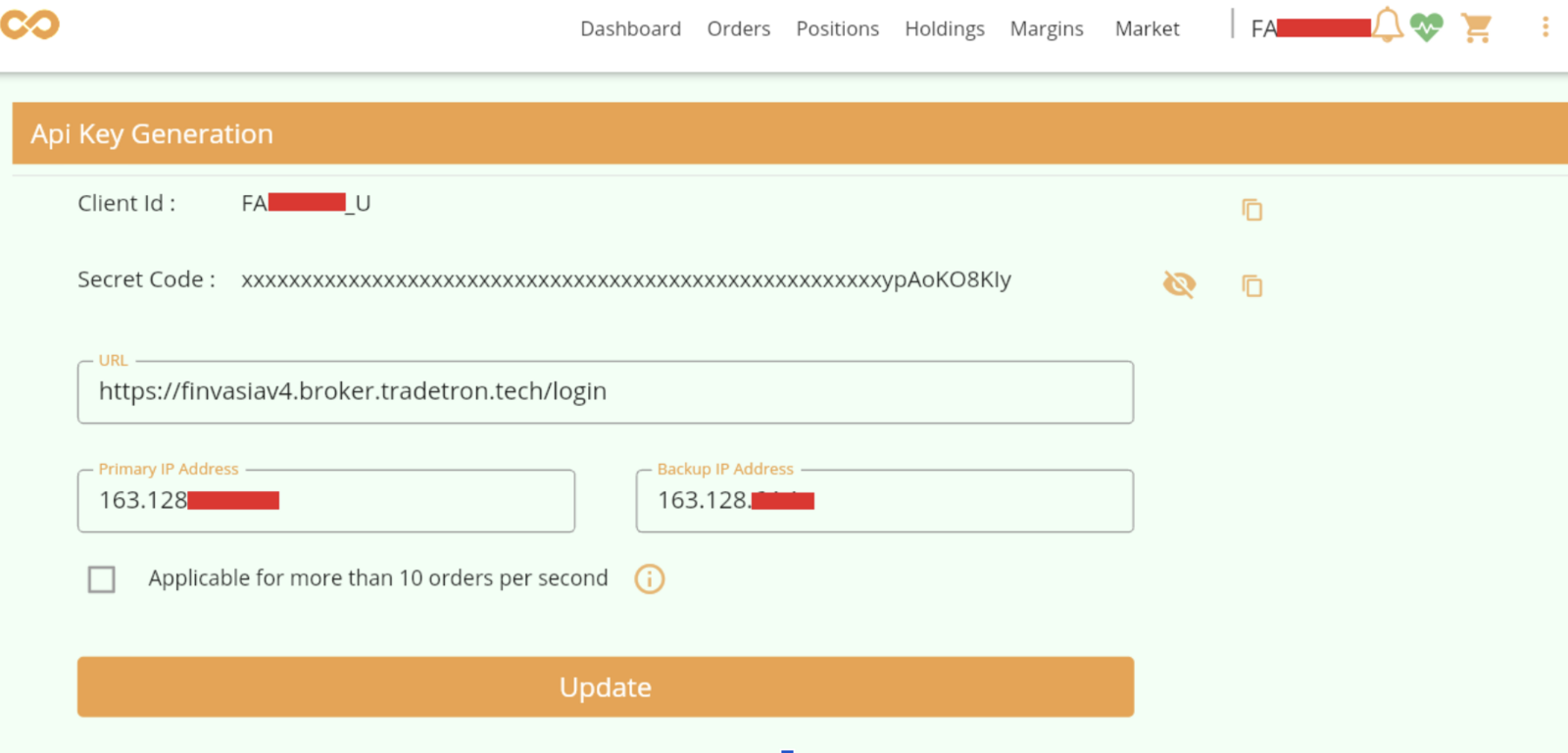
- Click Profile. You will see the API Key option.
- Click API Key.
- Set the URL to https://finvasiav4.broker.tradetron.tech/login.
- Enter the static IP in both Primary IP address and Secondary IP address.
- Leave Applicable for more than 10 orders per second blank.
- Update the details.
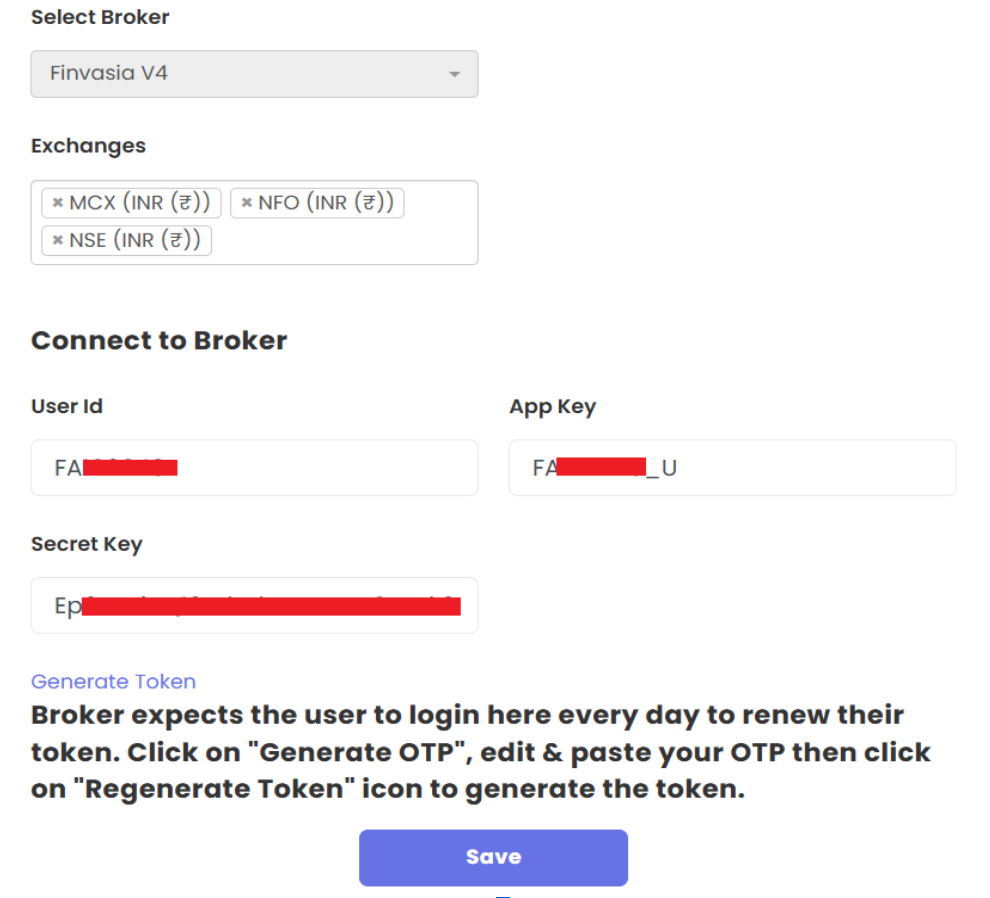
- Go to Tradetron’s Broker & Exchanges page and fill in:
- User ID: your Finvasia user ID
- App Key: the Client ID from Shoonya’s API Key Generation page
- Secret Key: the Secret Code from the same page
- Save.
- Right-click Generate Token and open it in an incognito window.
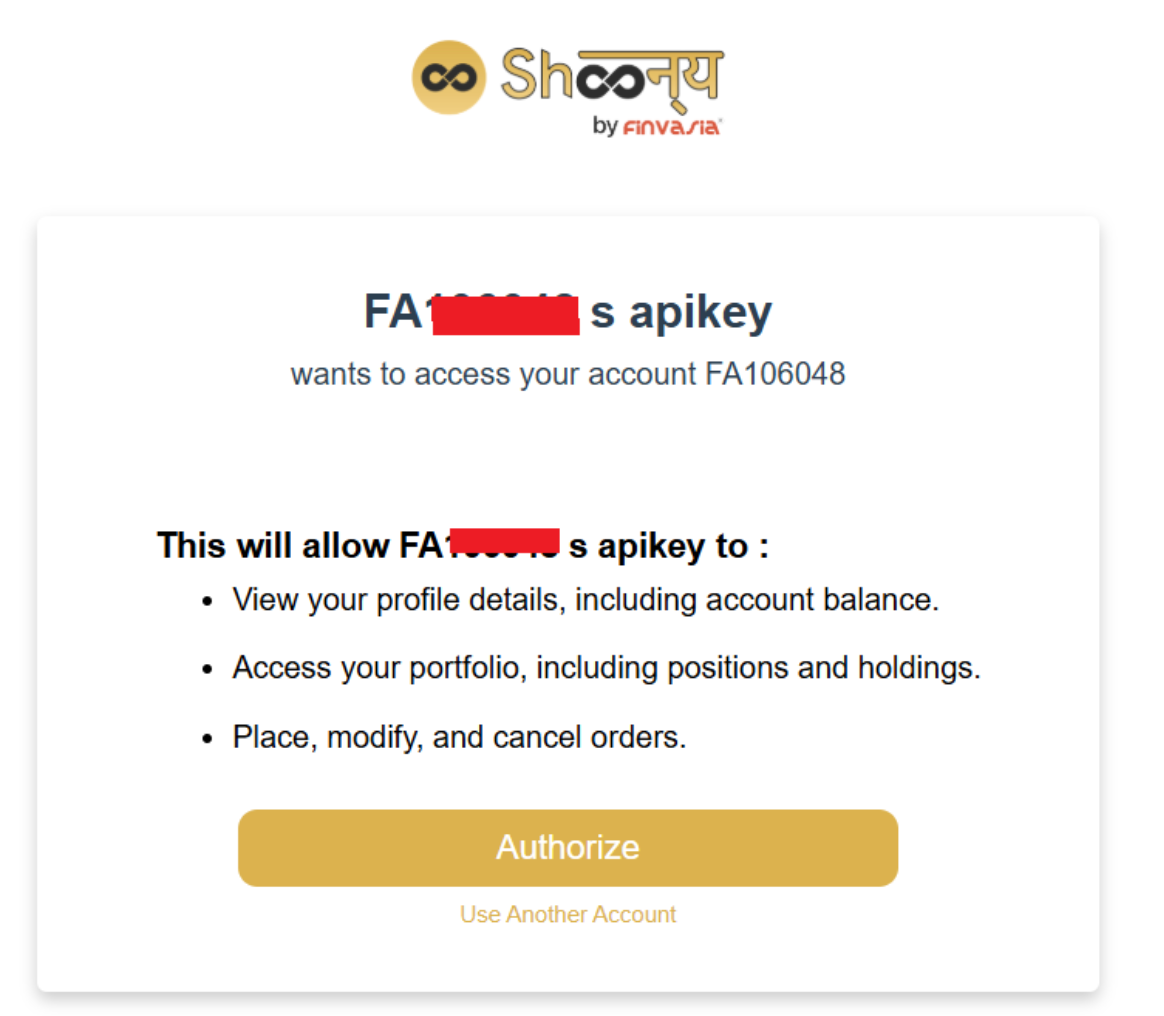
- Click Authorize in the window that opens.
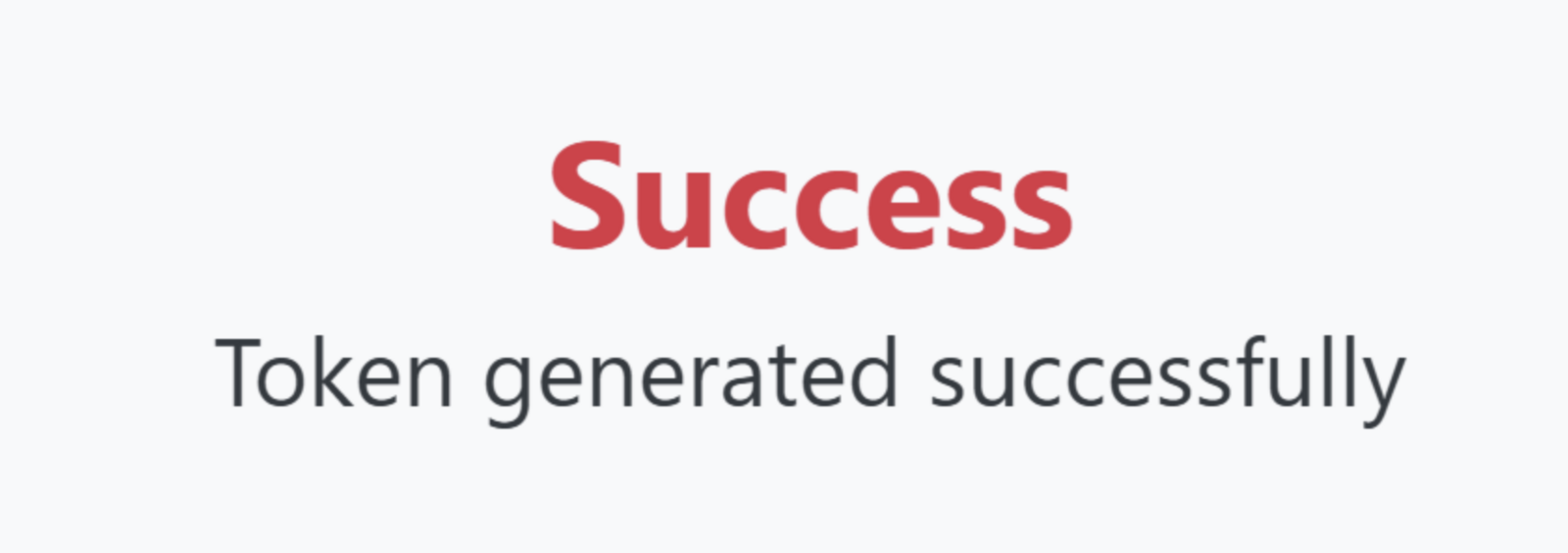
- You should see “Token generated successfully”.

If your broker needs a fresh token every trading day, generate it on the Broker & Exchanges page after 8:30 AM and before 9:00 AM.
 Edited with AI from the original Tradetron article, checked against current docs (Oct 2026). Spot something wrong? Tell us in the Community.