

You can swap the instrument in a set (for example Bank Nifty to Nifty 50) in one step. Tradetron replaces it in every keyword, condition, position and runtime variable in that set.
How to do it
- Open your strategy in the strategy builder. In this example every condition and position uses Bank Nifty Spot.
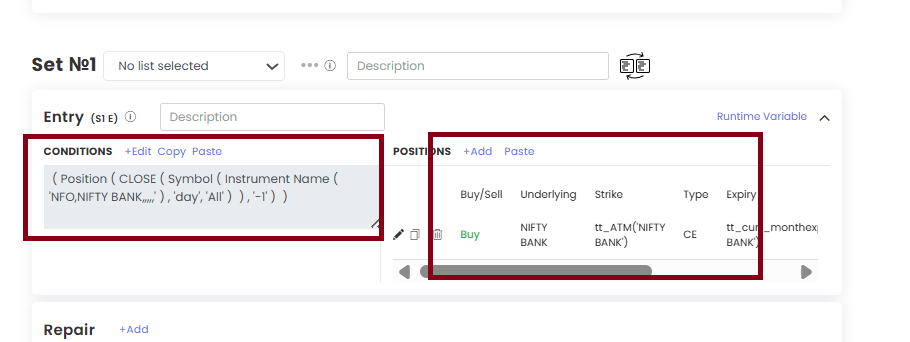
- Go to Set 1 (or whichever set you want to change).
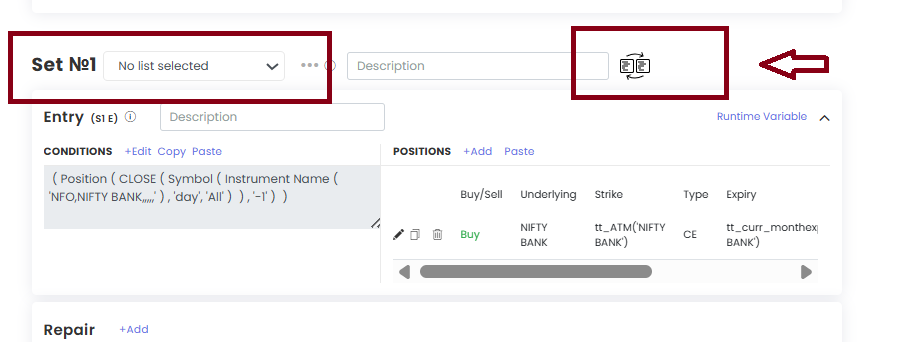
- Click Change Instrument for Set.
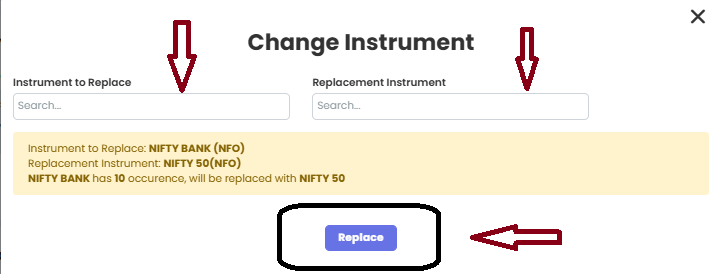
- Pick the instrument to replace (e.g. Bank Nifty) and the new one (e.g. Nifty 50).
- Click Replace.
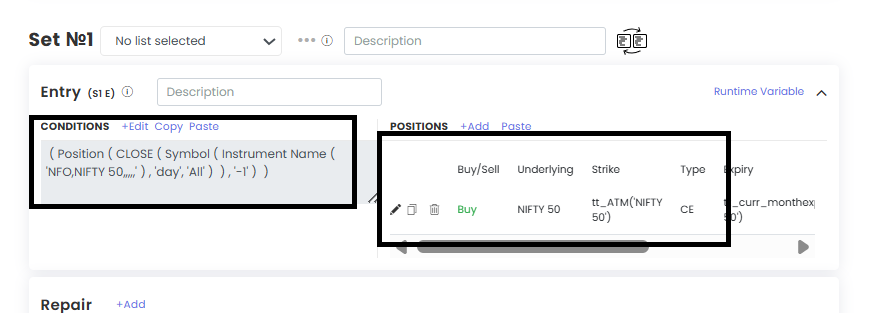
Every occurrence of Bank Nifty in that set now reads Nifty 50.
Things to keep in mind
- It works one set at a time. If your strategy has several sets, repeat it for each set.
- Runtime variables are updated too.
- Same exchange swaps (Nifty to Bank Nifty) work smoothly.
- Different exchange swaps (e.g. Nifty to Crude Oil) need manual fixes. MCX has no spot index, so pick the current-month futures contract yourself.
- It changes only the instrument. Expiry and other settings are not changed. Review conditions, positions and expiry afterwards.
- On a deployed strategy, this is an edit: pause, exit, edit, then reactivate. Do not edit while positions are open.
 Edited with AI from the original Tradetron article, checked against current docs (Oct 2026). Spot something wrong? Tell us in the Community.