

Dhan needs a static IP from Tradetron and a fresh access token every day.
Steps
-
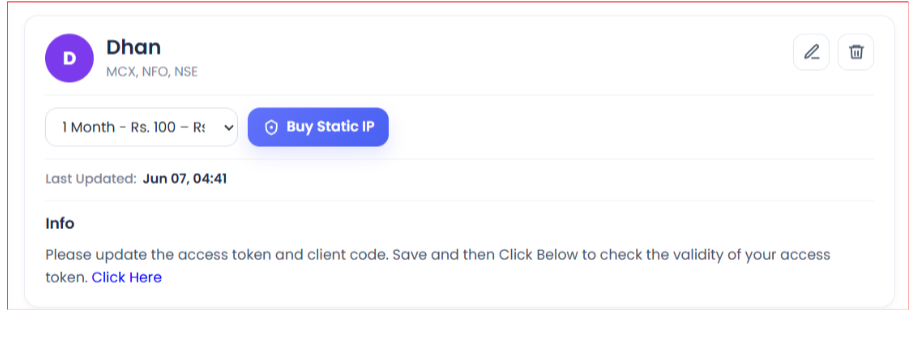
Open Broker & Exchanges, select Dhan, enter dummy credentials and save. This is only temporary, so you can buy the static IP.
-
Buy the static IP on the Broker & Exchanges page. It costs ₹100 for 1 month, ₹250 for 3 months or ₹1000 for 1 year, and is tied to one broker on one Tradetron account.
-
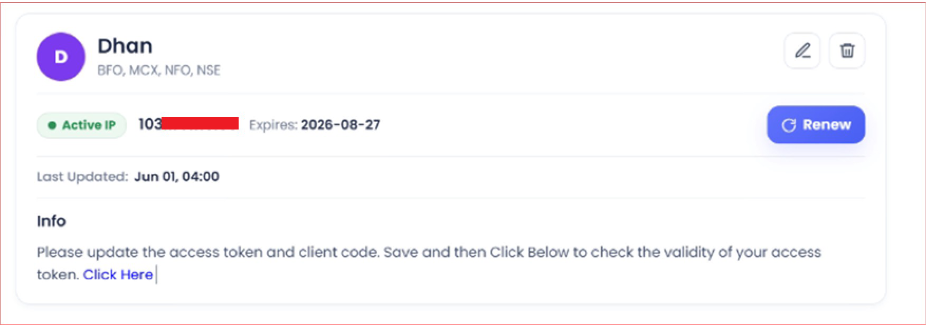
Once bought, the static IP shows like this:
-
Log in to the Dhan web terminal.
-
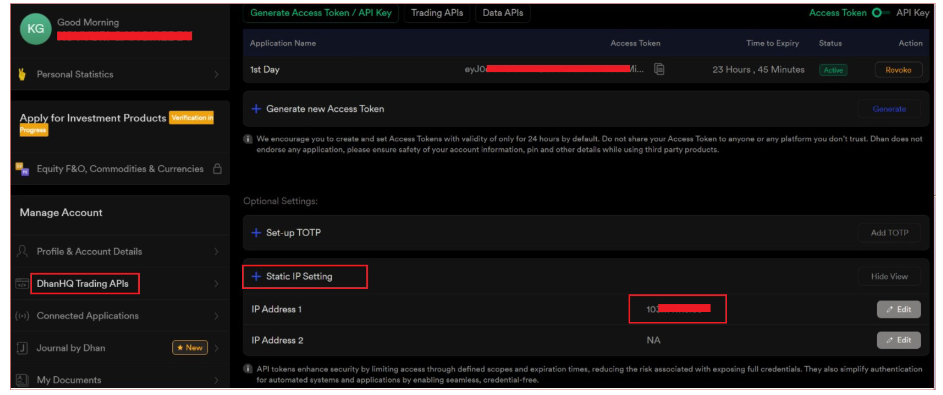
Select DhanHQ Trading APIs.
-
Click Static IP Settings.
-
Add your Tradetron static IP:
- You can put it in either Primary or Secondary.
- The other slot can stay blank.
- The first slot may offer to fetch an IP. It is fine if it does not.
- Update and save.
-
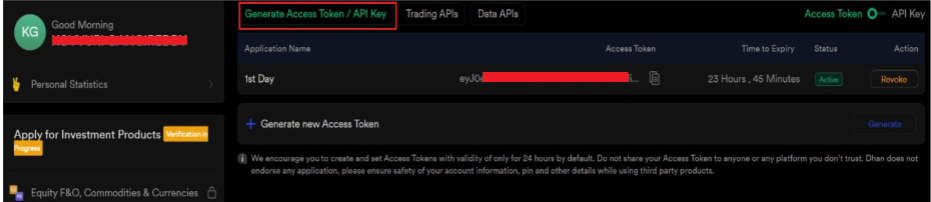
Click Generate Access Token / API Key.
-
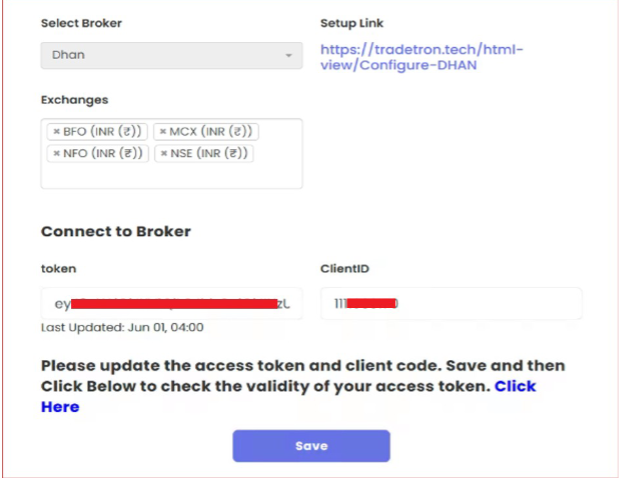
On Tradetron’s Broker & Exchanges page, enter the token, and your Dhan Client ID as the Client ID. Update and save.
Every trading day
The Dhan token is valid for 1 day. Generate a fresh token on Dhan each morning and update it on Broker & Exchanges before the market opens.
 Edited with AI from the original Tradetron article, checked against current docs (Oct 2026). Spot something wrong? Tell us in the Community.