

The All Deployed page lets a strategy creator see all subscribers’ positions and trades for one strategy on a single page.
How to open it
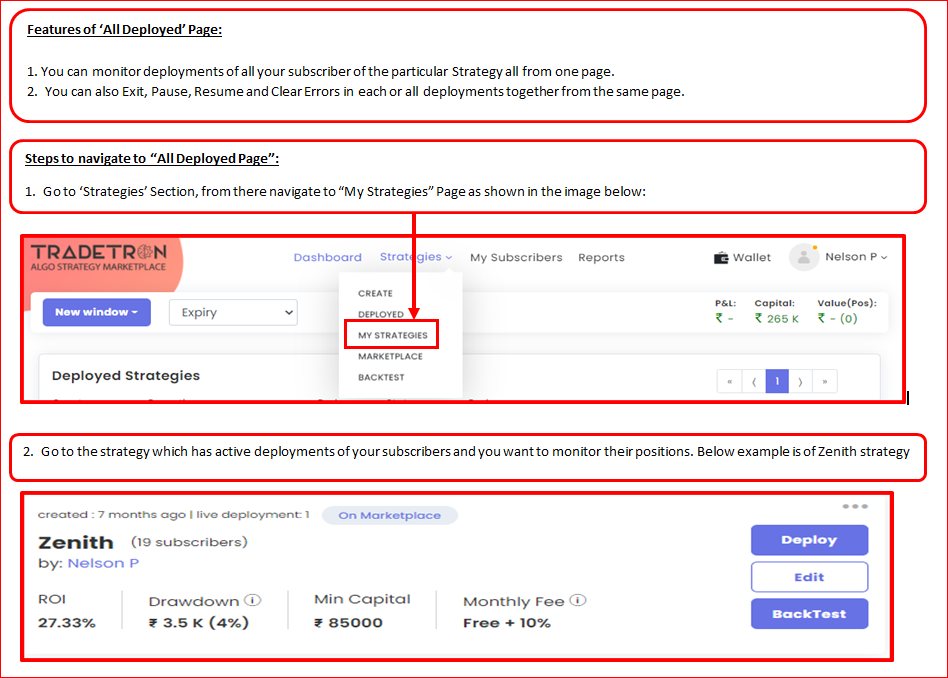
- Go to My Strategies.
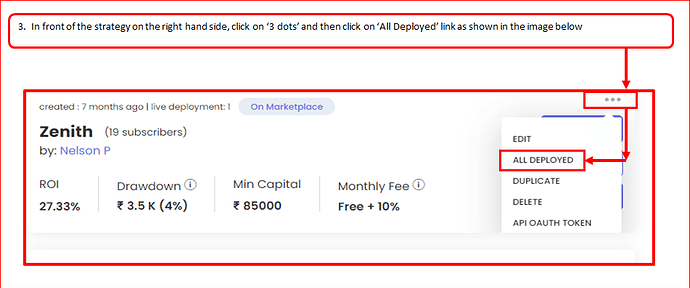
- Click the three dots (⋮) next to your public strategy.
- Select All Deployed.
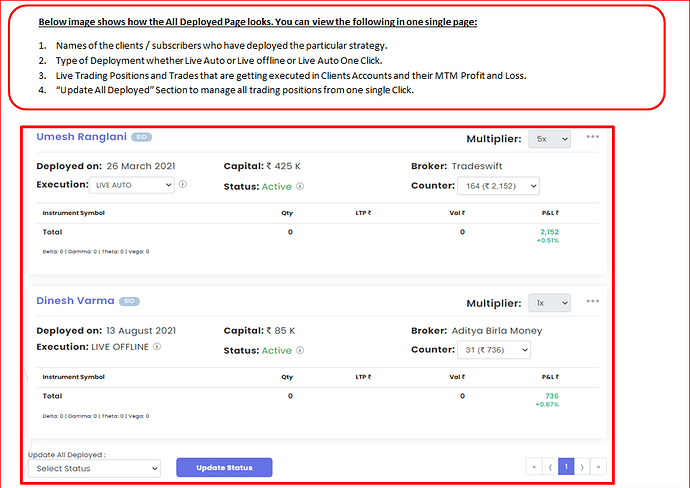
What you see
- A summary bar with total capital and P&L across every deployment of the strategy.
- One card per subscriber, showing their broker, execution type, status, counter, multiplier and capital.
- Subscribers’ Live Auto, Live Offline and Live Auto One-Click deployments.
- An Archived Strategies section at the bottom.
Bulk controls
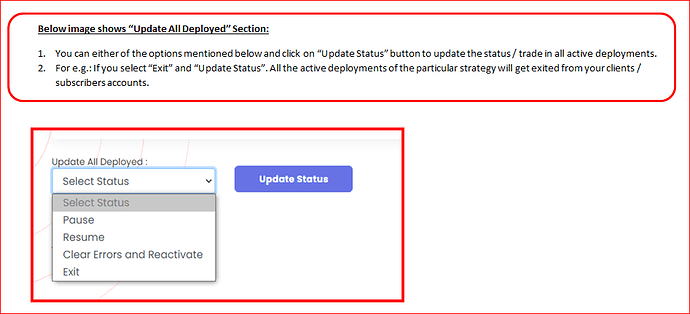
At the bottom, Update All Deployed applies one action to every deployment of the strategy at once: Pause, Resume, Clear Errors and Retry or Exit. Use Clear Errors and Retry when many subscribers hit the same broker error together.
 Edited with AI from the original Tradetron article, checked against current docs (Oct 2026). Spot something wrong? Tell us in the Community.