

Aditya Birla Money V2 needs a static IP bought from Tradetron. You whitelist that IP in your Aditya Birla Money developer app, then generate a token from Tradetron.
A static IP is a paid add-on bought per broker on the Broker & Exchanges page: ₹100 for 1 month, ₹250 for 3 months or ₹1000 for 1 year. It is tied to one broker on one Tradetron account and cannot be moved to another broker or account.
Steps
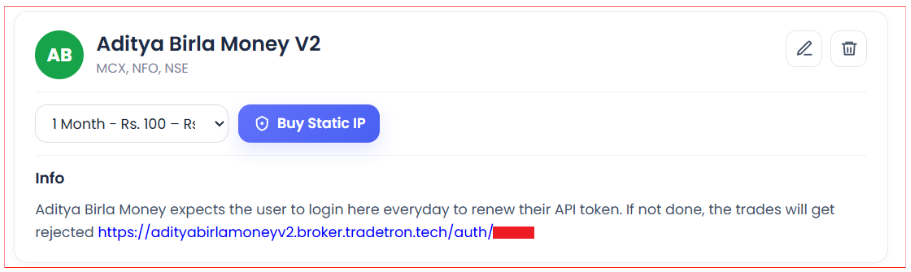
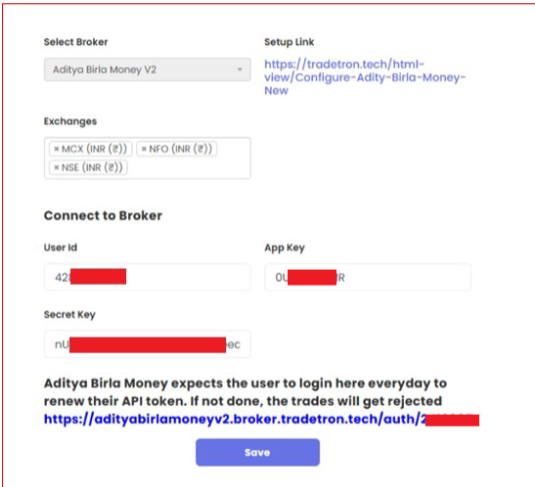
- On Tradetron, open Broker & Exchanges, select Aditya Birla Money V2, enter dummy credentials for now and save.
- Buy the static IP from the same page.
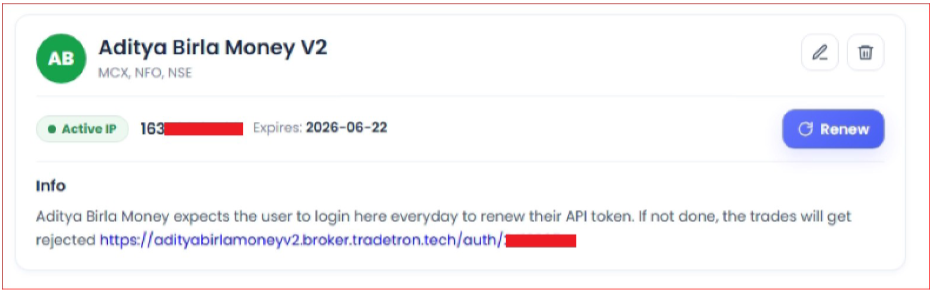
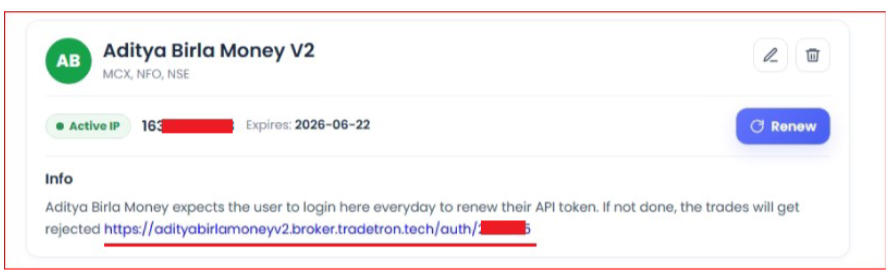
- After purchase, the static IP shows on the Broker & Exchanges page.
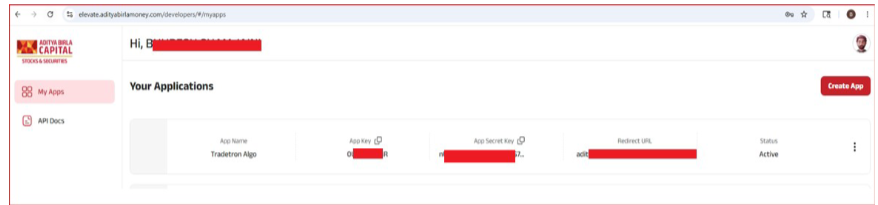
- Log in to the Aditya Birla Money developer portal: https://elevate.adityabirlamoney.com/developers/#/myapps
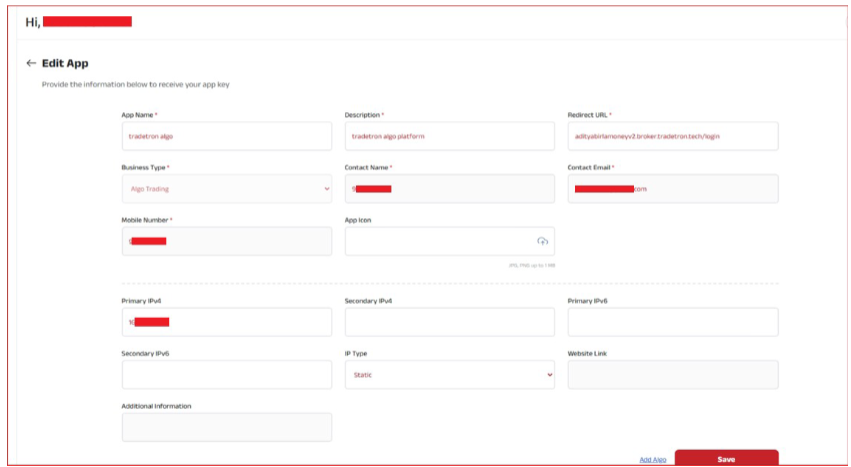
- Go to My Apps and create a new app. Fill in your personal details.
- Set the Redirect URL to: https://adityabirlamoneyv2.broker.tradetron.tech/login
- Paste the static IP you bought from Tradetron into Primary IPv4, then save.
- Your app now shows an API key and a Secret key.
- Back on Tradetron’s Broker & Exchanges page, enter these keys. The User ID is your Aditya Birla Money user ID. Save.
- Click the Auth link to generate the token.
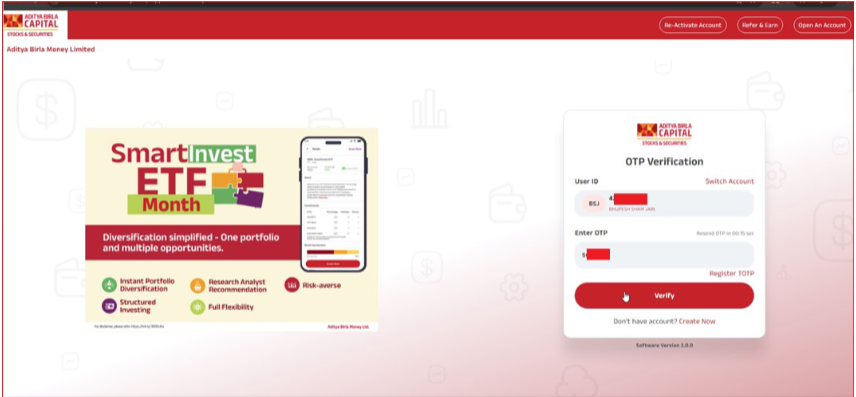
- You are taken to the Aditya Birla Money login page. Log in.
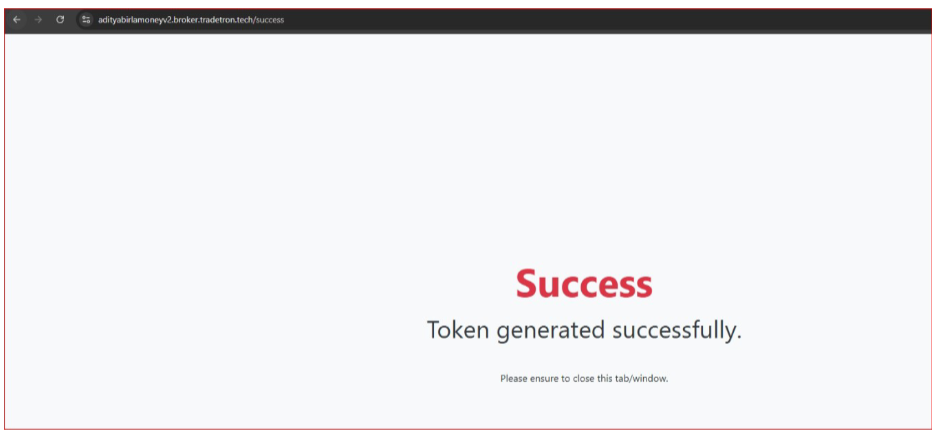
- You should see Token Generated Successfully. You can now trade.
 Edited with AI from the original Tradetron article, checked against current docs (Oct 2026). Spot something wrong? Tell us in the Community.