

5paisa (Xstream) needs a static IP from Tradetron and an app created on the 5paisa Xstream site. Follow these steps in order.
Before you start
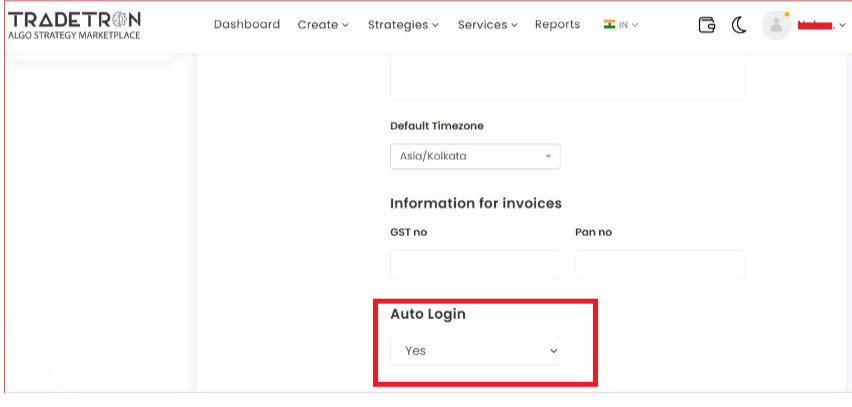
Turn on Auto Login in your Tradetron Profile section.
Steps
-
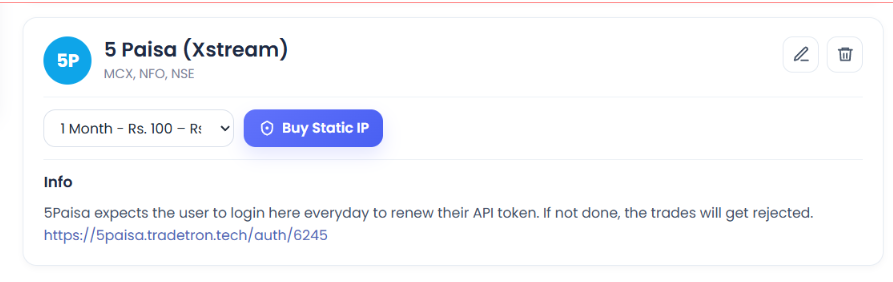
Open Broker & Exchanges, select 5 Paisa (Xstream), enter dummy credentials and save. This is only temporary, so you can buy the static IP.
-
Buy the static IP on the Broker & Exchanges page. It costs ₹100 for 1 month, ₹250 for 3 months or ₹1000 for 1 year, and is tied to one broker on one Tradetron account.
-
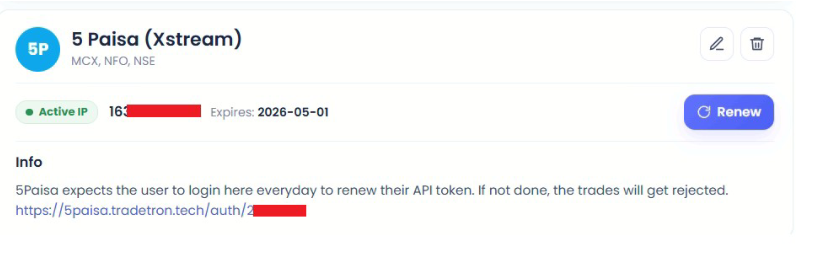
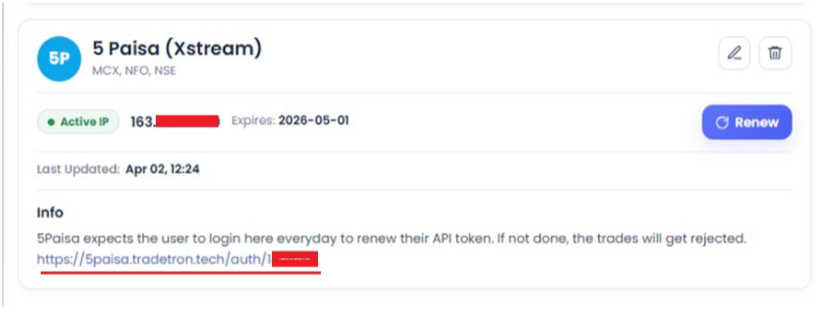
Once bought, the static IP shows like this:
-
Log in to xstream.5paisa.com.
-
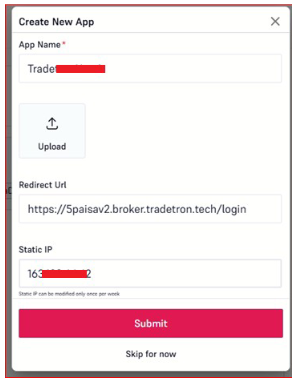
On the dashboard, create a new app. Any name is fine.
-
Set the redirect URL to: https://5paisav2.broker.tradetron.tech/login
-
Add the static IP you bought from Tradetron.
-
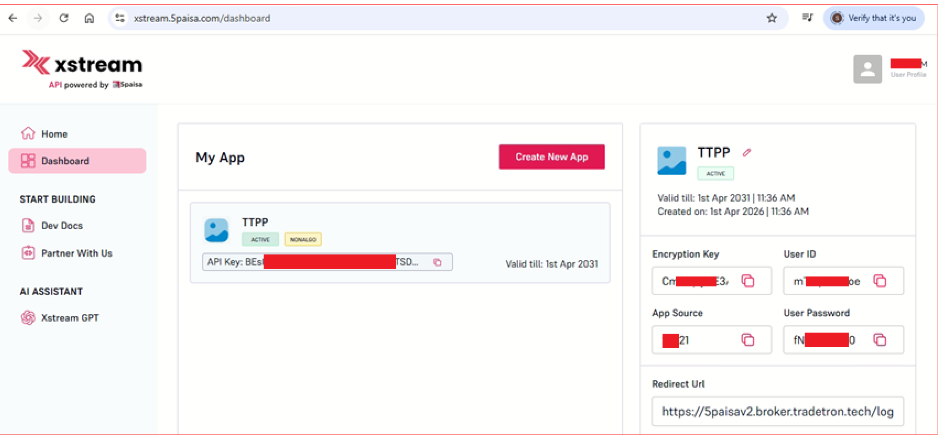
The 5paisa page now shows all the details you need for Tradetron:
-
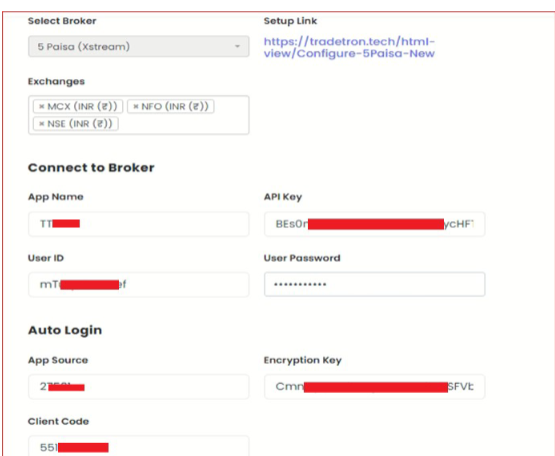
On Tradetron’s Broker & Exchanges page, replace the dummy values. App Name, API Key, User ID, User Password, App Source and Encryption Key must match the 5paisa page exactly. Client Code is your 5paisa client code.
-
Save, then click the Auth link to generate the token.
-
You are sent to 5paisa. Log in, and you will see “Token generated successfully”.
Stuck at any step? Chat with support on tradetron.tech.
 Edited with AI from the original Tradetron article, checked against current docs (Oct 2026). Spot something wrong? Tell us in the Community.