How Tradetron Helps Indian Traders Execute F&O Strategies Automatically
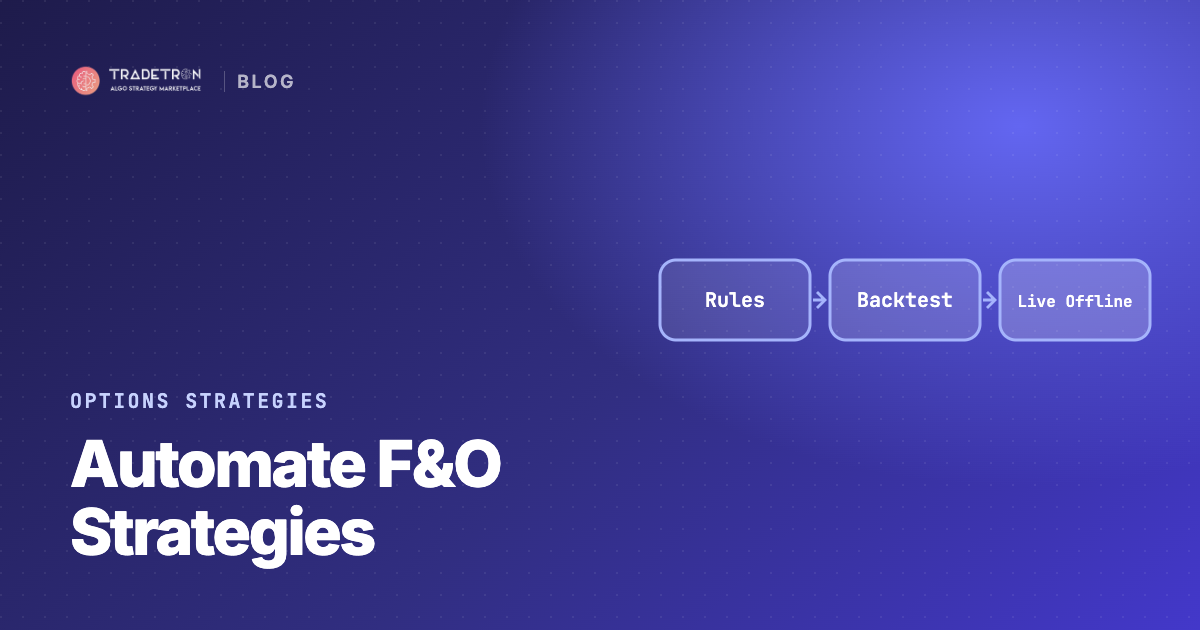
Tradetron helps Indian traders execute F&O strategies automatically by turning them into rules: when to enter, which futures or option legs to trade, where each leg's stop-loss and target sit, and when to exit. You build the rules without code, backtest them on historical data, run them Live Offline to check them on today's market, and then let Tradetron place the orders through your broker.

Why manual F&O trading is hard to do well
Futures and options move quickly, use leverage, and decay with time. Most manual F&O mistakes are execution mistakes, not idea mistakes:
| Manual problem | What it costs you | What a rule does instead |
|---|---|---|
| Late entries | Worse prices, missed setups | Enters when the condition is true |
| Stops moved or skipped | One loss wipes out many wins | Exits when the SL trigger hits |
| Hedges forgotten | An unhedged position meets a gap | Hedge leg placed with the main leg |
| Can't watch all day | Positions left unmanaged | Rules check on every price update |
| Over-trading after losses | Bigger, emotional trades | Same size and rules every trade |
| Missed square-off | Unwanted overnight risk | Time-based exit |
How Tradetron automates an F&O strategy
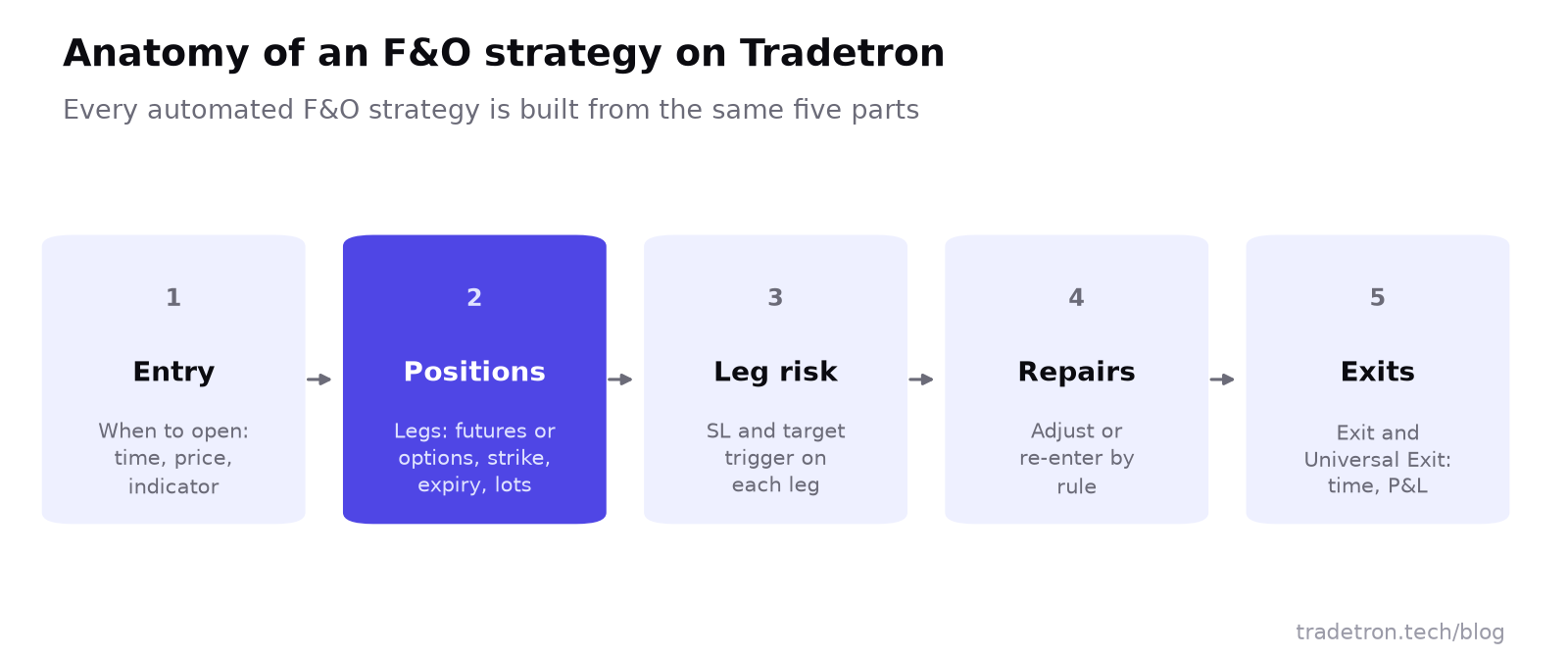 Every automated F&O strategy on Tradetron is built from these five parts
1. Build the logic without code
In Tradetron's strategy builder, conditions are grouped in sets. Each set has condition types for each stage of the trade:
- Entry: when to open the position. For example: Time ≥ 9:20, NIFTY's 15-minute Supertrend turns up, or RSI crosses 60.
- Exit: when to close it normally.
- Repair Once / Repair Continuous: what to do when something changes mid-trade, such as re-entering after a stop or shifting a leg.
- Universal Exit: a strategy-wide exit, such as a maximum loss or a fixed time.
Conditions use keywords: LTP, indicators (EMA, RSI, MACD, Supertrend, VWAP, Bollinger Bands and many more), time, option data (IV, delta, open interest, PCR) and position details. Combine them with AND/OR.
If you prefer a template, the Option Wizard builds common options structures (straddles, strangles, iron condors, spreads) from a few settings.
2. Define the positions (legs)
Each position is a leg: buy or sell, futures or option, CE or PE, strike rule, expiry and lots. Strikes can be set relative to ATM, by premium, or by delta. A short strangle is two legs; an iron condor is four.
3. Put risk controls on every leg
Each leg can carry its own SL trigger and Target trigger conditions. For example, on a sold option: exit if LTP ≥ entry price × 1.4, with the entry price read from the Traded Instrument keyword. Add a strategy-level trailing stop (TSL) and settings from Advanced Settings on top.
4. Adjust and re-enter by rule
Repair conditions handle what you'd otherwise do by hand under pressure: re-sell at the new ATM strike after a stop, add a hedge when the market moves a set distance, or roll a threatened leg. See Repair Once and Repair Continuous.
5. Exit on time, P&L or signal
An exit at 3:15 for intraday strategies, a profit lock, a maximum loss for the day, or an opposite signal for trend systems. Exits are the part traders most often skip manually, and the part automation never skips.
F&O strategies Indian traders automate on Tradetron
| Strategy type | Typical building blocks | Read more |
|---|---|---|
| Index futures trend-following | Indicator entry (EMA crossover, Supertrend), futures leg, trailing stop | Positional trading |
| Option selling (straddles, strangles) | Time entry, two sold legs, per-leg SL, time exit | Short straddle |
| Hedged option selling (iron condor, iron fly) | Sold legs plus bought wings, combined loss limit | Iron condor |
| Intraday option buying | Breakout or momentum entry, bought CE or PE, tight SL, target | Indicators for options |
| Hedging a portfolio | Bought puts on NIFTY, rolled at expiry | NIFTY hedging |
| Spreads and ratio spreads | Multiple strikes with fixed spacing and quantities | Ratio spreads |
| Event-driven volatility | Long straddle or strangle before an event, time exit after | Long straddle |
This is a structure to test, not a recommendation. Backtest it, compare it with simpler alternatives, and check the drawdowns before deciding anything.
Test before you trade: backtest, then Live Offline
- Backtest on historical data. Tradetron's backtest runs your exact rules on past market data and produces a report: P&L, drawdown, trade list and daily results. See all about backtests in Tradetron.
- Check the bad days. Look at the worst day and the deepest drawdown, not just the total. F&O strategies often look smooth until one volatile session.
- Run Live Offline. The strategy runs on live prices and records every trade, but nothing is sent to the exchange. This catches problems a backtest can't: timing, strike availability, how the strategy behaves in today's volatility.
- Go Live Auto with the smallest size. Orders now go to your broker. Scale only after the live results look like what you tested.
Execution through your broker
Tradetron connects to many Indian brokers, including Zerodha, Angel One and Dhan. When a strategy runs in Live Auto, orders are placed in your own broker account; your funds stay with your broker. Setup guides: connecting a broker, Zerodha, Angel One and Dhan.
Already have signals elsewhere? TradingView alerts can trigger Tradetron strategies through webhooks, and Amibroker can be connected too: see TradingView integration.
Retail algo trading in India runs under SEBI's framework, which routes algos through brokers with an algo ID. Read what retail traders need to do.
New to F&O? Start from the marketplace
The Tradetron marketplace lists F&O strategies built by creators. You can read how each one works, backtest it, run it Live Offline, and deploy it with your own broker. Treat past performance as a starting point for questions, not a promise: check the maximum drawdown, how long the track record is, and whether the logic makes sense to you. Our marketplace guide explains what to look for.
Frequently asked questions
Can I automate both futures and options strategies on Tradetron?
Yes. You can automate index and stock futures, option buying, option selling, spreads, hedged positions and multi-leg strategies, each with its own entry, leg-level stops and exits.
Do I need coding knowledge to automate F&O strategies?
No. Tradetron's strategy builder uses conditions and keywords that you select and combine, and the Option Wizard builds common option structures from a few settings.
Can I test an F&O strategy before trading with real money?
Yes. Backtest it on historical data, then run it Live Offline: the strategy runs and records every trade on live prices, but nothing is sent to the exchange.
Does Tradetron place orders through my broker?
Yes. In Live Auto mode, orders are placed in your own account with a connected broker. Tradetron supports many Indian brokers, including Zerodha, Angel One and Dhan.
Can I run several F&O strategies at the same time?
Yes. Each strategy runs independently with its own rules and risk controls. Check that your broker margin covers all of them together, since option-selling strategies need significant margin.
Is automated F&O trading allowed in India?
Yes. Retail algo trading is permitted through SEBI-registered brokers under SEBI's algo framework, which requires algos to be identified and routed through the broker.