“All Deployed” Page: Features for users in Creator and Creator + plans
Marketplace2,503 views
NelsonTradetron team
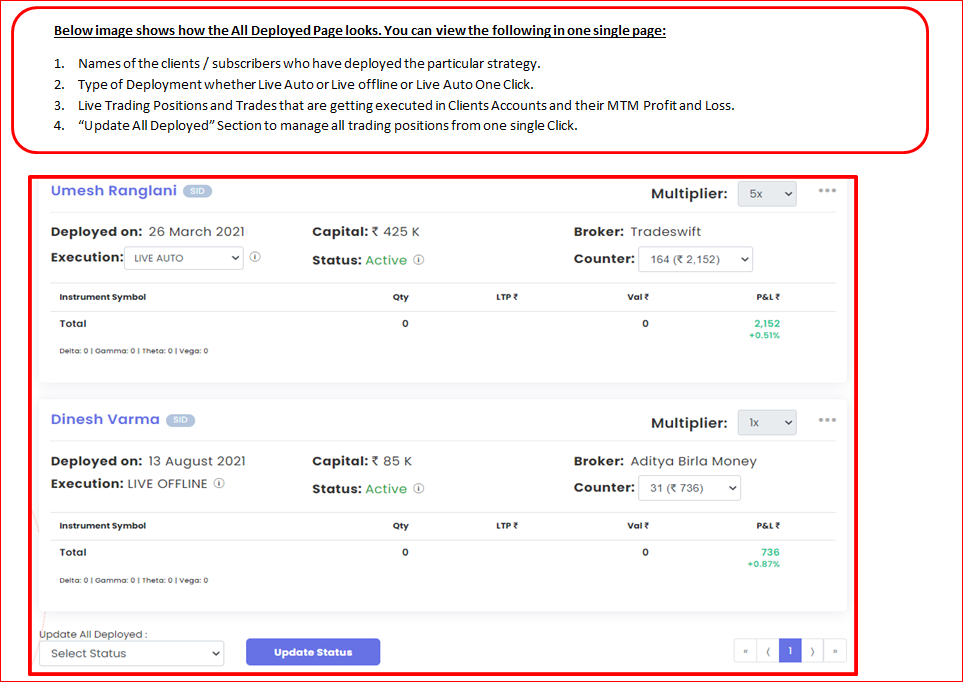
All Deployed Page is very useful to monitor your subscriber positions and trades all from one page:
Kindly watch the below video:
Notes:
This feature is available only for clients with Retail+ and higher plans.
Paper Trading deployments of your strategy by subscribers are not visible on “All Deployed” page. Only Live Auto, Live Offline and Live Auto One-Click are visible.
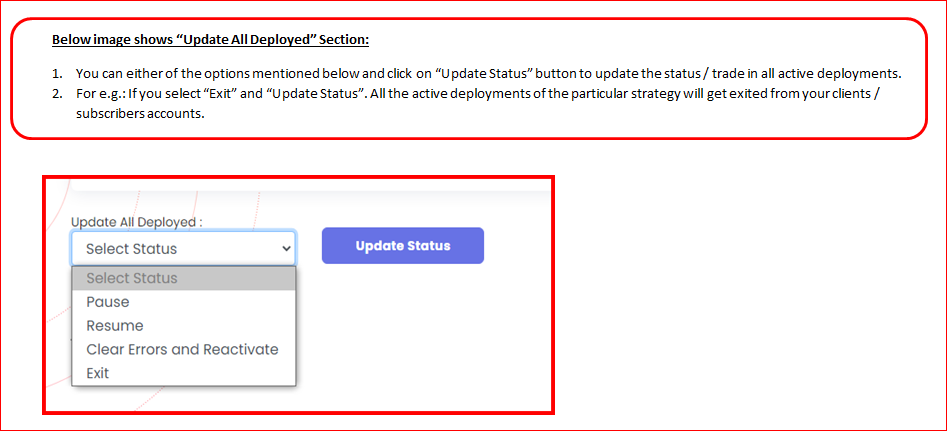
Question: I have my strategies on live marketplace. Say in case of sudden fall or issue in order or high slippage, I want to close position for all my live deployed subscribers/ how can i do it ?
You can do it from All Deployed page
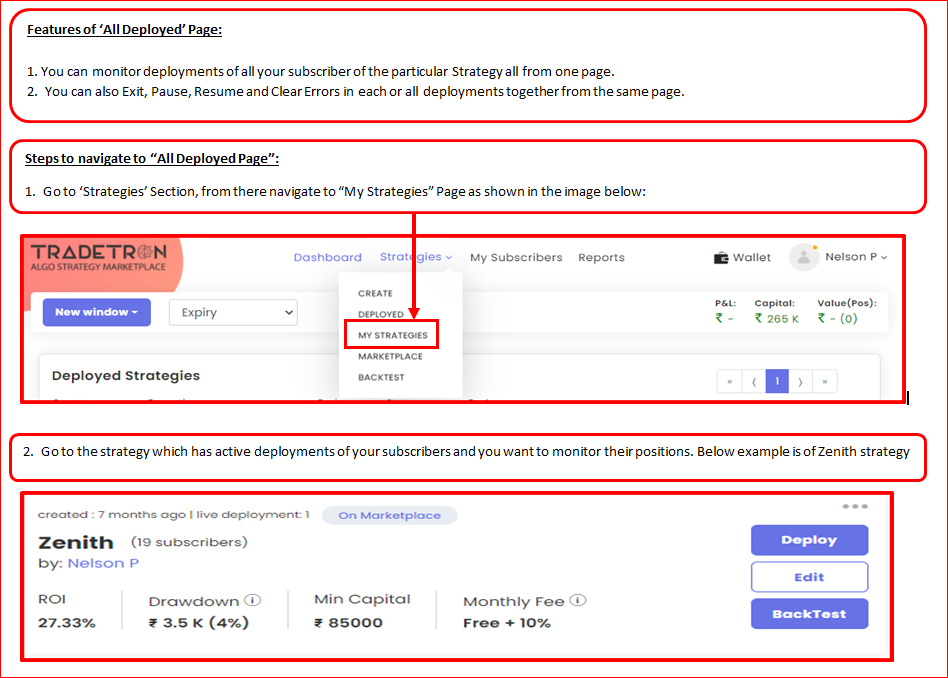
Go to My strategies page
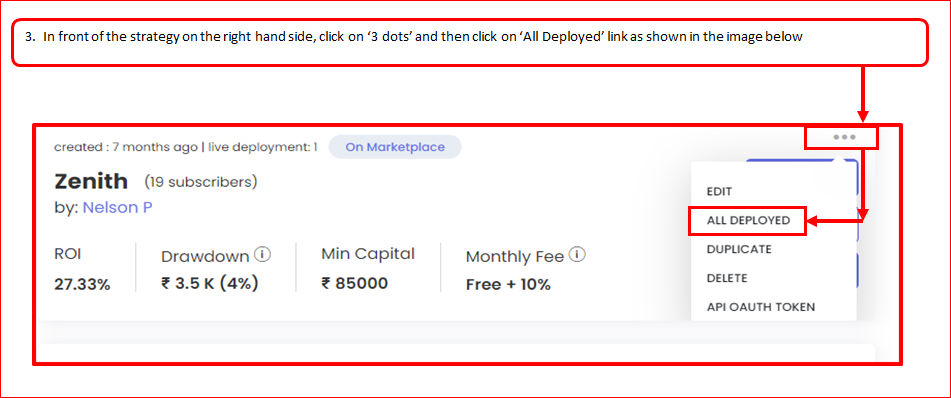
Next to the strategy name click the 3 dots
You will see all deployed page
It will show you the subscribers who have deployed your strategy and their trades