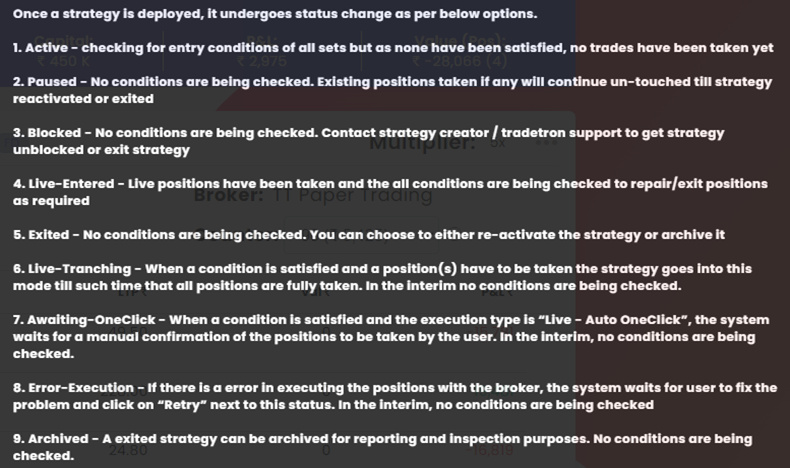
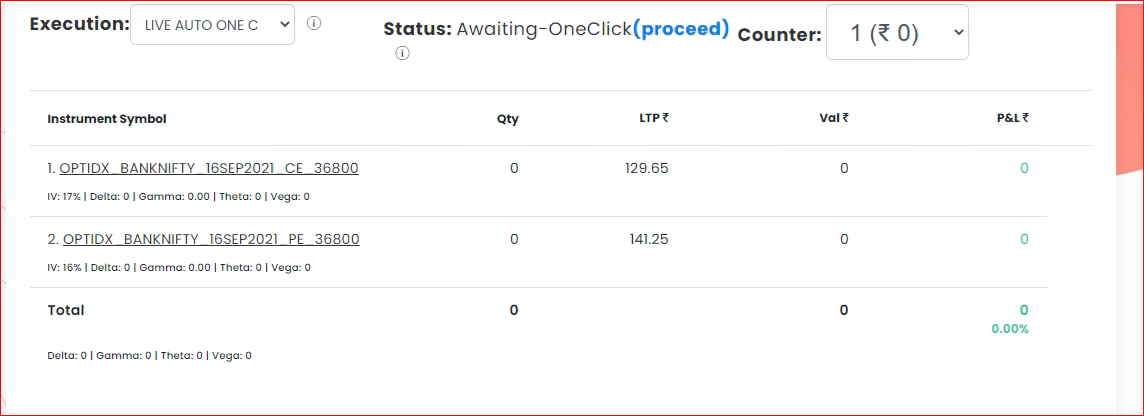
This option is seen on ‘Deployed’ page, in front of your deployed strategy, when the strategy has been deployed in “Live Auto One click” mode.
This essentially means that the signal for entry or trade has been generated i.e. the strategy condition for entry has been met and the strategy is ready to take the trade.
However, it will only place the actual trade in your broking account only if you authorize the trade by clicking on “proceed” button (highlighted in blue) as seen in the image below:
This status will be displayed for every single trade right from entry to exit of the strategy, which will not be auto executed until you click on the “proceed” button.
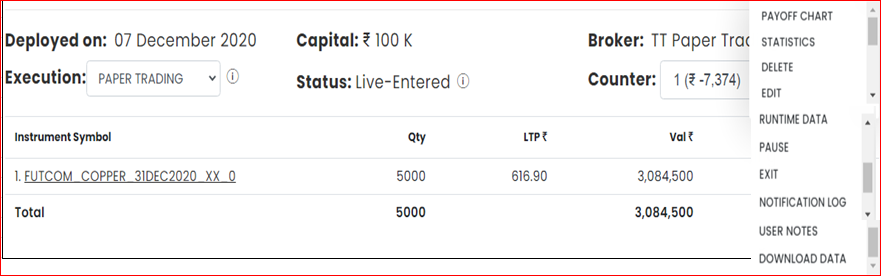
You will see Exit Option only when you are live entered
You can Edit the “Live - Entered” strategy and save i.e “Update” the strategy and it will automatically take new updated conditions into consideration from the time new update was saved. But a word of caution, its not a good practice to edit and update live entered strategies in between as it is time sensitive and can affect trade execution.


 Nelson
Tradetron team
Nelson
Tradetron team