

This guide builds an opening range breakout (ORB) strategy that runs on a list of stocks at once. The example uses US stocks on NASDAQ, but the steps are the same for other exchanges.
The logic
- Buy if a stock’s price breaks above the opening range high after 10:00 AM.
- Sell short if it breaks below the opening range low after 10:00 AM.
- Size the position from the width of the opening range.
- Stop loss and target come from the opening range.
- Close everything at 3:45 PM.
Step 1 — Create the list
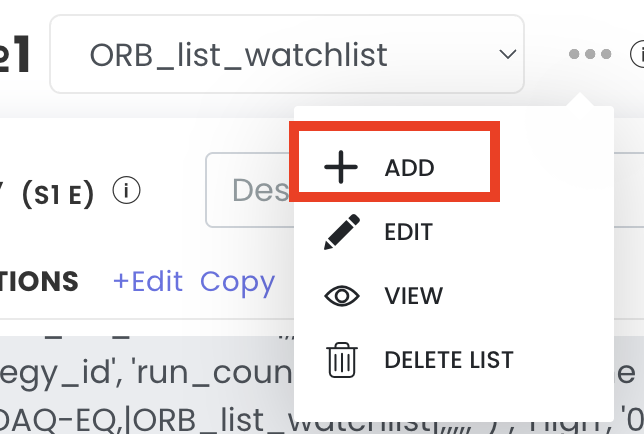
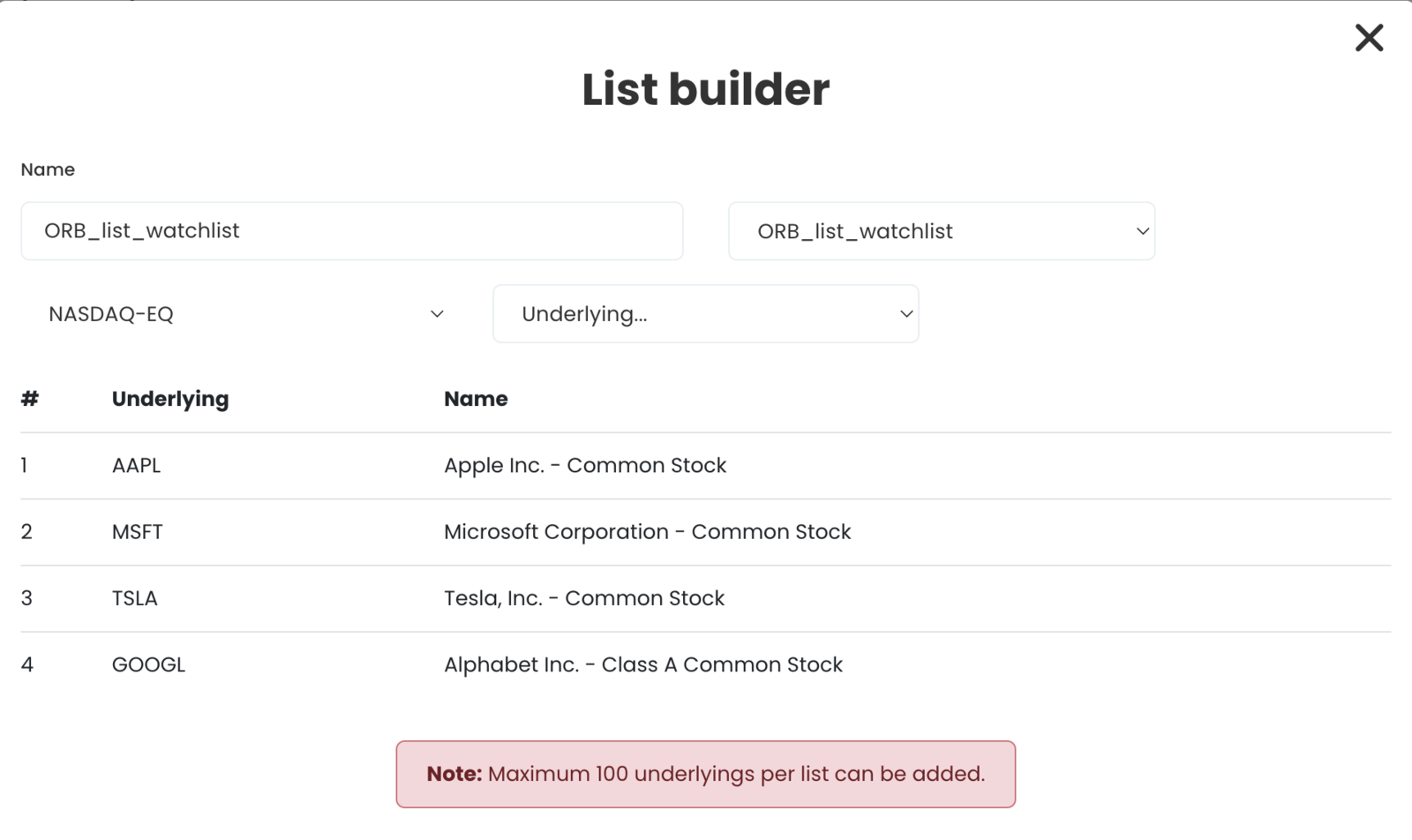
- In the Strategy builder, click Add to create a new list. This example calls it ORB List Watchlist.
- Pick the exchange (NASDAQ here for equity stocks; for options pick the derivatives exchange).
- Add instruments, for example Apple, Microsoft, Tesla and Google. A list can hold up to 100 stocks.
- Save the list.
Step 2 — Long entry condition
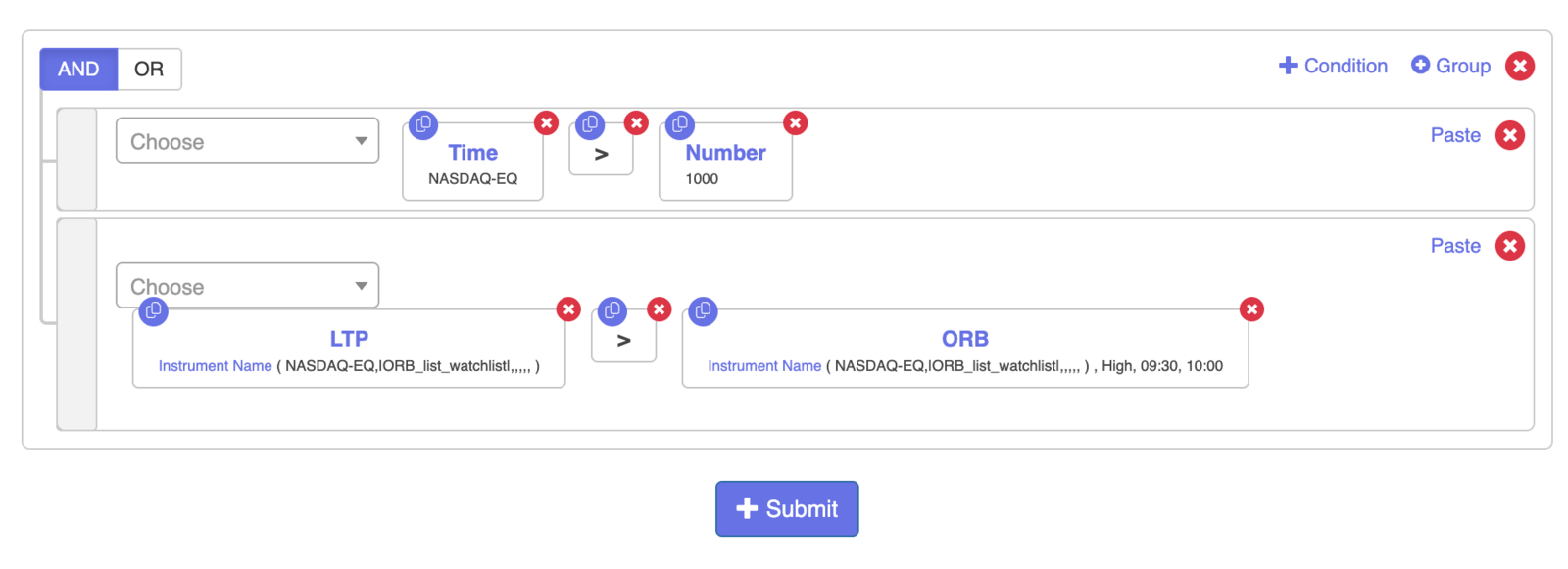
Select the saved list in the strategy set, then build: LTP greater than ORB High.
- Click Add, type LTP, select the instrument, choose NASDAQ and select your list (type “List” in the search to find it).
- On the right side, choose ORB. It defaults to High. Set the window to 9:30 AM to 10:00 AM Eastern, and select the instrument, exchange and list again.

Step 3 — Add a time gate
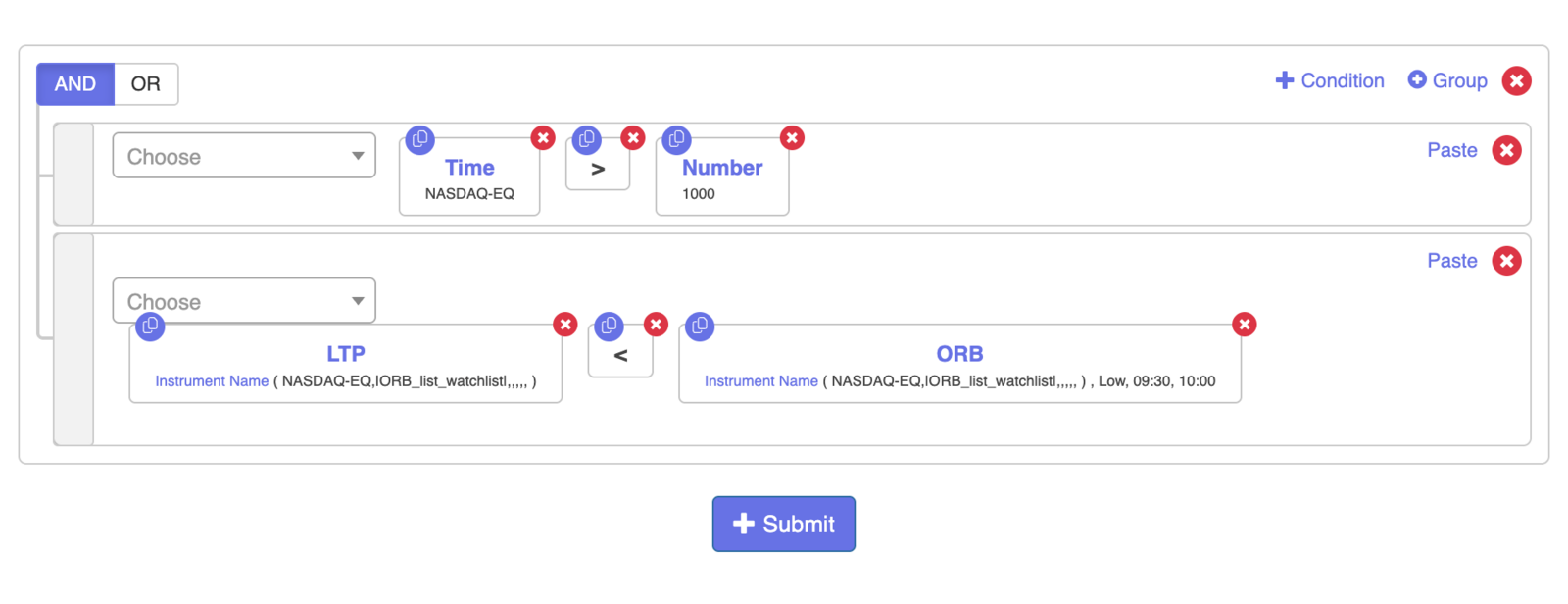
ORB data is only complete after its window ends. A 9:30–10:00 range cannot be checked at 9:45. So add a second condition with AND: Time greater than 1000.
Time is written as a number: 10:00 AM = 1000, 9:00 AM = 900, 3:00 PM = 1500.
Time greater than 1000 AND LTP greater than ORB High (9:30–10:00 AM Eastern)
Step 4 — Position size from the range
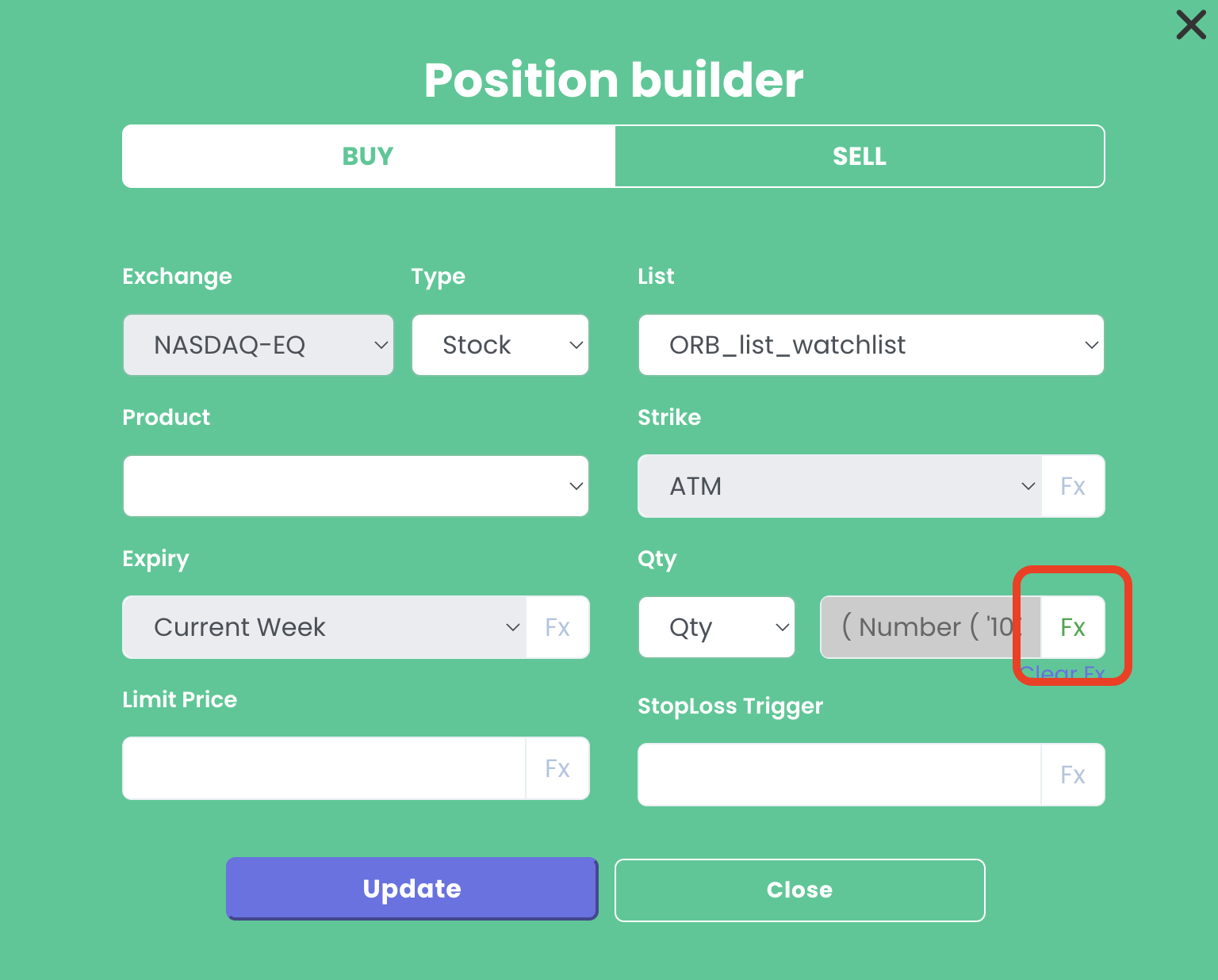
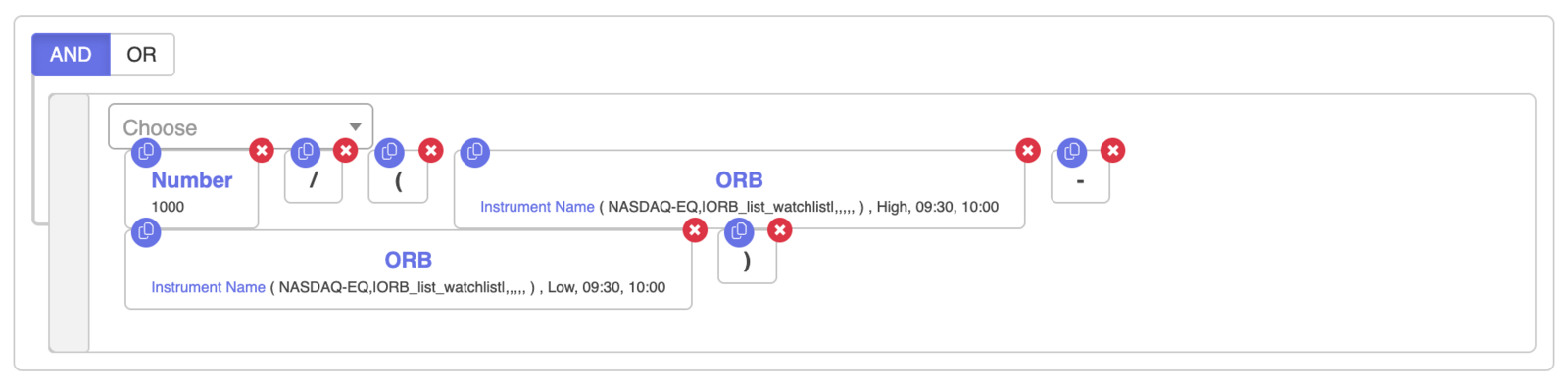
In the quantity field, click FX and enter:
1000 ÷ (ORB High − ORB Low)
Both ORB values use the same 9:30–10:00 window. A wider range gives a smaller position.
Save after each section so you do not lose work.
Step 5 — Stop loss
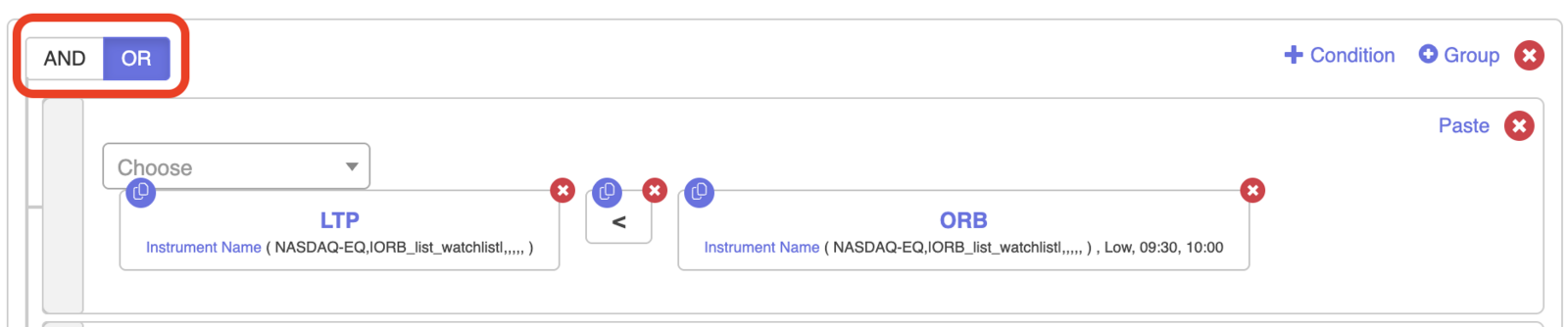
Copy the entry condition into the exit section, then:
- Switch AND to OR.
- Remove the time condition (exits only happen after entry anyway).
- Change ORB High to ORB Low and greater than to less than.
LTP less than ORB Low (9:30–10:00 AM Eastern)
Step 6 — Target (2× the range)
Add another exit condition:
LTP greater than Entry Price + (2 × (ORB High − ORB Low))
For the entry price, choose Traded Instrument on the right side and select your list. For Set 1 with one leg, enter 1, 1, 1 (set, condition, leg). Write the formula with brackets like normal maths.
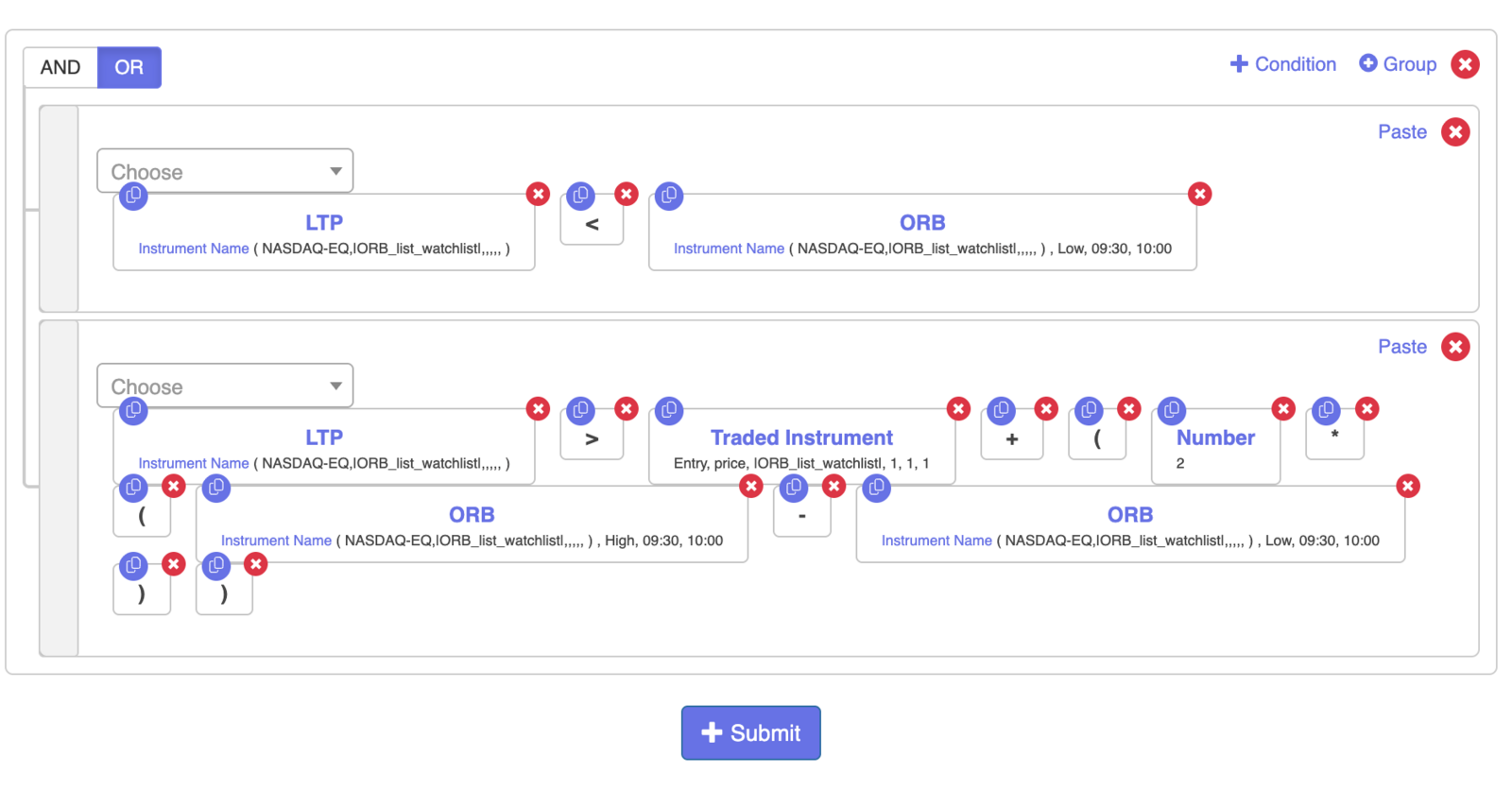
Set 1 (long side) is done.
Step 7 — Short side (Set 2)
- Entry: copy the long entry into Set 2, change greater than to less than and ORB High to ORB Low: Time greater than 1000 AND LTP less than ORB Low.
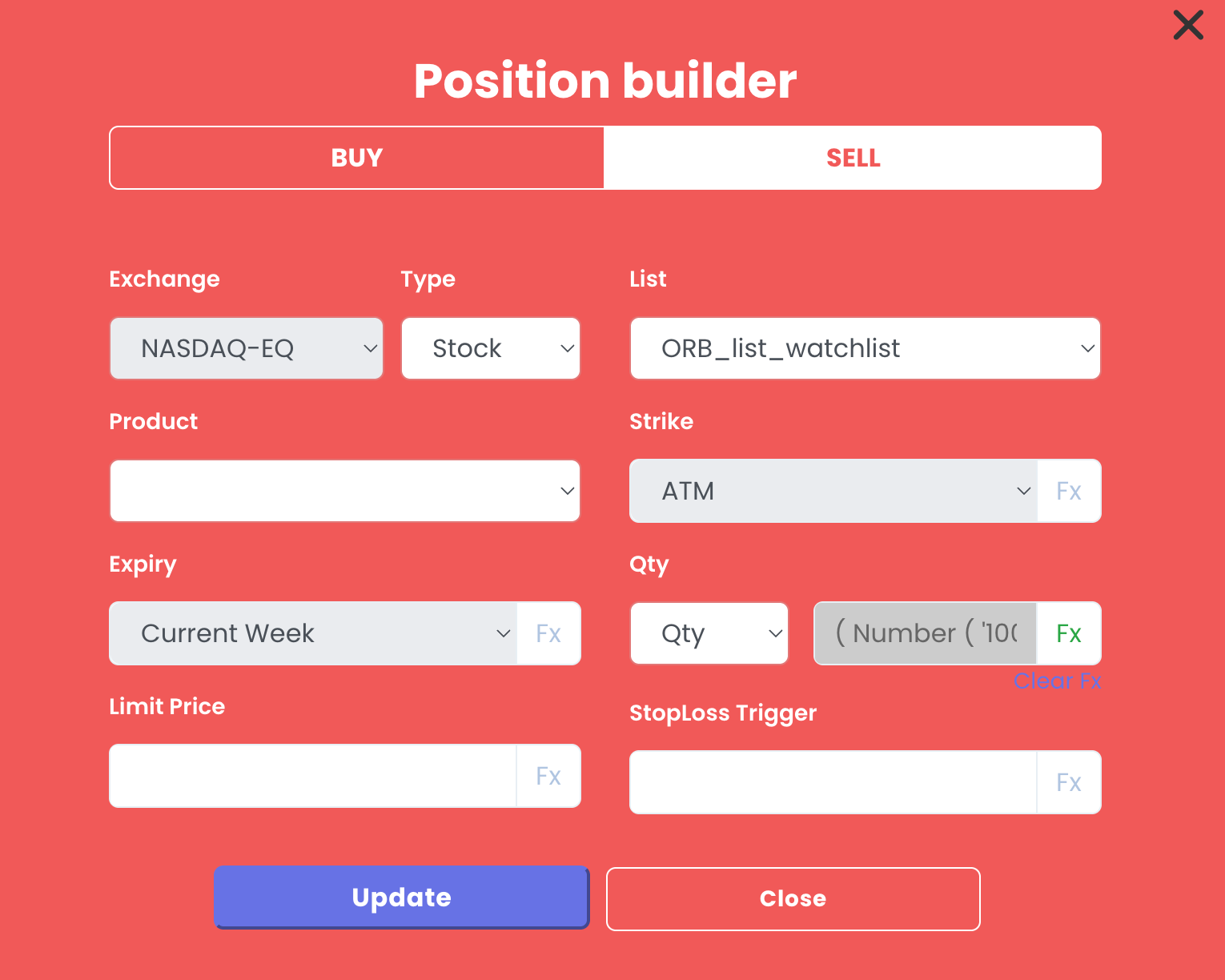
- Position: select the same list in Set 2 first (otherwise you get a list mismatch error), paste the long position and change Buy to Sell. The quantity formula stays the same.
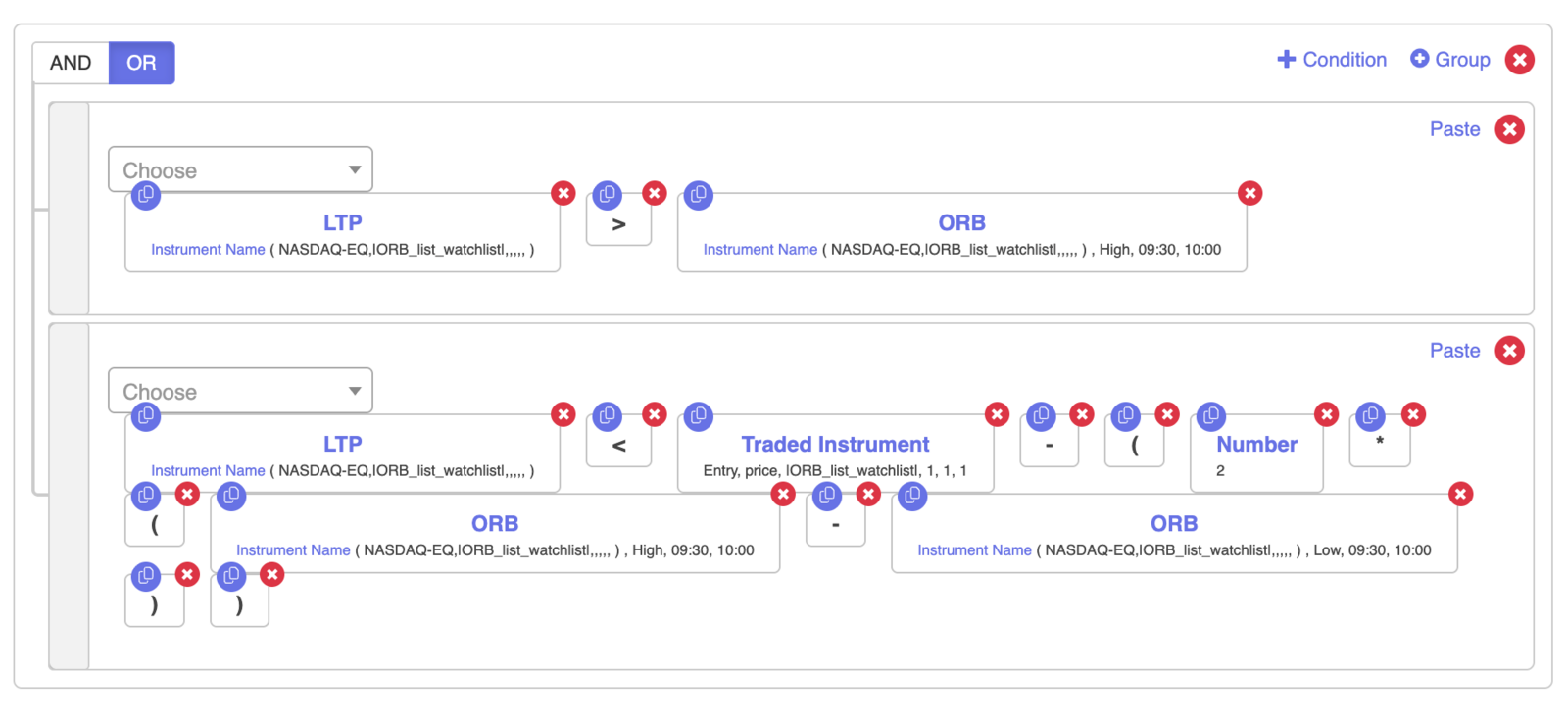
- Stop loss: LTP greater than ORB High.
- Target: LTP less than Entry Price − (2 × (ORB High − ORB Low)).
Set 2 entry:
Set 2 position builder:
Set 2 exit:
Step 8 — Universal Exit
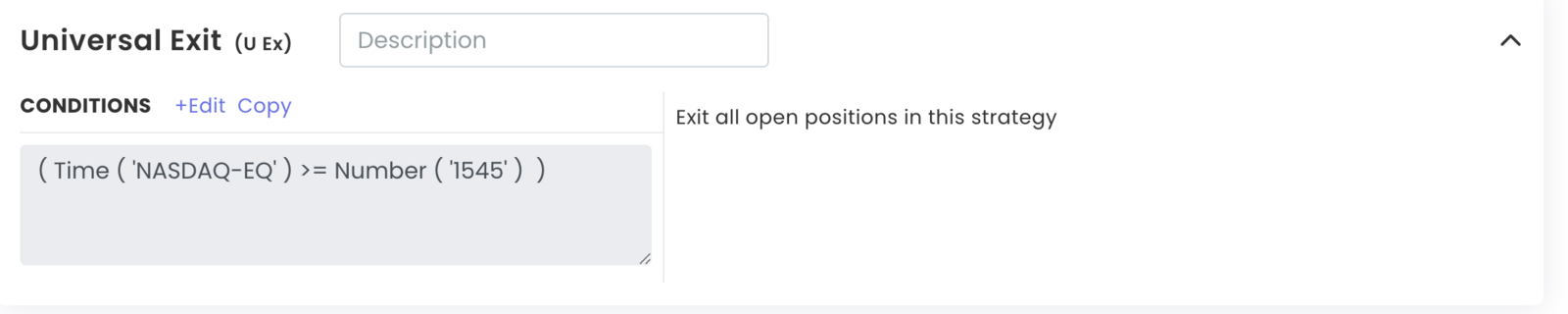
Click Add Universal Exit and set Time greater than or equal to 1545 (3:45 PM). Submit and update.

Summary
| Part | Long (Set 1) | Short (Set 2) |
|---|---|---|
| Entry | LTP > ORB High | LTP < ORB Low |
| Time gate | Time > 1000 | Time > 1000 |
| Quantity | 1000 ÷ (High − Low) | 1000 ÷ (High − Low) |
| Stop loss | LTP < ORB Low | LTP > ORB High |
| Target | LTP > Entry + 2× range | LTP < Entry − 2× range |
| Universal Exit | 3:45 PM (1545) | 3:45 PM (1545) |
Test before going live
Deploy in Live Offline first and check the notification logs to confirm entries and exits fire as expected.
You can duplicate the example strategy here: https://tradetron.tech/strategy/9729450
For education only. This is not investment advice.
 Edited with AI from the original Tradetron article, checked against current docs (Oct 2026). Spot something wrong? Tell us in the Community.