

Every backtest needs four inputs: date range, candle frequency, trade price and type.
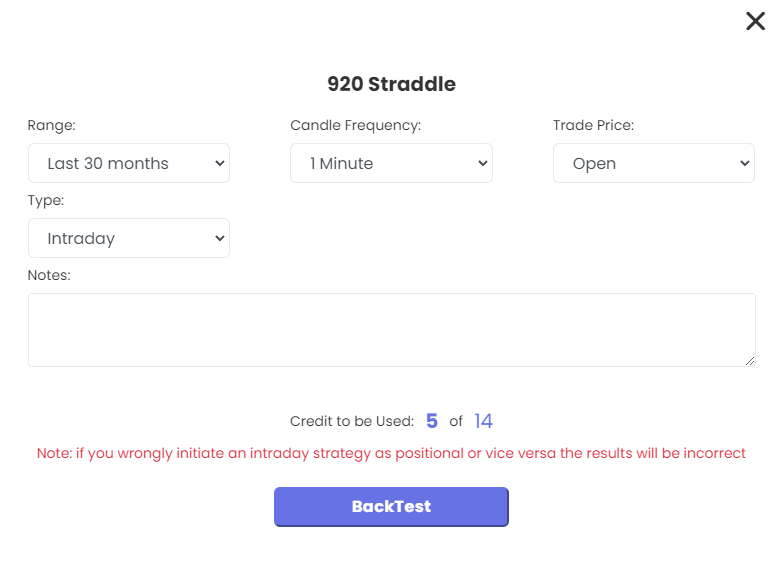
Date range
Historical data for NSE/NFO starts on 1 Jan 2020, so earlier periods cannot be backtested. Some newer segments start later. Pick a preset range (for example last 6 months or 18 months) or set a custom range.
A list with more than 20 stocks is limited to a 7-day backtest. Each run costs ₹20, or 1 backtest-pack credit if you have one, whatever the date range.
Candle frequency
Choose 1min, 5min, 10min, 15min, 30min, 1hr or Full day (1D). 1 minute is the finest; there are no tick or seconds candles.
- Never pick a frequency coarser than the smallest timeframe in your strategy. If it uses 15min and 1hr, choose 15min or lower.
- A daily-timeframe strategy can use Full day or lower.
- If your strategy uses time conditions or the LTP keyword, use 1min for the most accurate result.
- Smaller candles mean more computing, so the backtest takes longer.
Trade price
This is the price at which simulated trades fill: Open or Close.
- Entry after crossovers or indicator signals: Open usually suits better.
- Entry on candle close: choose Close.
Type
Choose Intraday or Positional. Positional gives three options:
- None – stocks with no expiry.
- Weekly – weekly options.
- Monthly – monthly options or futures.
Good to know
A backtest ignores corporate actions, rollovers, advanced price execution settings, SLM orders, tranching and overnight protection. Some gap between backtest and live results is normal.
 Edited with AI from the original Tradetron article, checked against current docs (Oct 2026). Spot something wrong? Tell us in the Community.